
RenderCut Lifetime Deal
RenderCut's AppSumo lifetime deal was priced at $49 one-time for Tier 1 (currently sold out); no verified discount code available; 60-day money-back guarantee through AppSumo.
- Type Lifetime
- Verdict Wait
- Status Active
- Updated Jun 9, 2026
- Confidence Medium
- Score 5/10
Verdict: Wait
RenderCut at $49 suits short-form video creators needing basic subtitle automation, but the AppSumo deal is sold out, the base tier caps videos at 3 minutes, and reviews confirm a cumbersome editor with music transcription failures. Wait for a restock before committing.
On this page7 sections
What is RenderCut?
RenderCut is a cloud-based AI subtitle generator that auto-captions videos in 40+ languages with customizable styling, B-roll insertion, and emoji sticker overlays. RenderCut's AppSumo lifetime deal was priced at $49 one-time for Tier 1 (currently sold out); no verified discount code available; 60-day money-back guarantee through AppSumo.
The RenderCut lifetime deal on AppSumo offered AI subtitle generation for a one-time $49 entry price, replacing what would otherwise be a $250 regular plan cost. The deal is currently sold out as of June 2026 with no confirmed restock date on AppSumo. Even when available, the base $49 tier restricts buyers to videos no longer than 3 minutes with a 500 MB upload cap, meaning most real-world content requires purchasing 2 or 3 codes at $98 or $147 to get practical use. AppSumo reviews rate the tool 4.55 stars across 40 verified ratings, but multiple reviewers specifically call out the subtitle editor as cumbersome and the B-roll editor as weak. Kapwing, the most directly comparable competitor at $16 per month, supports full-length videos, provides subtitle timing controls inside the editor panel, and includes a complete video editing suite covering trim, crop, and resize that RenderCut does not offer. RenderCut makes sense only for a narrow audience: short-form TikTok and Reels creators who need basic automated captions for clips under 3 to 7 minutes and do not require music transcription, complex timing adjustments, or long-form video support.
Pros & Cons
Pros
- Lifetime pricing of $49 undercuts Kapwing ($16/month) and VEED ($12/month) within 3 months of use, making the deal cost-effective for creators who commit to regular short-form subtitle workflows and want to eliminate recurring software costs.
- Support for 40+ languages makes RenderCut practical for multilingual social media channels targeting different regional audiences, removing the need to switch between separate transcription tools for each language market.
- Watermark-free video export is included at every paid tier from the base $49 code onward, avoiding the watermark restrictions that apply to free plans on Kapwing and VEED where an upgrade is required to remove platform branding from exported files.
- The 60-day AppSumo money-back guarantee gives buyers enough time to test subtitle accuracy across their specific content type and request a full refund if quality does not meet expectations before the window closes.
- B-roll clip insertion and emoji sticker overlays are built into the tool, providing light visual enhancement for short-form clips without requiring a separate video editing application alongside the subtitle generator.
Cons
- The base $49 tier caps video length at 3 minutes and upload size at 500 MB, making single-code purchases too restrictive for most video content and effectively requiring a $98 or $147 multi-code purchase to reach a usable video length range.
- The subtitle editor is cumbersome: AppSumo reviews confirm no easy way to add missing words mid-sentence, and timing corrections require drag-and-drop in the timeline rather than a dedicated subtitle panel with direct numerical time input.
- Background music breaks AI transcription, causing widespread caption errors on any video with instrumental audio. This is a fundamental limitation for music-backed social media content, vlogs, and branded video production where background tracks are standard.
- No company information is visible on rendercut.io: no About page, no founders listed, no LinkedIn profile, and no company registration data anywhere, making it difficult to assess long-term reliability for customers committing to a lifetime purchase.
- The AppSumo deal is currently sold out with no restock date confirmed, meaning there is no way to purchase RenderCut at the lifetime price today regardless of whether the tool would otherwise fit your content workflow.
What It Does
- Auto-generates subtitles from video audio in 40+ languages
- Lets you customize caption fonts, colors, and animation effects
- Inserts B-roll clips into videos automatically
- Adds emoji stickers to video content as overlays
- Exports videos without watermarks on all paid tiers
- Previews subtitle changes instantly inside the dashboard editor
Who It's For
- Short-form video creators making TikTok and Instagram Reels content under 7 minutes
- Social media managers who need quick captions for short promotional clips
- Content creators wanting automated subtitles without a recurring monthly subscription
- Multilingual video producers adding captions across different audience language markets
Pricing Comparison
| Plan | Price | Type |
|---|---|---|
| RenderCut Tier 1 (1 Code) | $49 one-time (sold out) | Lifetime Deal |
| RenderCut Tier 2 (2 Codes) | $98 one-time (sold out) | Lifetime Deal |
| RenderCut Tier 3 (3 Codes) | $147 one-time (sold out) | Lifetime Deal |
| Kapwing Starter | $16/month (annual) | Subscription |
| Descript Lite | $12/month (annual) | Subscription |
| VEED.io Lite | $12/month (annual) | Subscription |
Feature Comparison
| Feature | RenderCut | Kapwing | VEED.io |
|---|---|---|---|
| Auto subtitle generation | ✅ | ✅ | ✅ |
| 40+ language support | ✅ | ✅ | ✅ |
| Custom caption fonts and animations | ✅ | ✅ | ✅ |
| B-roll clip insertion | ✅ | ✅ | ❓ |
| Emoji sticker overlays | ✅ | ❌ | ❌ |
| Watermark-free export (paid tier) | ✅ | ✅ | ✅ |
| Full video editing (trim, crop, resize) | ❌ | ✅ | ✅ |
| Subtitle timing adjustment via UI menu | ❌ | ✅ | ✅ |
| 4K video export | ❌ | ❓ | ✅ |
| Support for videos over 7 minutes | ❌ | ✅ | ✅ |
| Free tier available | ❌ | ✅ | ✅ |
| Brand kit for consistent cross-project styling | ❌ | ❌ | ✅ |
Limitations
- The subtitle editor is cumbersome with no easy way to insert missing words mid-sentence, confirmed across multiple AppSumo reviews. Users report significant friction correcting AI transcription errors, making post-processing captions in complex videos a slow and frustrating manual process.
- B-roll editing is severely limited in options and control. Both AppSumo reviews and the independent LifetimeDealsInside assessment flag the B-roll editor as a major weak point, with far fewer clip choices and less precise placement control than competing tools like Kapwing.
- The base $49 Tier 1 caps video length at 3 minutes and file size at 500 MB, which is too restrictive for most real content. Short YouTube videos, podcast clips, and explainer videos routinely exceed 3 minutes, effectively forcing buyers to spend $98 or $147 on multi-code purchases to get practical utility.
- Importing a corrected SRT file breaks caption display: AppSumo reviewers confirm that uploading an externally edited SRT file causes the editor to merge lines into oversized blocks that are too small to read on screen, making external correction workflows unreliable.
- Background music and instrumental audio disrupt transcription accuracy. AppSumo users confirm the AI model does not handle music tracks well, generating widespread caption errors on any video with background audio, which covers the majority of social media and marketing content.
- Caption text positioning is uncontrolled and captions can appear over social media platform icons. AppSumo reviewers specifically request a safe-zone or margins feature to prevent subtitles from being hidden behind platform UI elements when content is viewed on TikTok and Instagram.
- Language transcription accuracy varies significantly across the 40+ supported languages. The independent LifetimeDealsInside assessment confirms Portuguese quality is imperfect, and this pattern likely extends to other non-English languages, weakening the multilingual value proposition for global creators.
- The AppSumo deal is sold out as of June 2026 with no restock date given. The tool is unavailable for purchase, and there is no alternative path: no subscription option, no other deal platform, and no confirmed timeline for the deal to return to AppSumo.
What's Missing vs Competitors
- Full video editing suite: Kapwing and VEED both include trim, crop, resize, and overlay effect tools in one editor; RenderCut handles only subtitle overlays and basic B-roll with no integrated video editing capability beyond captions.
- Subtitle timing adjustment via the editor UI: Kapwing allows users to fix subtitle start and end times directly from the Subtitles panel with direct time input; RenderCut requires drag-and-drop in the timeline only, making precise timing corrections significantly harder.
- Extended video length support: VEED.io handles videos up to 2 hours on paid plans; RenderCut caps at just 7 minutes even on its $147 three-code tier, making it completely unsuitable for tutorials, webinars, or any content running longer than 7 minutes.
- 4K export resolution: VEED.io offers 4K video export on its Pro tier; RenderCut does not specify its maximum export resolution anywhere on its official site or AppSumo listing, leaving buyers uncertain about output quality for high-resolution content.
- Free tier access: Kapwing and VEED both offer free plans that allow users to test core functionality before paying; RenderCut has no free tier and no trial outside the 60-day AppSumo refund window, which still requires a purchase upfront to access.
Who Should Skip This Deal
- Long-form content creators producing YouTube tutorials, webinars, or podcast videos over 7 minutes should use VEED.io instead, which supports videos up to 2 hours on paid plans and offers stronger subtitle accuracy for extended content.
- Video editors who need a complete production workflow covering trim, crop, effects, and text overlays should choose Kapwing or VEED rather than RenderCut, which is a subtitle overlay tool only and cannot replace a video editor for end-to-end production.
- Creators producing music-heavy content such as vlogs, brand videos, or cooking tutorials with background tracks should consider Descript instead, which handles instrumental audio significantly better and allows transcript corrections through a text-based editing interface.
- Anyone trying to buy right now: the AppSumo deal is sold out as of June 2026 with no confirmed restock date, so there is no purchase path available today regardless of whether the product would otherwise fit a buyer's video workflow.
Frequently Asked Questions
- RenderCut at $49 one-time is priced well below Kapwing ($16/month) and VEED ($12/month), and on pure cost math you break even with Kapwing in about 3 months of use. That value equation holds if your content fits the tool's constraints. The base $49 Tier 1 is limited to 3-minute videos and a 500 MB upload cap, which excludes most real-world content. Buying 2 codes ($98) unlocks 5-minute videos, and 3 codes ($147) reaches a 7-minute maximum. With 4.55 out of 5 stars across 40 AppSumo reviews, user satisfaction is generally solid for core subtitle generation on short clips, but multiple reviewers flag the editor as frustrating when correcting errors. The deal is currently sold out as of June 2026, so the question of whether it is worth buying is moot until it restocks. If you create content strictly under 5 to 7 minutes and need affordable automated captions without a monthly subscription, RenderCut is worth considering when the deal returns. If you need longer videos, accurate music transcription, or a full editing suite, the cost advantage disappears against the functional gaps.
- RenderCut's AppSumo lifetime deal includes a 60-day money-back guarantee, which is AppSumo's standard refund window for all lifetime deals on the platform. Buyers have 60 days from the purchase date to test the product and request a full refund if it does not meet their needs. The 60-day window is adequate for testing basic subtitle generation on a representative sample of your content. However, some limitations only become apparent after more intensive use: the B-roll editor weakness and the SRT import bug may not surface until you attempt more complex editing workflows or try to integrate external transcript correction tools. There is no explicit fair-use cap stated during the trial period, meaning you can generate subtitles across multiple videos during the 60 days before deciding. To initiate a refund, buyers contact AppSumo support directly rather than RenderCut. The deal is currently sold out as of June 2026, so this refund policy applies only once the deal becomes available again and a purchase is completed. No standalone subscription or alternative purchase path currently exists outside of the AppSumo lifetime deal.
- RenderCut and Kapwing overlap on subtitle generation but differ significantly in scope. RenderCut is a dedicated subtitle tool with B-roll insertion and emoji sticker overlays as secondary features. Kapwing is a full video editor that includes subtitle generation as one capability among many, covering trim, crop, resize, effects, and a larger B-roll library. Kapwing also allows subtitle timing adjustment directly inside the Subtitles panel with precise numerical time input, whereas RenderCut requires drag-and-drop in the timeline for any timing corrections. On pricing: Kapwing Starter costs $16 per month on annual billing, totaling $192 per year. The RenderCut $49 lifetime deal, when available, is cheaper within 3 months of use on pure cost math. But Kapwing supports full-length videos with no hard time cap, while RenderCut maxes at 7 minutes even on the $147 three-code tier. Kapwing also offers a free tier for testing, while RenderCut requires a purchase before access. For creators needing a complete video editing workflow, Kapwing is the stronger and more flexible choice. For short-form creators whose only need is automated captions on clips under 7 minutes and who want to avoid monthly billing, RenderCut is the cheaper option when the deal is available.
- RenderCut has several documented limitations confirmed through AppSumo reviews and independent testing. The biggest structural issue is video length: Tier 1 ($49) supports only 3-minute videos, Tier 2 ($98) goes to 5 minutes, and Tier 3 ($147) tops out at 7 minutes, excluding tutorials, webinars, and long-form content entirely. The subtitle editor is cumbersome: users report no easy way to insert missing words mid-sentence, and importing an externally corrected SRT file causes the editor to merge lines into oversized, unreadable caption blocks. The B-roll editor has limited clip options and weak controls compared to Kapwing or VEED. The AI transcription model does not handle background music, causing widespread errors on music-backed videos. Caption positioning has no safe-zone control, so subtitles can drift under social media platform icons. Transcription accuracy varies by language, with confirmed quality issues in Portuguese and likely other non-English languages. The company provides no founding information, no About page, and no LinkedIn profile anywhere on its site, making long-term reliability hard to assess. Finally, the AppSumo deal is currently sold out as of June 2026, meaning the tool is unavailable to purchase at any price today.
- Several user types are better served by alternatives and should avoid RenderCut. Long-form content creators producing YouTube tutorials, webinars, explainer videos, or podcast clips longer than 7 minutes should use VEED.io, which supports videos up to 2 hours on paid plans and offers stronger subtitle accuracy for extended content. Video editors who need a complete production workflow covering trim, crop, resize, text overlays, or visual effects should choose Kapwing or VEED instead: RenderCut is a subtitle overlay tool and cannot replace a video editor for end-to-end production. Creators working with music-heavy content, including vlogs, cooking videos, fitness clips, or branded productions with background tracks, should consider Descript, which handles instrumental audio significantly better and allows transcript corrections through a text-based interface that is far less cumbersome. Finally, anyone looking to buy right now cannot access RenderCut at any price: the AppSumo deal is sold out as of June 2026 with no confirmed restock date, meaning there is no purchase path available regardless of whether the product would otherwise suit a buyer's workflow. The AppSumo page offers a notification option for when the deal returns.
Is RenderCut worth the money?
What is the refund policy for RenderCut?
How does RenderCut compare to Kapwing?
What are the main limitations of RenderCut?
Who should NOT buy RenderCut?
Sources
Get notified when the verdict changes
This deal currently has a "Wait" verdict. If pricing improves, limitations are fixed, or the verdict changes to Buy, we will email you.
We only email you about this specific deal. Unsubscribe anytime.
Related tools & guides
Alternatives to RenderCut
Other active deals in AI Video
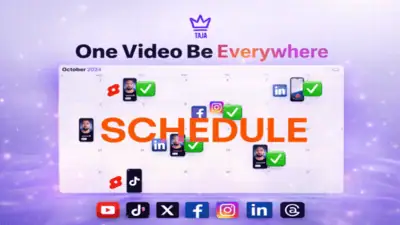
Taja AI turns long-form YouTube videos into shorts, blog posts, thumbnails, and social media content with auto...
Trebble is a browser-based audio and video editor that uses AI transcript editing instead of a traditional tim...
Unmixr AI is a multi-tool voice content studio offering text-to-speech, transcription, dubbing, and voice clon...
Mootion is a browser-based AI video creation platform that converts text prompts, scripts, and audio into anim...
Comments
Loading comments...