
WebAbility.io Lifetime Deal
WebAbility.io lifetime deal: $59 one-time on AppSumo for 2 websites and 1 code, scaling to $295 for 5 codes, backed by a 60-day money-back guarantee.
- Type Lifetime
- Verdict Wait
- Status Active
- Updated May 29, 2026
- Confidence Medium
- Score 5/10
Verdict: Wait
WebAbility.io offers real lifetime value at $59, but a sub-one-year track record, a missing audit report, no legal pledge, and unavoidable overlay legal risk make it a WAIT until scoring ships and the company proves it honors lifetime terms.
On this page7 sections
What is WebAbility.io?
WebAbility.io is an AI-powered accessibility overlay widget that adds WCAG, ADA, and Section 508 user adjustments to a website through a single JavaScript snippet. WebAbility.io lifetime deal: $59 one-time on AppSumo for 2 websites and 1 code, scaling to $295 for 5 codes, backed by a 60-day money-back guarantee.
The WebAbility.io lifetime deal sells one-time accessibility widget access from $59 on AppSumo for 2 websites and 1 code, replacing the $99 per year Automated subscription. It is an overlay tool: a single JavaScript snippet adds user adjustments like contrast modes, text resizing, a dyslexia-friendly font, and ARIA tweaks, plus WordPress-native fixes for alt text and headings. The honest catch is that an overlay does not rewrite your source code, so missing alt attributes and structural WCAG problems stay in the HTML, and US court rulings have refused to treat overlays as proof of compliance. The product is also young, with only 90+ WordPress installs and an accessibility score feature still in development. Compared against UserWay, which bundles a $10,000 legal support pledge on paid plans, WebAbility.io has no published litigation indemnity, and A11yProof offers code-level fixes that survive removal. For a small site owner who treats this widget as one layer on top of real remediation, the price is fair; as a standalone ADA defense, it is not.
Pros & Cons
Pros
- The $59 one-time entry covers 2 sites with lifetime updates, which undercuts UserWay and accessiBe annual fees near $490 per year, so the payback period is under two months for an active site.
- WordPress users get native fixes from version 2.2.0 onward, including alt text, heading hierarchy, skip navigation, and a lang attribute, which go further than a pure front-end overlay.
- The 60-day AppSumo money-back guarantee is longer than the 30-day refund on WebAbility's own subscription, giving buyers two months to test compliance fit before committing.
- Founder Sidharth Nayyar answers questions directly on AppSumo and ships frequent updates, a positive engagement signal for a young, founder-led product.
- Coverage spans multiple standards (WCAG 2.1 and 2.2, ADA, Section 508, AODA, EN 301 549) and 50+ languages, which is broad for this price tier.
Cons
- As an overlay it cannot bring source code into WCAG compliance; UsableNet data shows 22.6% of early-2025 accessibility lawsuits targeted sites that already ran a widget, so legal exposure remains.
- There is no accessibility score or audit report yet, so non-technical buyers cannot see which issues remain; the founder confirmed scoring is still in development with no ship date.
- The product is under a year old in public form with 90+ installs and zero WordPress.org reviews, so its track record for honoring lifetime obligations is unproven.
- WebAbility offers no legal indemnification, unlike UserWay's $10,000 pledge, leaving buyers fully responsible if a demand letter arrives.
- Reviewers report a bumpy screen reader and untranslated widget sections, which weaken the core experience for the disabled users the tool targets.
What It Does
- Adds user adjustments: text size, contrast, spacing, dyslexia font
- Injects ARIA attributes and keyboard navigation via JavaScript snippet
- Generates a WebAbility accessibility statement page automatically
- Fixes alt text and heading hierarchy on WordPress
- Supports 50+ languages with an auto-detecting language selector
- Scans pages for accessibility barriers inside the dashboard
Who It's For
- Small business owners adding a basic accessibility layer cheaply
- WordPress site owners wanting native alt text and heading fixes
- Freelancers managing a handful of low-traffic client sites
- Budget buyers who already plan separate code-level remediation
Pricing Comparison
| Plan | Price | Type |
|---|---|---|
| WebAbility.io Plan 1 (LTD) | $59 one-time (2 sites, 1 code) | ⭐ Best Value |
| WebAbility.io Plan 5 (LTD) | $295 one-time (5 codes) | Lifetime Deal |
| WebAbility.io Automated (regular) | $99/year | Subscription |
| UserWay Widget Pro | ~$490/year | Subscription |
| accessiBe accessWidget | ~$490/year | Subscription |
| A11yProof | From $29/month | Subscription |
| EqualWeb Pro Widget | Free tier or ~$600/year | Subscription |
Feature Comparison
| Feature | WebAbility.io | UserWay | accessiBe |
|---|---|---|---|
| One-time lifetime pricing | ✅ | ❌ | ❌ |
| User-facing profiles (contrast, text, dyslexia font) | ✅ | ✅ | ✅ |
| 50+ language support | ✅ | ✅ | ✅ |
| WordPress-native code fixes (alt text, headings) | ✅ | ✅ | ✅ |
| AI alt-text generation | ✅ (free tool) | ❌ | ✅ |
| Accessibility score and audit report | ❌ (planned) | ✅ | ✅ |
| Legal support or litigation pledge | ❌ | ✅ | ❌ |
| Free permanent widget tier | ❌ | ✅ | ❌ |
| Compliance certificate badge | ❌ | ✅ | ✅ |
| Code-level fixes that persist after removal | ❌ | ❌ | ❌ |
| 60-day money-back guarantee | ✅ | ❌ | ❌ |
Limitations
- No accessibility score or audit report. AppSumo Tier 2 buyer Sye (June 2025) noted the dashboard gives no score, no flagged issues, and no recommendations for non-technical users; the founder confirmed scoring is in development with no shipped date.
- The overlay does not make source code WCAG compliant. Per accessibility.works and charlesjones.dev, missing alt attributes and structural problems remain in the HTML after the script runs, and US courts have rejected overlays as proof of compliance.
- Installing a widget does not lower lawsuit risk. UsableNet and ecomback data show 22.6% of first-half 2025 accessibility lawsuits, some 456 cases, targeted sites that already had an overlay installed.
- Very young product with thin validation. The WordPress.org plugin launched September 2025, shows only 90+ active installs, and carries zero submitted plugin reviews, so satisfaction cannot be verified at scale.
- Language coverage is incomplete. Multiple AppSumo reviews report that not all parts of the widget are translated even though 50+ languages are advertised, leaving mixed-language menus for non-English visitors.
- Screen reader behavior is inconsistent. AppSumo review summaries describe the screen reader as still bumpy and skipping some words, which undermines the core promise for blind and low-vision users.
- No legal indemnification. Unlike UserWay's $10,000 legal support pledge for paid customers, WebAbility.io publishes no litigation fund or buyer indemnity on its own site or in competitor comparisons.
- QA gaps in shipped versions. The plugin changelog shows v2.3.3 fixed a silent no-op where the trigger size dropdown did nothing in v2.3.x, a bug reported by a customer rather than caught before release.
What's Missing vs Competitors
- Accessibility scoring and audit reports that accessiBe and A11yProof provide, letting buyers see exactly which WCAG issues still remain on the page.
- A code-level remediation engine like A11yProof, whose fixes persist in the HTML even after the tool is removed from the site.
- A free permanent widget tier, which both UserWay and EqualWeb offer for low-budget testing or basic toolbar use.
- A litigation support fund comparable to UserWay's $10,000 legal pledge for paid Pro customers.
- A human-expert manual audit tier inside the deal; WebAbility's Self-Managed and Managed plans require a demo and are excluded from the AppSumo offer.
Who Should Skip This Deal
- Businesses that need a legally defensible audit trail should choose A11yProof, which generates persistent code-level fixes mapped to WCAG 2.1 AA.
- Anyone wanting litigation protection should look at UserWay, whose paid plans include a $10,000 legal support pledge that WebAbility does not match.
- Budget users who only need a basic toolbar should use the free permanent tiers from UserWay or EqualWeb instead of paying upfront.
- Agencies needing manual human audits should skip this deal, since WebAbility's expert audit tiers are demo-quoted and not part of the lifetime offer.
Frequently Asked Questions
- At $59 one-time for 2 sites with lifetime updates, WebAbility.io is cheaper than UserWay or accessiBe, which both run near $490 per year. It is worth it for a small site owner who wants an affordable accessibility layer and accepts overlay limits. It is not worth it if you expect it to make your code WCAG compliant or defend you in court, because overlays do not rewrite source HTML. Treat it as one layer on top of real code-level remediation, and pair it with a manual audit. Use the 60-day refund window to test fit before relying on it.
- The AppSumo lifetime deal carries a 60-day money-back guarantee, so you can request a full refund within 60 days of purchase for any reason. That is longer than the 30-day money-back guarantee on WebAbility's own monthly and annual subscription plans. Note that codes must be redeemed within 60 days of purchase, and some AppSumo buyers report more friction once codes are redeemed and heavily used. Test the product early in the window rather than waiting until the deadline so you keep your refund option open.
- Both are accessibility overlay widgets with profiles, 50+ languages, and similar user adjustments. UserWay is more mature, has a far larger install base, and includes a $10,000 legal support pledge on paid Pro plans plus a free starter widget. WebAbility.io wins on price: a $59 one-time payment versus roughly $490 per year for UserWay Pro. WebAbility lacks UserWay's legal pledge and free permanent tier. If price and lifetime access matter most, WebAbility leads; if litigation support and maturity matter most, UserWay leads.
- The main limitations are that it is an overlay, so it cannot fix source-code WCAG issues that courts and the FTC scrutinize; there is no accessibility score or audit report yet, which the founder says is in development; the product is young with only 90+ WordPress installs and no plugin reviews; language translation is incomplete; the screen reader is reported as bumpy; and there is no legal indemnification like UserWay's. Pageview limits per tier are also not disclosed on the deal page, which is a gap for high-traffic sites.
- Skip it if you need a legally defensible compliance audit; A11yProof generates persistent code-level fixes and is a better fit. Skip it if you want litigation protection, since UserWay includes a $10,000 legal pledge that WebAbility does not match. Skip it if you only need a basic free toolbar, because UserWay and EqualWeb both offer free permanent tiers. Agencies needing human-expert manual audits should also pass, as WebAbility's expert audit tiers require a demo and are not included in the AppSumo lifetime deal.
Is WebAbility.io worth the money?
What is the refund policy for WebAbility.io?
How does WebAbility.io compare to UserWay?
What are the main limitations of WebAbility.io?
Who should NOT buy WebAbility.io?
Sources
Get notified when the verdict changes
This deal currently has a "Wait" verdict. If pricing improves, limitations are fixed, or the verdict changes to Buy, we will email you.
We only email you about this specific deal. Unsubscribe anytime.
Related tools & guides
Alternatives to WebAbility.io
Other active deals in AI Design
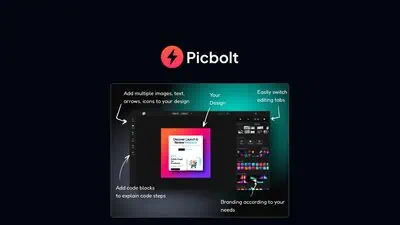
Picbolt is a browser-based design tool from developer Sohail Hussain that converts URLs, screenshots, and uplo...

Mockitt is a Wondershare-built AI design platform that combines prototyping, UI design, infinite whiteboarding...
UX Pilot AI generates wireframes, high-fidelity UI designs, and screen flows from text prompts, with Figma plu...
BugSmash is a visual feedback and annotation tool for reviewing live websites, videos, PDFs, images, and audio...
Comments
Loading comments...