

MachineTranslation.com is a free AI translation platform from Tomedes that runs your text through 22 AI models at once (ChatGPT, Gemini, Claude, DeepSeek, Mistral and more) and picks the version most of them agree on. Text translation needs no sign-up, it covers 330+ languages, and paid credits add layout-preserving PDF, DOCX, CSV and JPG translation. Use it as a free second opinion and a document formatter; do not use it alone on legal, medical or reputation-sensitive text.
Every AI translation tool claims to be “the most accurate.” What made me skeptical here was different: running one sentence through 22 models sounded like a lot of engineering for a problem most people do not have with short, everyday text. So I typed a real business sentence into the free tier and looked at what the comparison showed. Product details come from the official MachineTranslation.com site.
Disclosure: This review is based on a hands-on test of the free, no-sign-up tier. I didn’t purchase credits or use a paid account, so treat pricing tier details as verified from the official pricing page rather than personally tested at scale.
What is MachineTranslation.com?
MachineTranslation.com is the AI layer of Tomedes, a professional translation company with 20 years in the industry. It exists to fix one weakness of any single model, including ChatGPT, Google Translate and DeepL: each generates a translation exactly once, with no built-in way to catch when that output is subtly wrong.
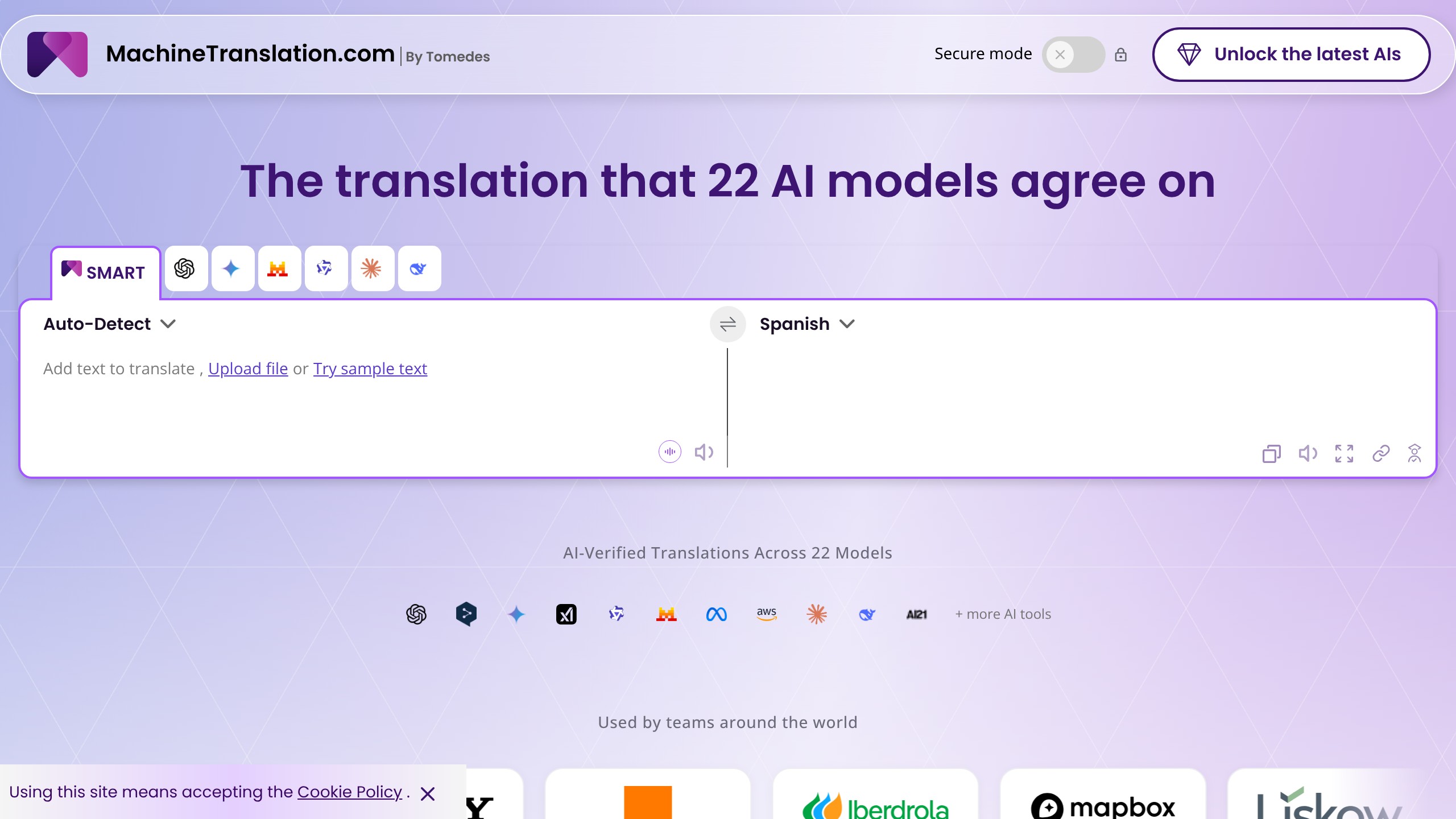
The platform claims over 1,000,000 registered users (with a 2026 figure cited at 1.5 million), more than 10 billion words translated, and 330+ languages including native scripts. Tomedes is ISO-certified and GDPR-compliant, and the site has a direct escalation path to human translators when the AI output is not good enough. A tool built purely on API calls cannot offer that.
It holds a 4.8 out of 5 rating on G2 across 200-plus reviews, lists enterprise clients including Roche, Sony, Orange, Yale University, Mapbox and Simpson Strong-Tie, and has been featured on Product Hunt, listed by Gartner and covered by Exploding Topics as a notable AI marketing tool. None of that guarantees quality on your document, but it is not a weekend side project. There are native apps on Google Play and the Apple App Store. An API is listed in the site’s navigation, but its pricing and documentation weren’t publicly detailed at the time of this review, so confirm access with Tomedes if you need an integration.
How the 22-model SMART vote works
The core feature, SMART, runs your text through 22 AI models at once, including ChatGPT, Gemini, Claude, DeepSeek, Mistral AI, Qwen, Llama, AWS translation services, AI21 and Grok, and compares the outputs side by side. When most models converge on the same phrasing, that version is selected and flagged as the trusted output. Tomedes claims this cuts translation error risk by 90%, based on testing across 10,000 segments in 10 language pairs.
The logic holds up: consensus across independently trained models is a legitimate way to flag outliers. If 19 out of 22 models translate a phrase one way and 3 produce something different, that divergence points at an idiom, a technical term or an ambiguous structure. You are not getting a 23rd, better translation. You are getting a vote among 22 existing ones, plus a quality score for each.
The useful part is the transparency. Each output carries its own quality score, and you can click through to see how ChatGPT’s version differs from Claude’s or DeepSeek’s, word by word. An independent hands-on writeup of MachineTranslation.com calls SMART a “triage signal,” not a final verdict, which is the right way to read any consensus tool.
My test: one invoice sentence, English to Spanish
I skipped the pre-loaded sample text and typed a slightly ambiguous business sentence: “Our team needs the final invoice approved by Friday, or the shipment gets delayed until next month.” The conditional structure and business phrasing are what trip up literal translation. Results came back within seconds, with no sign-up screen and no paywall:
- SMART (consensus pick) and Gemini (9.5): “Nuestro equipo necesita la factura final aprobada para el viernes, o el envío se retrasará hasta el mes que viene.”
- DeepSeek (9.5): Nearly identical, with “hasta el próximo mes” instead of “hasta el mes que viene,” a stylistic difference, not an error.
- Mistral AI, ChatGPT, Qwen, Claude (all 9.4): Each varied “aprobada para el viernes” to “sea aprobada antes del viernes,” a subtle preposition shift that changes emphasis slightly (by Friday vs. before Friday) but not meaning.
All seven visible models landed within a word or two of each other. No outlier, no mistranslation, no hallucinated phrase. SMART did not catch an error; it confirmed that seven models already agreed, which is reassuring before you send a translation to a client, and it cost nothing but time.
The AI Translation Agent keeps your terminology
Consensus tells you what is grammatically correct; it does not know your brand’s voice or house style. The AI Translation Agent asks a short set of questions or takes custom instructions before translating, and remembers them. You can upload a glossary or style guide so all 22 models use your terms. A retail brand that always calls its loyalty program “Rewards Club” can lock that in once instead of correcting a literal translation in every output. For teams translating the same content type repeatedly (product descriptions, support tickets, marketing copy), that shortens the editing pass.
MachineTranslation.com pricing: free text, paid credits
Text translation on the free tier needs no sign-up and no payment. Credits only come in for document translation, unlimited access windows and human review.
| Plan | Price | What You Get |
|---|---|---|
| Free (text translation) | $0 | Unlimited text translation, no sign-up, SMART comparison across 22 models |
| 300 credits | $3.75 (was $7.50) | Entry-level credit pack for documents and extended use |
| 600 credits | $6.50 (was $13) | Most popular tier per the official pricing page |
| 1,200 credits | $9.75 (was $19) | Mid-tier for regular document translation |
| 2,400 credits | $19.50 (was $39) | Higher-volume credit pack |
| 5,000 credits | $39.50 (was $79) | Bulk credit pack for heavy document use |
| Unlimited (24-hour or monthly) | From ~$6.00 | Flat-rate unlimited translations for a fixed window |
| Go Unlimited (business) | From €17/month | Ongoing unlimited plan, priced in euros on the live pricing page at time of writing |
Prices verified from the official MachineTranslation.com pricing page. Confirm current rates before purchasing, since credit-pack pricing and regional currency can shift.
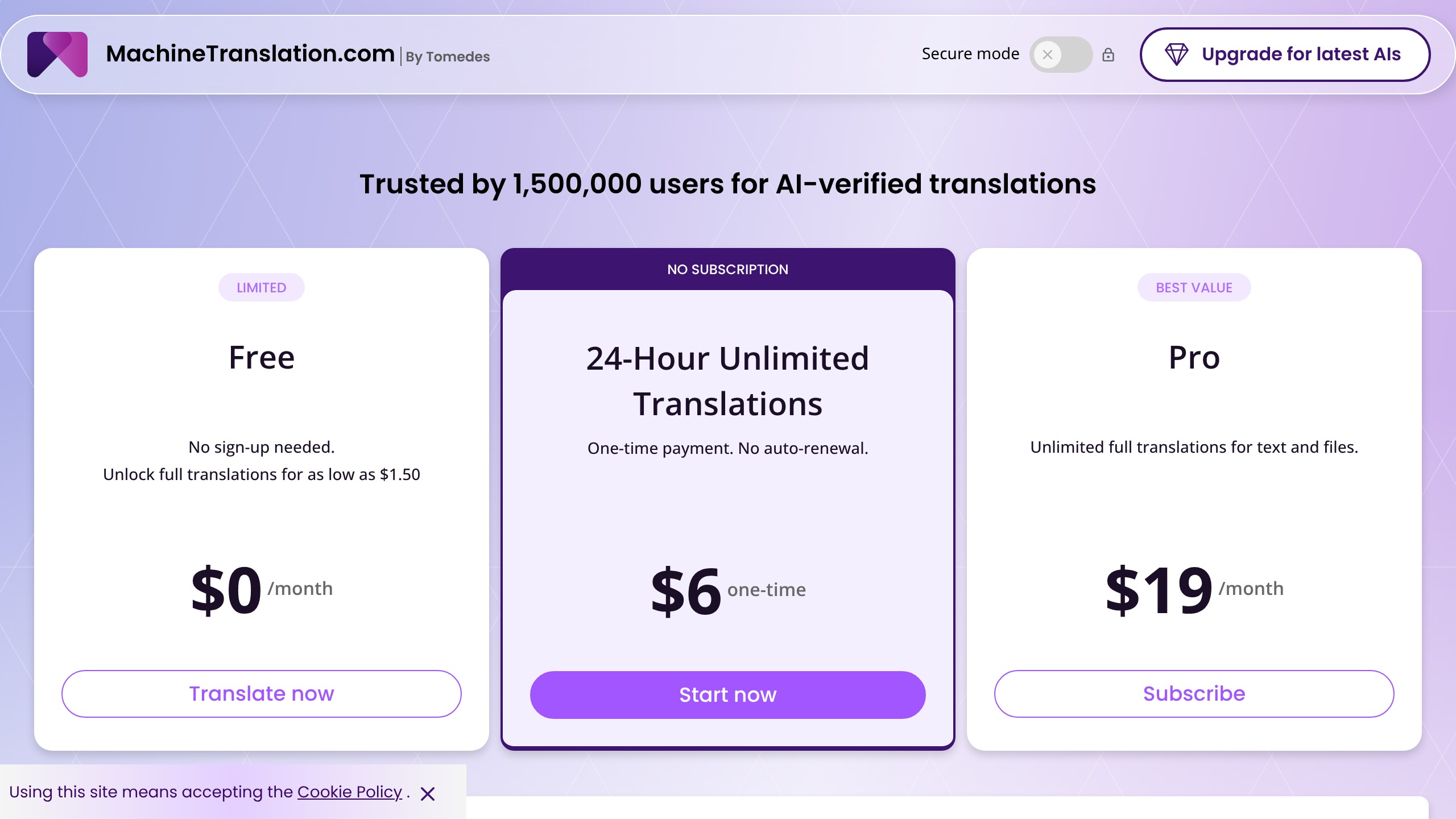
Free text translation with no trial period, no credit card and no forced sign-up is rare; most competitors put their free tier behind an account or a word cap that runs out fast. Even the entry credit pack at $3.75 costs less than a single hour of human translation work.
Document translation is where it earns its place
Document translation takes PDF, DOCX, CSV and JPG files up to 70MB, and the platform claims layout is retained without manual rework in 92% of supported documents, based on testing across 10,000 files. This is the feature I would push a business user toward over the text box.
If you translate product one-pagers, the translation is not what costs you time: ChatGPT gives you a usable draft in seconds. The cost is everything after it, copying text out of the PDF and rebuilding the layout because the formatting never survived the round trip. If that rebuild costs you half an hour a document, a tool that preserves layout on 92% of documents is solving your formatting problem, which is the part that eats the afternoon. Simple contracts, reports and text-heavy PDFs are the likeliest to land in that 92%.
Complete books are a different job. A 400-page manuscript needs chapter structure, footnotes, embedded images and a cast of names to stay identical from first page to last. For that, a dedicated book workflow like BookTranslator is the closer fit: it accepts PDF, EPUB, DOCX, MOBI and roughly 52 file formats up to 300MB across 168 languages, runs OCR on scanned and image-only pages, keeps tables, images and footnotes in position, and builds an automatic glossary so a character or technical term is not renamed halfway through.
Pay-as-you-go starts at $3.99 per task with no account, and credit packs run from $20 for 50,000 credits, roughly ten 50,000-word books (checked 19 August 2026). The practical split: if your files are business documents, MachineTranslation.com’s 92% layout figure is the number that matters, and if they are books, consistency across chapters matters more than per-document formatting.
330+ languages, with regional variants
Coverage includes native script rendering for Arabic, Chinese (Simplified and Traditional), Japanese, Korean and Hindi, plus regional variants such as Spanish (Spain, Mexico, Argentina, Colombia, Latin America) and Portuguese (Brazil and Portugal). In my test the language picker surfaced these variants automatically instead of lumping every Spanish speaker into one option, which matters when you localize for a market rather than a language. The interface itself is localized in 70-plus languages, so the person running the translation does not need to read English.
What the 85% accuracy claim is worth
MachineTranslation.com claims 85% AI translation accuracy and 100% accuracy with human review, tested across 10,000 segments in 10 language pairs. Accuracy varies heavily by language pair and by how technical or ambiguous the source is, so read those as vendor averages.
The independent review linked above says consensus metrics correlate well with expert human ratings in general, but “your mileage still depends on language pair and domain.” It cites WMT23 benchmarking showing modern neural evaluation metrics correlate with expert ratings at roughly 0.825, against 0.696 for older BLEU-score methods. That is a meaningful jump, and those metrics are still triage signals that tell a human where to look. Expect strong results on common pairs with lots of training data (English to Spanish, French, German) and weaker ones on low-resource languages and jurisdiction-specific terminology.
Data privacy
MachineTranslation.com states your content is never used to train AI models, offers a “Secure Mode” where sensitive content isn’t stored after processing, and is built to be GDPR compliant with enterprise-grade encryption. That is a strong stance for a free tool; check it against your company’s data policy before you upload anything confidential.
Where the consensus approach stops helping
- Plain sentences. On everyday text the models already agree, as my test showed, so you get confidence rather than a different translation. For a single word or a greeting, 22 opinions are overkill.
- Shared mistakes. Consensus tells you when the machines agree. It cannot tell you when they are all wrong the same way.
- Legal content. Terminology varies by jurisdiction, and “close enough” in a contract can carry real financial or legal consequences.
- Medical and health content. When nuance fails here, the harm is tangible, not theoretical.
- Low-resource language pairs. The independent review flags these, citing research on African language pairs, as the weakest link for any automated signal. Comparing more models does not fix thin training data, so treat output in a less common regional dialect as a rough draft whatever its score.
- Brand voice and marketing copy. Consensus finds what is grammatically and semantically correct, not what sounds right for your brand. The Translation Agent is a preference layer on top of the same models: it nudges terminology, and it does not fix accuracy on ambiguous text or remove the review pass.
- Designed layouts. 92% is not 100%. Heavy nested tables, unusual fonts, design-heavy brochures and documents with embedded charts are the likeliest to land in the 8% that needs manual cleanup.
- Opaque credit maths. The pricing page does not make the credit-to-word rate obvious, and the Go Unlimited tier is priced in euros while credit packs are in dollars, so check both against your own currency before a monthly plan.
Tomedes’ own human-review upsell agrees with the first four points, which is to its credit.
MachineTranslation.com against single-model translators and Taia
The real comparison is the 22-model approach against using any single AI translator directly, the kind of trade-off our AI tool alternatives guides map out.
| Factor | Single AI Model (Google Translate, ChatGPT, DeepL) | MachineTranslation.com |
|---|---|---|
| Cross-checking | None, generates once | Compares 22 models, flags agreement |
| Document formatting | Often breaks on complex layouts | Preserves layout in 92% of tested documents |
| Error visibility | Silent errors possible | Shows disagreement between models directly |
| Human review option | Not built in | Available on-demand through Tomedes |
| Cost | Free or cheap, usage limits vary | Free for text; credits for documents/unlimited |
| Speed | Instant | Instant (I saw results in seconds during my test) |
For a quick sentence with no document and no need for a second opinion, a single tool like Google Translate, ChatGPT or a free assistant like Meta AI is faster to reach for and, on my test, just as accurate. To see that for yourself, run one sentence from your own work through ChatGPT, an answer engine like Perplexity AI and MachineTranslation.com’s free tier side by side. Near-identical output tells you a single free tool is enough for that kind of text.
Taia for team translation programs
Taia splits the market by solo versus team use. According to Taia’s own published comparison, MachineTranslation.com supports more file formats for casual use and a larger free allowance for registered users, while Taia leans into translation memory and role-based permissions.
| Factor | MachineTranslation.com | Taia |
|---|---|---|
| Best for | Individuals, occasional or high-volume translation, rare language pairs | Teams needing consistent terminology across many documents |
| Translation memory | AI Translation Agent remembers some preferences, not a true TM system | Full translation memory with shared glossaries |
| Team management | Not built in | Role-based permissions and shared team access |
| Entry pricing | Free text; Pro tier around $39/month for unlimited plus human review | $10/month Basic tier; $45/month Professional adds TM and glossaries |
One discrepancy: Taia’s page cites “270+ languages” for MachineTranslation.com, while MachineTranslation.com’s own site states 330+. It is probably a difference in counting variants versus base languages, so verify support for your pair on the official site. If you run a translation program across a team that needs terminology enforced automatically and shared translation memory, Taia is built for that job. For more head-to-head AI tool comparisons, see how other tools stack up.
Who gets value from it, and who should skip it
- Small business owners and solopreneurs translating customer emails, product descriptions or simple contracts who want more confidence than a single free tool gives, at zero cost.
- Marketing and localization teams translating documents where layout matters, since formatting preservation removes the manual rebuild.
- Content teams publishing in several languages who want a fast first pass with visible disagreement, then send only the flagged segments to a human reviewer.
- Freelancers and agencies needing occasional document translation without a subscription, since credits mean you only pay when you use the document or unlimited features.
The strongest case is a freelancer taking overflow work from several agencies who already runs each document through ChatGPT and DeepL separately and compares the outputs by eye. One pass through 22 models with the disagreements flagged replaces that comparison and points your expertise at the segments the models dispute. The condition matters: it only saves time if you were already comparing by hand. If you were trusting one engine and shipping, it adds a review step.
Skip it as your only check on legal contracts, medical records or anything where a mistranslation creates liability, and skip the credits if you only translate occasional short text with nothing on the line.
My verdict: use the disagreement, not the agreement
The 22-model consensus is sound engineering, and being free with no account removes the usual friction of trying it. What my test changed is where I see the value. When all the models land in the same place, you have confirmed a solid translation, which on everyday text is what will usually happen. When they scatter, that is your signal to slow down and bring in a human. A tool that shows you that split is a better workflow than trusting one AI output blind.
Use it if you translate business content regularly and want a free confidence check plus document formatting that survives. Run a real sentence from your own work, not a demo, through the free MachineTranslation.com text translator, and test the file upload on your actual document type before buying credits, so the 92% layout claim is proven on your files rather than taken on faith. If you are building out a wider AI toolkit, get weekly AI deal alerts before you add another subscription.
Pricing and company details: see the MachineTranslation.com profile.
Related Posts

I tested AgainstData on 355 pages of Gmail data. Bulk unsubscribe, personal data deletion requests, pricing, and whether...

AI-Text-Humanizer.com took a 132-word ChatGPT paragraph from 100% AI to 0% on ZeroGPT but flattens your voice. Buy the $...

AIscan24 is a free, no-signup AI detector: it caught pure ChatGPT text at 100% but scored my handwritten paragraph 80%. ...

Honest Aithenticate review after hands-on testing. Does this AI disclosure badge tool meet EU AI Act requirements? Prici...

My hands-on Answer Socrates review covering all features, free plan limits, pricing, and how it compares to AlsoAsked. I...

I’ve spent $4,200 on 118 AppSumo lifetime deals over 5 years. Here’s my honest review: what works, what fails, and wheth...