

Verdict: Buy
What is Joy AI?
Joy AI is a hybrid virtual receptionist service (sasjoy.com) that answers business calls 24/7 with conversational voice AI and escalates complex calls to live human agents. The service transcribes calls, qualifies leads, books appointments and sends SMS follow-ups. Pricing starts at $44 per month, month-to-month, with a 14-day trial and no credit card. Overage charges can apply and tiers above the entry plan are not published, so run the trial on your after-hours line before committing.
Most small businesses lose leads the same way: the phone rings after 5 p.m. and nobody picks up. For owners who cannot afford full-time reception staff, but also cannot afford to miss high-value calls, Joy AI sits in that gap.
I have reviewed well over 500 SaaS tools across AI, marketing, and productivity. What stands out about Joy AI is the hybrid model. Most AI call tools are pure automation: good at simple scripts and poor at anything human.
What this review is based on: I have not run a full call cycle through Joy AI with my own money. Everything here comes from the public product, the pricing page at sasjoy.com and the feature documentation, checked at the time of writing, and where a capability is the vendor’s claim rather than something independently verified, it is labelled that way. The 14-day trial with no credit card means you can verify the parts that matter to you for free.
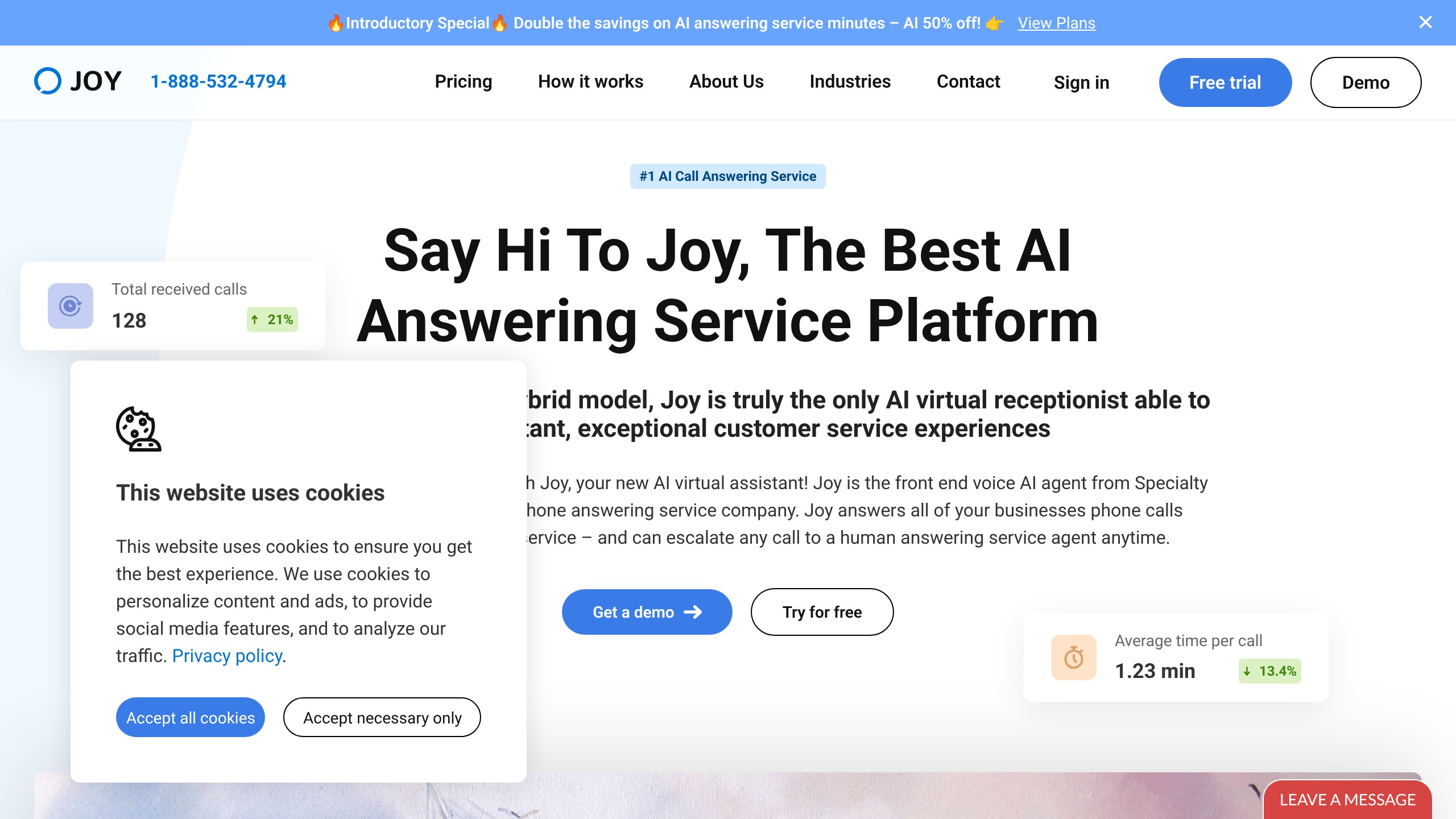
Is Joy AI just a chatbot for phone calls?
No. The voice AI takes every call first, but real human agents take over when the AI meets a situation that needs judgment, which is the part a pure AI phone bot does not have. A bot without that path either gives a wrong answer or loops the caller.
How a call moves through Joy AI
Joy AI works as a two-layer answering system: AI takes every call first, and a human takes over when the AI detects a situation a script cannot handle.
- Every inbound call is answered rather than sent to voicemail, including after hours, weekends, holidays and peak-hour overflow. Parallel call handling is unlimited, so volume spikes do not produce busy signals.
- Voice AI greets the caller and works through your configured flow. There is no menu tree to press through, and the system holds context across the conversation.
- The AI actively gathers lead data according to the intake questions you define: name, contact number, service needed, location, timeline and budget where relevant.
- When the AI detects nuance, emotion or a request outside its trained scope, the call transfers to a live agent without a visible handoff gap.
- For bookings, the AI checks connected calendar availability, books the appointment during the call, then sends an SMS or email confirmation. The voicemail, callback and confirmation loop becomes a single 3-minute conversation.
- After the call, a full searchable transcript is produced, SMS follow-ups go out (booking confirmations, links to resources or intake forms, payment links), and lead data syncs into your existing CRM rather than sitting in a separate silo.
The escalation step is the one to judge it on. Pure AI call tools fail when a caller has a nuanced situation, is upset, or asks something outside the trained scope, and those are usually the most valuable calls: a new patient with a detailed insurance question, a commercial client asking a law firm about a complicated contract, an emergency HVAC call at 2 a.m. from a commercial property manager.
Transcripts have their own uses beyond the record: you can see what callers ask to improve scripts, spot recurring questions the AI is not resolving, run quality checks on the human agents, and settle disputes when a caller claims they were told something different. Multilingual support means callers who prefer Spanish, Mandarin or another language can be served without hiring multilingual staff.
Call flows decide what you get
Configuration is where the outcome is decided. You define:
- How the AI greets callers
- What questions it asks and in what order
- What information it collects before escalating
- How it handles specific call categories (new client inquiry vs. existing client support vs. emergency)
- What happens after the call ends (SMS confirmation, CRM entry, team notification)
A default script gets you live in under an hour. A tailored flow, with category-specific routing for new client, existing client and emergency calls, takes a few hours and is what makes the intake quality worth paying for. The vendor describes the workflow builder as intuitive. For a personal injury firm, a tailored flow might run five intake questions covering case type, incident date, jurisdiction and contact details before an attorney ever joins the call.
Joy AI pricing: $44 a month, and what the page leaves out
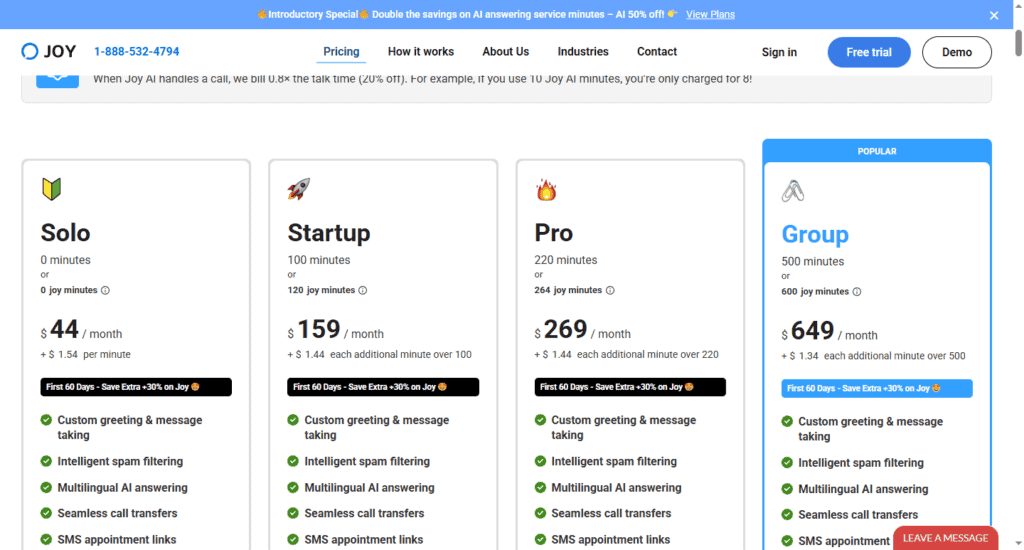
Joy AI starts at $44/month. Here is what you get at that entry point based on the official pricing page at sasjoy.com:
- Core call handling and answering
- Call transcription
- Messaging and SMS capabilities
- 14-day free trial with no credit card required
- Month-to-month billing with no long-term contract
No long-term commitment matters here. Most enterprise virtual receptionist services lock you into annual contracts; Joy AI lets you test it on real calls and cancel anytime.
What the page does not tell you is the cost at volume. High call volumes may trigger overage charges depending on your plan tier, and tier pricing above the entry plan is not published, so anything beyond $44 needs a sales conversation before you can budget. If you handle hundreds of inbound calls per week, confirm the limits and per-call overage rates directly before committing.
My take: $44/month is a reasonable entry point for a hybrid AI + human service. A single virtual receptionist via a traditional staffing agency runs $1,500-$3,000/month. Joy AI delivers meaningful coverage at a fraction of that cost.
The missed-call maths for a 200-call HVAC business
Scenario: A small HVAC company generating $120,000/year. Average job value: $400. They receive approximately 200 inbound calls per month.
Without Joy AI:
- 25-30% of calls go unanswered after hours or during peak periods
- That is 50-60 lost conversations per month
- Even if 10% would convert to jobs, that is 5-6 missed jobs per month
- At $400 per job: $2,000-$2,400/month in lost revenue
With Joy AI at $44/month:
- Every call is answered
- If Joy AI recovers even 3 jobs per month: $1,200 in additional revenue
- Net gain after Joy AI cost: over $1,150/month
For service businesses where each call is a high-value customer opportunity, the cost of missed calls is far larger than the cost of Joy AI. It is not a replacement for every receptionist function, but for call coverage, lead capture and after-hours handling it is much cheaper and scales further. The alternative, hiring a human receptionist, is compared line by line below.
| Joy AI | Full-Time Receptionist | Traditional Virtual Receptionist | |
|---|---|---|---|
| Monthly Cost | From $44 | $2,500-$3,500 | $300-$1,500 |
| Hours of Coverage | 24/7 | Business hours only | Limited |
| Parallel Calls | Unlimited | 1 at a time | Limited |
| Call Transcription | Included | Manual note-taking | Varies |
| Lead Qualification | Automated | Inconsistent | Scripted only |
| AI + Human Hybrid | Yes | Human only | Human only |
| Setup Required | Moderate | High (hiring, training) | Moderate |
| CRM Integration | Yes | Manual | Varies |
| Contract | Month-to-month | Employment contract | Often annual |
A human receptionist still wins on nuanced judgment and relationship-building for high-touch businesses. The hybrid model narrows that gap without closing it.
Who gets the most from Joy AI, and who should keep a human on the line
Joy AI is best for:
- Service businesses where the phone is the lead channel. HVAC, plumbing, electrical, legal, medical, dental, real estate and home services.
- Businesses taking 10 to 15 or more calls a day and losing some to missed pickup. That is the volume where the maths starts working immediately.
- Solopreneurs and freelancers who need coverage without hiring. 24/7 answering at a fraction of a part-time receptionist’s cost.
- Firms with structured intake needs: legal screening, medical triage and service dispatch all benefit from configured question flows before a human joins.
- Businesses serving multilingual markets. Callers can be handled in their preferred language without hiring multilingual staff.
Joy AI is not for:
- Businesses whose calls are complex and emotional from the first second. Crisis lines and high-stakes screening need a human on every call, not an escalation path.
- Very low call volume. If voicemail-to-email genuinely covers you, this is a cost with no matching gain.
- Anyone who wants no AI in the loop at all. The AI answers first by design.
- High-volume operations that have not checked overage rates. Several hundred calls a week can change the economics of the entry plan entirely.
- Teams unwilling to configure it. On default scripts it answers calls, but the intake quality that justifies the spend does not appear on its own.
Where Joy AI can let a caller down
- Output quality is capped by your scripts. The voice AI is only as good as the flow you configure. Ship the default script and you get generic call handling, which is the most common way this kind of tool disappoints.
- Setup is a few hours, not one click. Mapping real call scenarios before going live is required work, not optional polish.
- Overage charges can apply at high volume. Confirm plan limits and per-call overage rates directly if you handle hundreds of calls per week, because the $44 headline does not describe that situation.
- Tier pricing above the entry plan is not published. The public page states the starting price, so anything beyond it needs a sales conversation before you can budget.
- Escalation quality depends on the human agents behind it. The architecture is sound, and the value of the handoff still rests on training you do not control.
- Consistently sensitive call types are a poor fit. The hybrid model works when complex calls are the exception, as in crisis counselling, complex medical intake or high-stakes legal screening. When they are the rule, the AI layer adds a step rather than removing one.
- Vendor-reported capability, limited independent verification. Feature behaviour here is drawn from the public product and pricing pages rather than an independently audited deployment.
Smith.ai, Ruby or an in-house hire instead
Take Smith.ai when you want published per-call economics and a human-led option, Ruby for fully human bilingual coverage, and an in-house hire when relationship-building on every call is the product.
| Alternative | Price | Pick it instead when |
|---|---|---|
| Smith.ai | AI Receptionist from $95 per month (about 60 calls). Human-led Virtual Receptionist from $292.50 per month for 30 calls, rising to $1,950 for 300, with overages around $9.75 to $11 per call | You want an established provider with published per-call economics and a human-led option, and the budget to match |
| Ruby | Per-minute plans: $250 per month for 50 receptionist minutes, $395 for 100, $720 for 200, $1,725 for 500 | You want fully human receptionists with 24/7 bilingual coverage and are billing enough per client to absorb $5 per minute |
| Hiring in-house reception | $2,500 to $3,500 per month full-time in most US markets, or $800 to $1,200 part-time plus onboarding and turnover risk | Relationship-building on every call is the product, and business-hours-only coverage is acceptable |
Verdict: buy it, after a two-week after-hours test
The hybrid AI plus human model is the right architecture for a service business that loses leads to voicemail, and at $44 a month one recovered job covers months of it. What keeps this a conditional buy is that Joy AI competes on price and coverage, not on track record. Smith.ai and Ruby are the incumbents with public pricing at every tier and cost several times more per month, while Joy AI publishes only its entry price and I have not verified its call handling myself.
So let the trial do the verifying. Build your first call flow, put it on your after-hours line for two weeks, and read the transcripts. See what Joy AI captures that you were losing; the data will tell you whether it is worth expanding.
Try Joy AI with a 14-day free trial at sasjoy.com. No credit card required.
Related Posts

I tested AgainstData on 355 pages of Gmail data. Bulk unsubscribe, personal data deletion requests, pricing, and whether...

AI-Text-Humanizer.com took a 132-word ChatGPT paragraph from 100% AI to 0% on ZeroGPT but flattens your voice. Buy the $...

AIscan24 is a free, no-signup AI detector: it caught pure ChatGPT text at 100% but scored my handwritten paragraph 80%. ...

Honest Aithenticate review after hands-on testing. Does this AI disclosure badge tool meet EU AI Act requirements? Prici...

My hands-on Answer Socrates review covering all features, free plan limits, pricing, and how it compares to AlsoAsked. I...

I’ve spent $4,200 on 118 AppSumo lifetime deals over 5 years. Here’s my honest review: what works, what fails, and wheth...