

Verdict: Buy
| Field | Detail |
|---|---|
| Tool | YourGPT (yourgpt.ai) |
| Category | No-code AI chatbot and automation platform: support, lead capture, e-commerce checkout in chat, and custom conversation flows |
| Price | Free trial on all plans, no credit card. Essential $39/month billed annually ($59 monthly), Professional $79/month annually ($129 monthly), Advanced $349/month annually ($499 monthly), Enterprise custom. |
| Best for | Small businesses, WooCommerce and Shopify stores, and agencies willing to spend real time on training content and flows |
| Verdict | Buy the Professional tier. Skip Essential unless basic FAQ automation is all you need, because it lacks GPT-4, API/webhook access and the AI Helpdesk. |
Most AI chatbot tools do one thing reasonably well and everything else poorly, a pattern I track across our AI tool reviews. You get a clean chat widget that sounds confident on demo day, then falls apart the moment a real customer asks anything off-script.
That skepticism is why I put YourGPT through a full walkthrough on my own website, alstonantony.com, before writing this review. I wanted to see how training worked on real content, whether the analytics told me anything useful, and whether the e-commerce angle was genuine or just marketing. The walkthrough is in the video below.
What is YourGPT?
YourGPT is a no-code AI automation platform built around the idea that a business should be able to deploy AI agents across its customer-facing channels without writing code, and for teams focused purely on support our CoSupport AI customer support platform review covers a dedicated alternative.
The platform sits somewhere between a simple chat widget (like Tidio or Crisp) and a full-blown AI automation suite (like Make or Zapier with an AI layer). It handles the chatbot creation, training, analytics, and conversation management in one place, and connects to external tools through APIs and built-in integrations, so it is worth seeing where it lands in our best AI chatbot tools roundup.
The platform positions itself around four core use cases:
- Customer support automation: Answer FAQs, resolve common queries, and escalate to a human when needed
- Lead capture: Collect emails and contact details before users leave
- E-commerce assistance: Walk shoppers through product selection and complete orders within chat
- Business automation: Build multi-step conversation flows using the Studio feature
Building the first agent: tab layout, welcome menu and home screen
The setup process is cleaner than most tools in this category. Once you log in, you click “Create New Chatbot” and work through a setup sequence that covers language, layout, branding, and widget behavior.
The layout choice is meaningful. Tab format is what most modern AI chatbots use, where the chat interface opens in a panel with navigation options. Chat format is the classic popup bubble. For most business use cases, tab format looks more intentional.
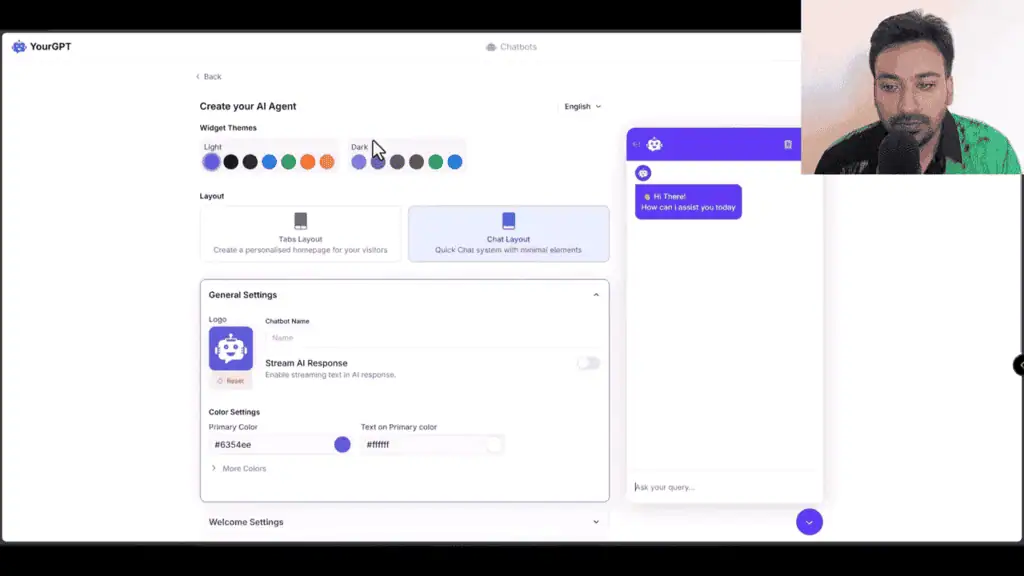
You upload a logo, set colors, write a welcome message, and configure whether you want users to attach files or use voice input. There is also a default questions section where you can create a menu of predefined questions with sub-questions. Set this up properly: without it, users face an empty text box and many of them will just close the chat.
The home screen editor adds another layer. Beyond the chat itself, you can configure:
- Social media profile links
- Action buttons for key pages
- Image and video cards (you can embed a welcome video here)
- A featured article section (pulls from the AI Helpdesk knowledge base once that is set up)
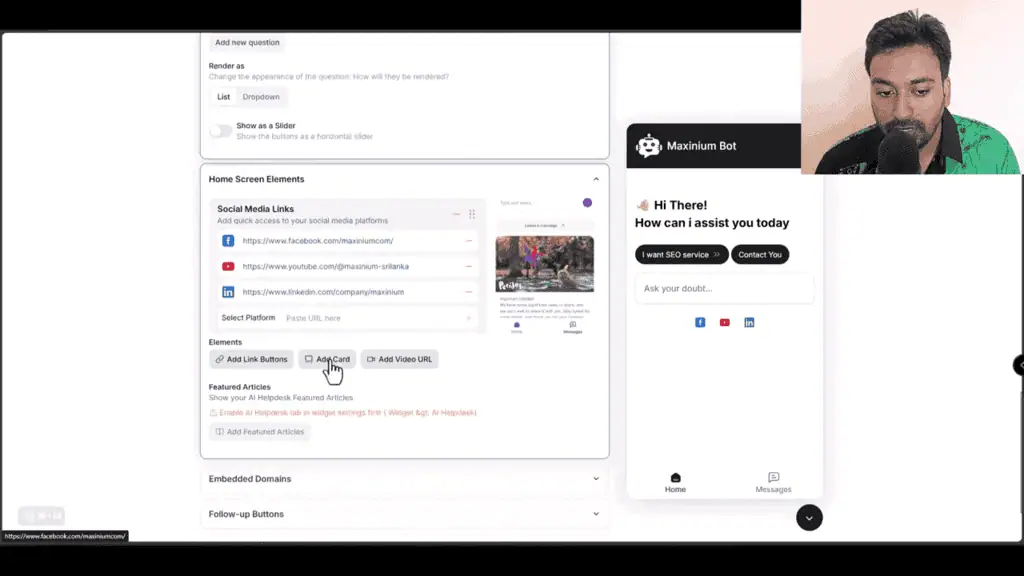
I tested the video embed by dropping in a YouTube link. It rendered immediately inside the chat widget, which is useful if you want a product explainer or welcome video in front of users when they open the chat.
Training on my own site took 5 to 10 minutes
A chatbot that cannot learn from your actual content produces generic responses that frustrate users, and our AI how-to guides explain how RAG-based training works. YourGPT lets you train from multiple sources:
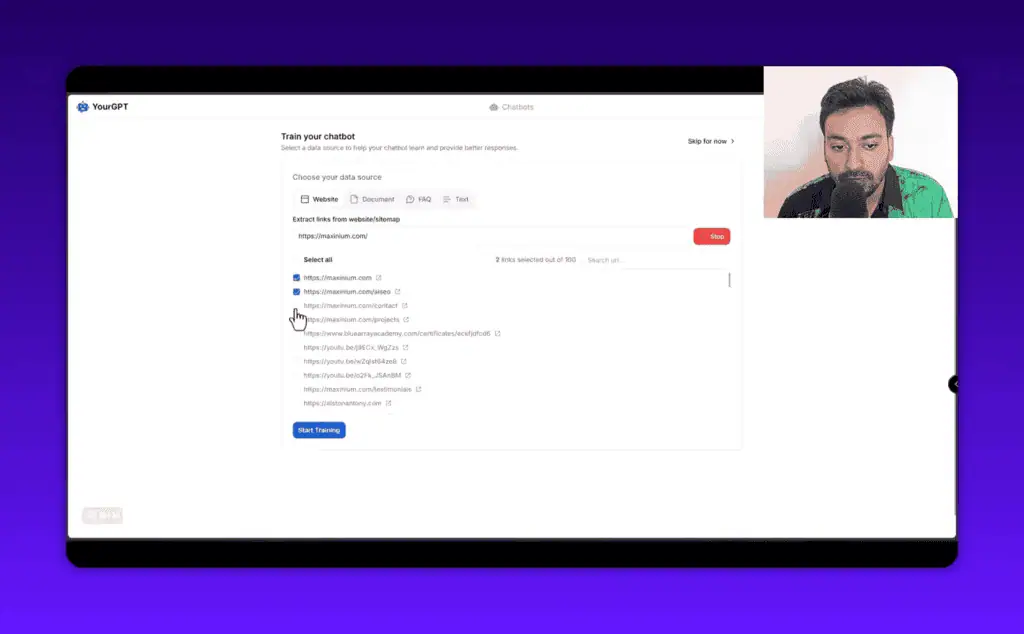
- Website URLs (scrapes all linked pages automatically)
- Document uploads (PDF, Word, etc.)
- Direct text paste
- Auto-generated FAQ from a URL
- Google Drive, Dropbox, Slack, Discord, Intercom connections
The URL scraping is the most practical option for most users. You give it your domain, it pulls all the pages it can find, you select the ones that are relevant, and click start training. For my site, this took around 5 to 10 minutes before the chatbot could answer questions accurately.
The OCR training option is worth noting for anyone with product catalogs or documentation stored as scanned PDFs. Most chatbot tools skip this entirely.
The AI Helpdesk sits alongside training and works differently. Instead of pulling raw content, it lets you create a structured knowledge base with articles that both users and the AI chatbot can reference. It is closer to a Zendesk-style knowledge base than a training dataset, and the AI can surface relevant help articles alongside its trained answers.
What the analytics dashboard tracks
YourGPT’s analytics section is more detailed than I expected. The overview dashboard shows:
- Total conversations and total visitors
- Positive and negative feedback ratios
- Traffic source breakdown
- Resolution rate percentage
- Top user intents (what people are actually asking about)
- Sentiment analysis across conversations
- AI Helpdesk performance metrics
- Customer satisfaction scores
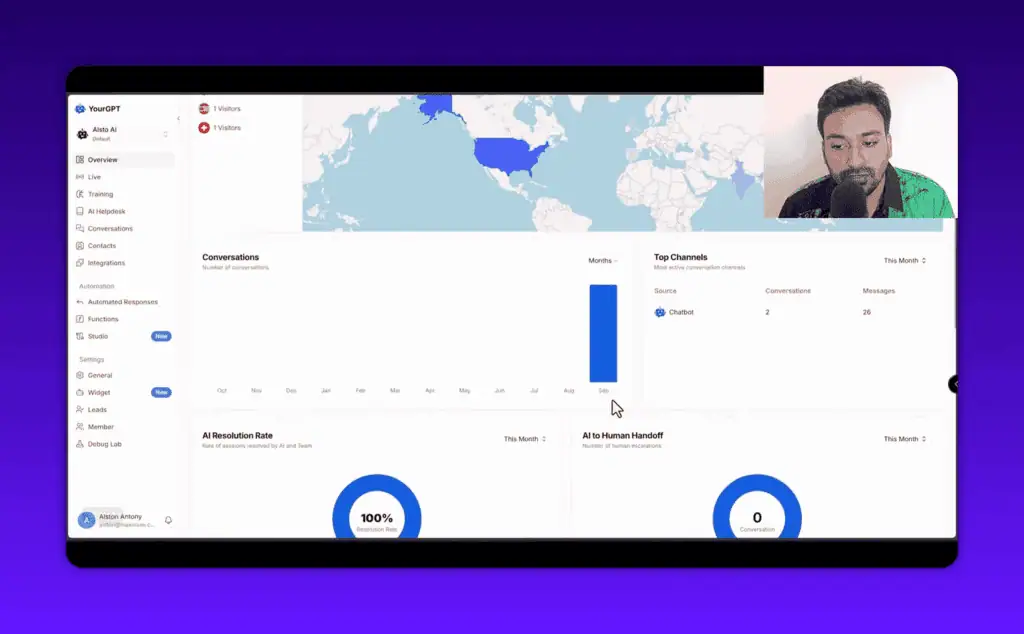
The top intents data is the useful part. Once you have enough conversation volume, it tells you what your users ask most. If 40% of your users ask a question your chatbot cannot answer well, you know exactly what to add to your training data.
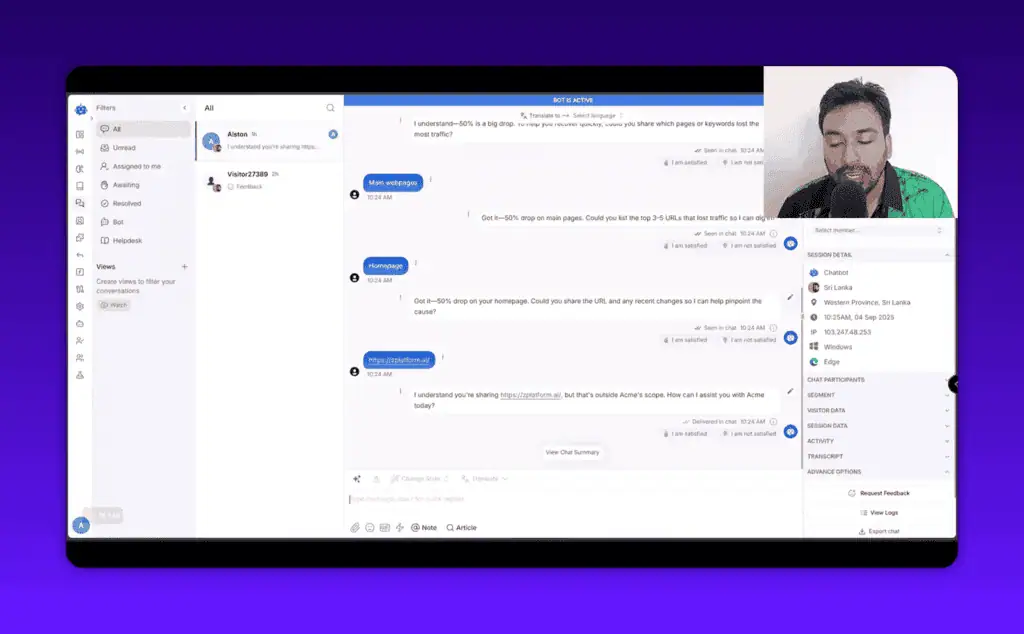
The conversation view shows individual sessions with timestamps, device data, IP location, and a full message history. A chat summary feature uses AI to write a one-paragraph summary of what the user was trying to accomplish. In my test, the summary was accurate and useful for scanning conversations quickly.
Deploying it on WordPress, Shopify and other builders
YourGPT can be deployed through several methods, which matters if you are not running WordPress:
- Direct hosted URL (share a link to a standalone chat page)
- Embed script (copy/paste into any HTML page)
- iframe widget
- WordPress plugin (install the plugin, paste your UID)
- QR code
For WordPress users, the process is simple. Install the plugin from the WordPress plugin directory, add your chatbot UID from the YourGPT dashboard, and the widget appears on your site. No custom code and no API calls to configure manually.
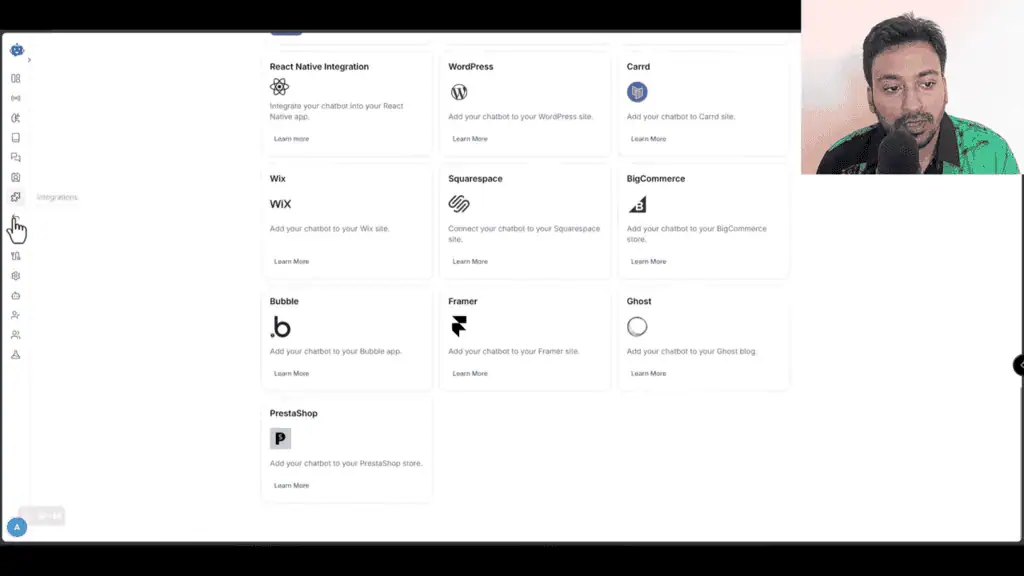
Platform support is broad: WordPress, Shopify, WooCommerce, Wix, Squarespace, BigCommerce, Bubble, Framer, PrestaShop.
Beyond deployment, the function settings add capabilities past simple Q&A. With the web search toggle enabled, the AI can search the web in real time rather than relying solely on training data, which helps with current events, competitor comparisons, or anything that changes frequently.
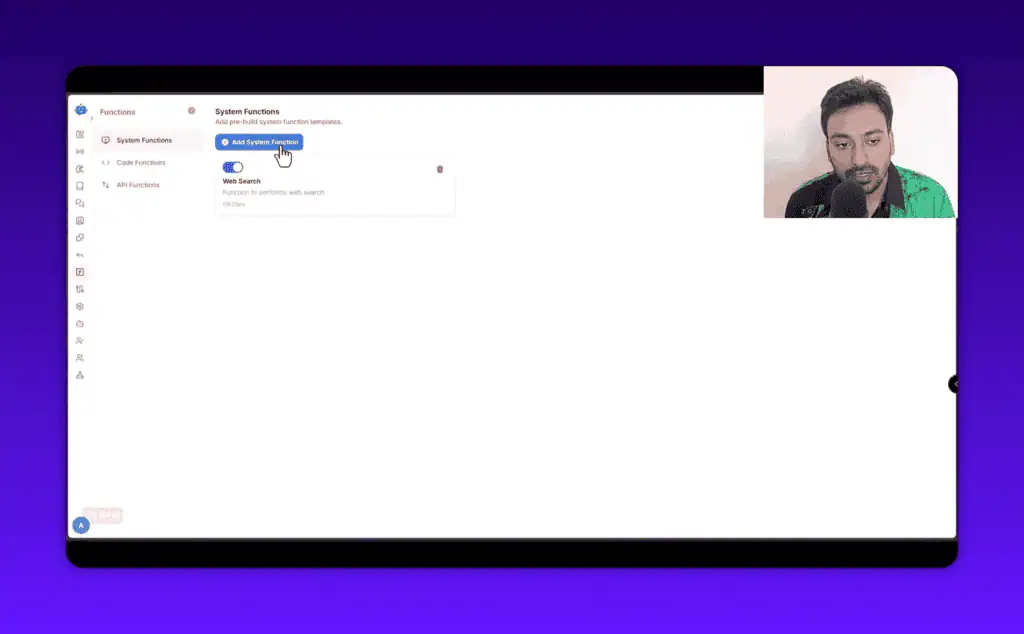
Other available functions include code execution (the AI can run code to answer technical queries) and external API calls, which connect YourGPT to CRMs, REST APIs, and other external systems.
Studio flows and the WooCommerce checkout inside chat
Studio is the most differentiated part of YourGPT. It lets you build visual conversation flows, similar to a no-code automation builder but designed for chat. You define what happens at each step: show a message, ask a question, branch based on user input, call an API, trigger an email.
Pre-built templates make the entry point easier. Available templates include:
- Email verification (Twilio integration)
- SMS integration
- Appointment booking
- AI image generation within chat
- WooCommerce checkout automation (users can browse and buy without leaving the chat)
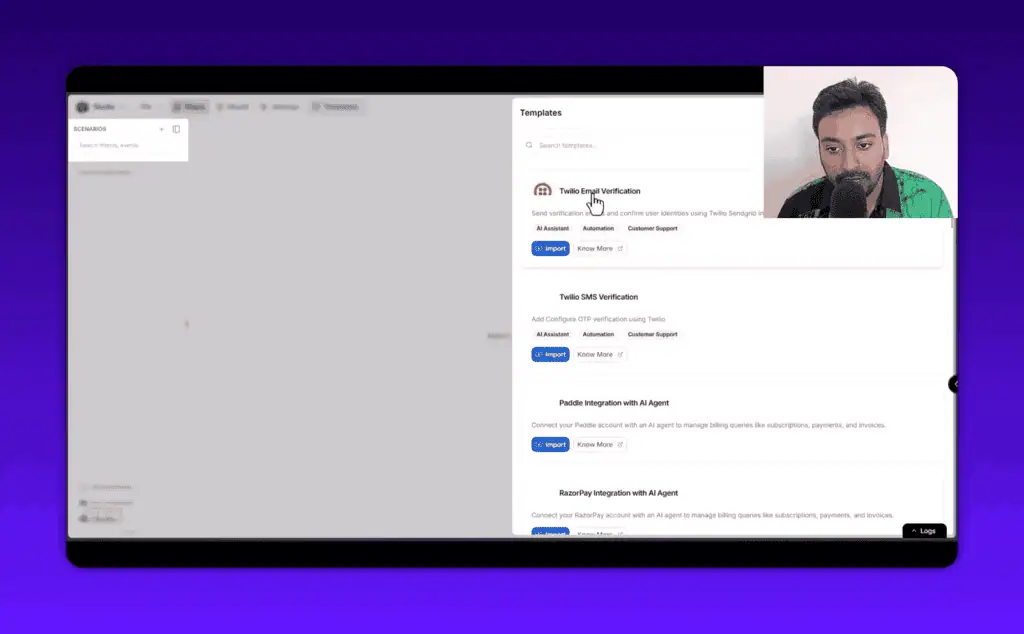
The WooCommerce checkout template is the one e-commerce operators should look at. Picture a shopper on your store at 11pm with a question about a specific product variant. A standard chatbot gives a generic FAQ answer and maybe a product link. A configured YourGPT flow can confirm which variant they want, add it to the cart, and complete the purchase inside the chat window, so a shopper who would have abandoned a complex checkout can finish in the same interface.
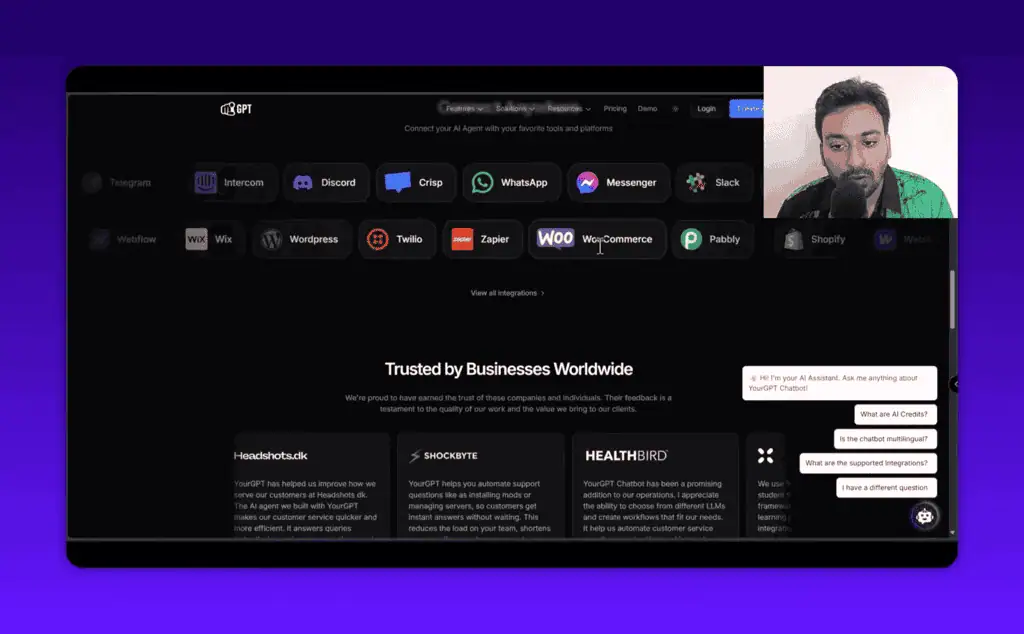
I tested the WooCommerce flow during the video review linked above and the order flow worked end to end, though it required careful configuration of the WooCommerce connection. The Shopify equivalent works through a similar integration.
The Studio Copilot is an AI assistant built into the flow builder itself. You can ask it to help design a flow, debug a step, or explain what a component does. In my tests, it gave useful responses for straightforward questions about flow structure. The documentation goes deep, and the templates handle most common use cases.
Lead pre-forms, team roles and human handoff
The lead pre-form lets you collect a user’s name and email address before the conversation starts. If someone is willing to identify themselves before chatting, they are a qualified lead, and dedicated agents like the SourceLeader lead-gen agent take that capture further. This data flows into the Contacts section, where you can see each user’s full conversation history and send follow-up messages.
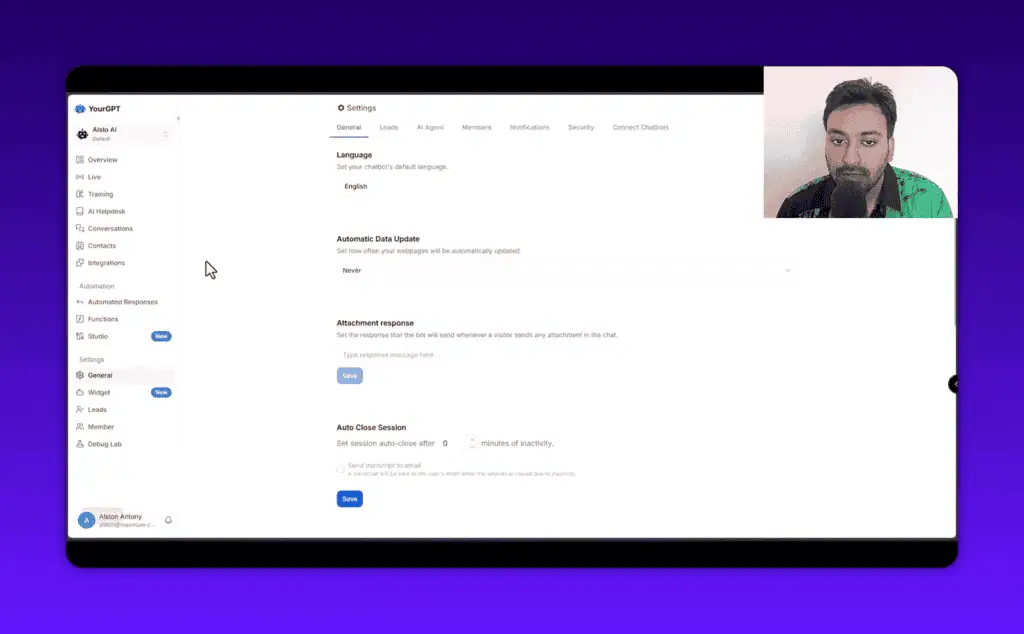
Team management lets you add operators with custom roles and permissions. You can configure which team members receive conversation assignment notifications by email, web push, or mobile app, which matters if different people handle different query types.
The human handoff feature connects to external chat systems via webhook. If your organization uses Intercom, Zendesk, or a custom support system, a user requesting a human can be transferred. The chatbot does not need to be your only support channel, and pairing it with a hybrid service like the Joy AI answering service can cover live calls too.
YourGPT pricing: $39 to $349 a month billed annually
YourGPT has four pricing tiers. All prices below are billed annually, which gives roughly a 30% discount over monthly billing.
| Plan | Annual Price | Chatbots | Webpages | AI Credits | Notable Features |
|---|---|---|---|---|---|
| Essential | $39/month | 2 | 200 | 10M | Basic chatbot, unlimited integrations |
| Professional | $79/month | 5 | 500 | 30M | GPT-4, API/webhook, AI Helpdesk, lead gen, multi-language |
| Advanced | $349/month | 10 | 2,000 | 100M | o1 model, custom branding, advanced analytics, account manager |
| Enterprise | Custom | Custom | Custom | Custom | White-glove support, SSO, custom SLA |
Monthly billing rates are higher: $59/month for Essential, $129/month for Professional, and $499/month for Advanced. There is a free trial on all plans, and no credit card is required to test the platform.
For most small business owners and agency operators, Professional at $79/month is the right starting point. GPT-4 access, API/webhook support and the AI Helpdesk are not optional extras for a serious deployment; they are what make the chatbot useful beyond basic FAQ answering, and Essential has none of them.
The credit allowances (10M, 30M, 100M AI credits) deserve attention. Credits are consumed with each AI response, and a typical conversation uses somewhere between a few thousand and tens of thousands of credits depending on length and complexity. For most small business deployments with moderate traffic, 10M credits per month is enough. If you run high-volume support, check your projected conversation volume against the credit limits before choosing a plan.
Where YourGPT takes more work than the demo suggests
Credit consumption is opaque. It is not obvious how quickly you will burn through credits until you have real traffic data. Estimate conservatively before choosing a plan.
Custom Studio flows take hours, not minutes. The templates are useful, but a reliable multi-step flow built from scratch takes more than 30 minutes, and a sophisticated e-commerce or support workflow needs hours of setup.
Thin content produces thin answers. If your site has thin, vague, or poorly structured pages, the chatbot will answer the same way. This is how all RAG-based chatbots work, not a YourGPT flaw, but you may need to clean up your training data before the chatbot performs well. Out of the box, before that work, it sounds like a generic chatbot.
The analytics need volume before they mean anything. Sentiment analysis and top intents require a significant number of conversations before the data becomes reliable, so do not expect deep insights in the first few weeks.
Appointment booking needs Twilio. The appointment booking template requires a Twilio integration for SMS verification. That adds a separate account and cost if you do not already use Twilio.
Who gets value from YourGPT, and who should buy something simpler
Good fit:
- Small business owners who want to automate customer support without hiring additional staff
- E-commerce operators running WooCommerce or Shopify who want to reduce cart abandonment through chat
- Agencies building chatbot solutions for clients across multiple platforms
- Founders who want lead capture without adding a separate form or CRM tool
- Developers who want to build custom conversation flows through the Studio feature
Not the right fit:
- Someone who needs a basic FAQ widget and does not want to configure anything: a simpler tool like Tidio handles that at lower cost
- Enterprise teams with complex compliance requirements or dedicated IT infrastructure: the Enterprise plan exists, but evaluate carefully
- Anyone who wants to set it up once and forget it: the chatbot improves with ongoing training updates and monitoring
Tidio, Intercom, Chatbase or Botpress instead
Tidio ($29/month): Simpler chatbot tool, better for straightforward FAQ automation. Lacks Studio flows and deep e-commerce automation. Good for businesses that want a fast setup with minimal configuration.
Intercom (from $39/month): Enterprise-grade support platform with AI features. More polished, significantly more expensive, better suited for SaaS products with high support volume.
Chatbase ($19/month): Pure AI chatbot trained on your documents. No conversation flow builder, no e-commerce features. Right for simple knowledge-base deployments where customization is not needed.
Botpress (free tier available): Open-source conversation builder with deep flow customization. Requires technical knowledge. Better for developers who want full control.
YourGPT sits in the middle of this range: more capable than Tidio or Chatbase, more affordable than Intercom, and more accessible than Botpress for non-developers. Check the best AI lifetime deals if you want one-time payment options in this category.
My verdict: the Professional tier, if you budget the setup time
The chatbot creation, training and analytics are solid, Studio is the part that separates it from a chat widget, and the integrations cover most website platforms without friction. The qualifier is that you get out what you put in. A YourGPT chatbot configured in 20 minutes with minimal training will perform like a chatbot configured in 20 minutes. One that has been properly trained, had its flows designed thoughtfully, and has been iterated on from the top-intents data will perform meaningfully better.
Verdict: Buy for Professional tier if you are running an active business website and want to automate support and capture leads. Skip the Essential tier unless your only goal is basic FAQ automation.
Start your free trial at YourGPT here: https://alston.link/yourgpt (affiliate link) or the non-affiliate link at https://yourgpt.ai/
Note: I may earn a commission if you use the affiliate link above. I tested YourGPT on my own website with my own account before writing this review.
YourGPT setup questions
Does YourGPT support multiple languages?
Yes. The chatbot can respond in multiple languages and the settings include an auto-language detection option. Full multi-language support is available from the Professional tier.
Can I set fixed answers for common queries?
Yes. Beyond the trained AI responses, YourGPT has a separate automated responses section where you set fixed responses triggered by specific inputs. Studio extends this with visual flows for multi-step workflows.
Pricing and company details: see the YourGPT profile.
Related Posts

I tested AgainstData on 355 pages of Gmail data. Bulk unsubscribe, personal data deletion requests, pricing, and whether...

AI-Text-Humanizer.com took a 132-word ChatGPT paragraph from 100% AI to 0% on ZeroGPT but flattens your voice. Buy the $...

AIscan24 is a free, no-signup AI detector: it caught pure ChatGPT text at 100% but scored my handwritten paragraph 80%. ...

Honest Aithenticate review after hands-on testing. Does this AI disclosure badge tool meet EU AI Act requirements? Prici...

My hands-on Answer Socrates review covering all features, free plan limits, pricing, and how it compares to AlsoAsked. I...

I’ve spent $4,200 on 118 AppSumo lifetime deals over 5 years. Here’s my honest review: what works, what fails, and wheth...