

Verdict: Buy
Should you buy Pabbly Connect’s $349 lifetime deal?
| Field | Detail |
|---|---|
| Tool | Pabbly Connect |
| Category | No-code workflow automation platform, Zapier alternative. Connects 2,000+ apps and bills only external app actions, so filters, routers, delays and data transformers are free. |
| Best use case | Small businesses and solopreneurs running standard SaaS automations who want to stop paying monthly for them |
| Price | Free tier: yes, capped at 100 tasks per month. Standard $19/month for 10,000 tasks ($14/month on the 3-year term). Unlimited $79/month ($59/month on 3 years). Lifetime deal $349 one-time for 10,000 monthly tasks, available continuously since 2018. Zapier’s paid floor is $19.99/month for 750 tasks. Checked June 2026. |
| Watch out for | A dated interface, linear error handling with no fallback path, and execution logs that expire after 30 days on Standard |
| Verdict | Buy the $349 lifetime deal if you will automate for 18 months or longer |
I have paid $0 a month for workflow automation since February 2023. At last count I had 43 active workflows on the account processing somewhere between 177,000 and 185,000 tasks a month, across form submissions, Stripe payments, YouTube publishes and daily scheduled data pulls. This review is based on those 26 months of daily use on a lifetime licence I bought myself.
What Pabbly Connect is and how it counts tasks
Pabbly Connect is a no-code workflow automation platform. You connect two or more apps, define a trigger (the event that starts the workflow) and set up actions (what happens next). When someone fills out a form built in an AI form builder like FormFlux, Pabbly can add them to your email list, tag them in your CRM, notify your team in Slack and log the data in a Google Sheet, without code.
It works on the same principle as Zapier, Make (formerly Integromat) and n8n. The difference is in which steps it bills:
- Trigger. A workflow starts from a form submission, an incoming webhook, a schedule, an email event, or a new record in a connected app.
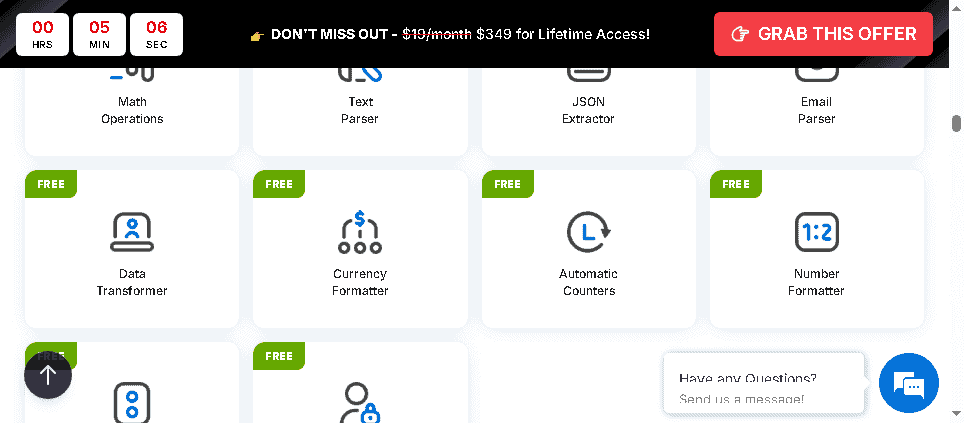
- Internal steps. Filters, routers, data transformers, iterators, delays and the code and API steps run between trigger and action. None of these consume a task. In Zapier, every step is billable, including filters and formatters.
- External actions. Each call out to a connected app (create a row, send a message, charge a card) consumes one task against the monthly allowance, so the 10,000-task allowance stretches much further on multi-step workflows than an equivalent Zapier allowance.
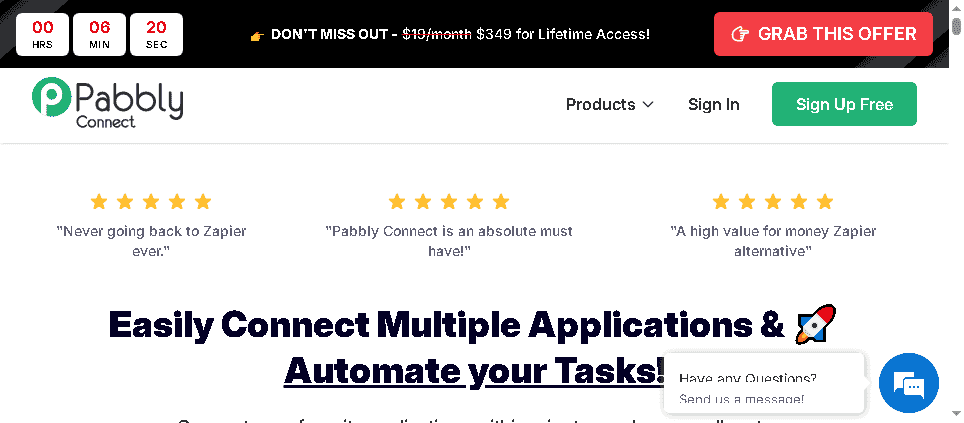
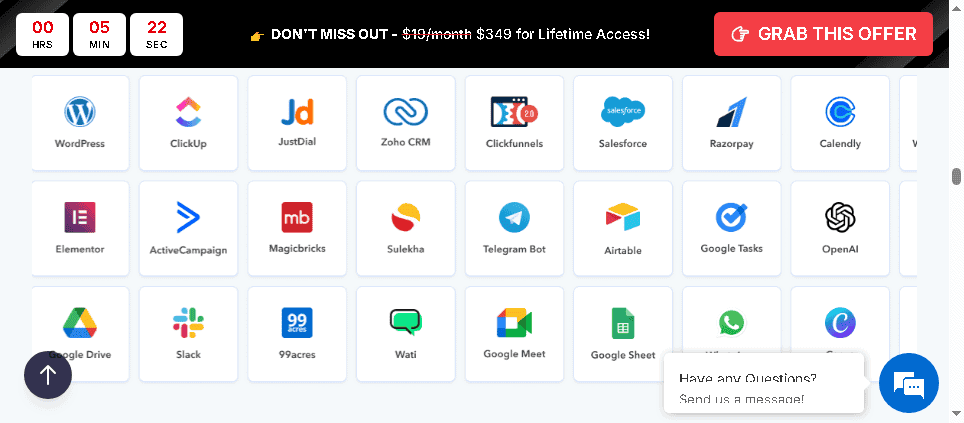
The library covers over 2,000 apps, including Google Sheets, Slack, Gmail, Shopify, HubSpot, WordPress, Mailchimp, Stripe, PayPal and OpenAI.
Pabbly Connect pricing and the break-even maths
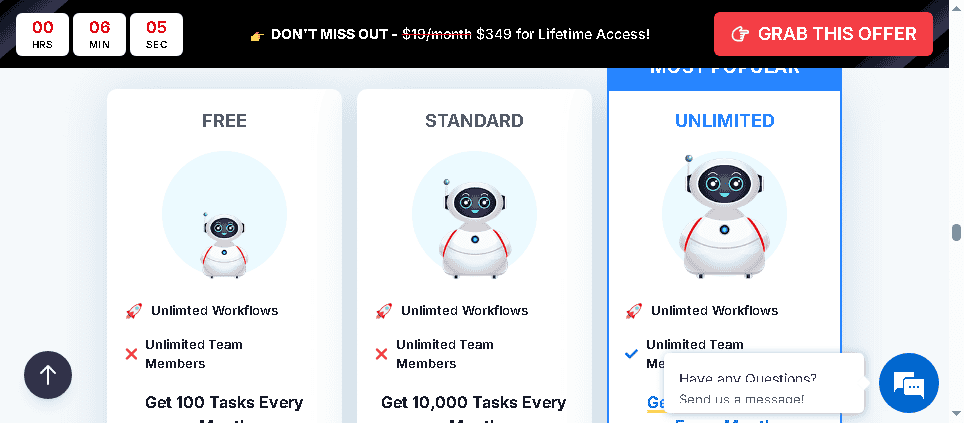
Pabbly Connect offers four pricing options. This is the structure as of June 2026:
| Plan | Price | Monthly Tasks | Best For |
|---|---|---|---|
| Free | $0 | 100 | Testing the platform |
| Standard (monthly) | $19/mo | 10,000 | Solopreneurs |
| Standard (3-year annual) | $14/mo | 10,000 | Budget-conscious buyers |
| Unlimited | $79/mo ($59/mo 3-year) | Unlimited | Agencies |
| Lifetime Deal | $349 one-time | 10,000 forever | Long-term users |
The lifetime deal has been available continuously since 2018. It is not a limited-time launch offer; you can buy it today at pabbly.com/connect.
How long the $349 takes to pay back
| Compared Against | Monthly Cost | Break-Even |
|---|---|---|
| Zapier Professional ($19.99/mo) | $19.99 | 17.5 months |
| Zapier Team ($69/mo) | $69 | 5 months |
| Pabbly Standard (monthly) | $19 | 18.5 months |
| Make Core ($12/mo) | $12 | 29 months |
Past break-even, every additional month costs nothing. Over three years:
| Option | 3-Year Total Cost |
|---|---|
| Pabbly Lifetime | $349 |
| Pabbly Standard monthly | $684 |
| Pabbly Standard 3-year annual | $504 |
| Zapier Professional | ~$720 |
| Make Core | ~$432 |
| Zapier Team | ~$2,484 |
The lifetime deal saves between $83 and $2,135 over three years depending on what you would otherwise use.
What happens if you exceed 10,000 tasks?
- Stack a second plan ($19/mo or another $349 lifetime). Plans stack, so two lifetime deals give you 20,000 monthly tasks, three give 30,000.
- Upgrade to Unlimited ($79/mo). If your volume consistently exceeds 10,000, the monthly Unlimited plan starts making more financial sense.
- Move logic into free steps. A five-step workflow in Zapier might consume only two tasks in Pabbly.
At my current volume (177,000-185,000 monthly tasks), I am using a stacked lifetime deal setup.
The free plan: 100 tasks to check your integrations
The free plan gives 100 tasks per month with no time limit. That runs one or two simple workflows at low volume: a form feeding an email list, or webhook data routed to a single destination. Its real use is confirming that every app you depend on works before you commit to the lifetime deal.
Waiting for Black Friday or a coupon rarely pays
Pabbly has run Black Friday promotions in past years, mostly 10-20% off its suite products (Pabbly Subscription Billing, Pabbly Email Marketing, Pabbly Form Builder). The Connect lifetime deal is available year-round, so waiting might save $35-70 with no guarantee of a deeper cut. If you are running more than 3,000 tasks a month on a $19/month Zapier plan, three months of waiting costs $57 in fees to save about $50.
There is no widely available Pabbly Connect coupon that discounts the lifetime deal further; coupon sites generally redirect to the standard pricing page. Suite pricing through Pabbly Plus (Connect, Subscription Billing, Email Marketing and Form Builder) is the only bundle discount worth checking if you need several products. When the sale season starts, the AI Black Friday deals hub tracks it, and the AI discount deals hub lists verified one-time offers.
Who the lifetime deal pays off for
- Anyone paying more than $19 a month for automation today. Against Zapier Professional the $349 licence breaks even at 17.5 months, and against Zapier Team at 5 months.
- Solopreneurs and small agencies under 10,000 tasks a month. That allowance covers most standard SaaS stacks without stacking plans.
- Multi-step workflow builders. Free filters, routers and transformers mean a ten-step workflow can bill as two tasks.
- Operators who maintain their own automations. The builder rewards someone willing to learn it rather than a rotating non-technical team.
Skip it if you are an enterprise buyer (no SSO, no SAML, no SLA, no dedicated support), if a compliance process needs run logs older than 30 days, or if your stack leans on industry-specific CRMs and regional accounting tools. Before buying, search for every app you need in Pabbly’s integration list. That takes five minutes and saves a bad surprise later.
Features that change the cost of a workflow
The free internal steps
These are the reason Pabbly Connect undercuts Zapier on most workflows. In Pabbly, these actions consume zero tasks:
- Filter by Pabbly: Route a workflow only when conditions are met (lead from specific country, payment above a threshold, form field contains a keyword)
- Router: Split one workflow into multiple branches based on conditions
- Data Transformer: Format dates, split strings, combine fields, apply mathematical operations
- Iterator: Loop through arrays (process each item in a list)
- Delay: Pause a workflow for minutes or hours before continuing
- API by Pabbly: Make custom HTTP requests
- Code by Pabbly: Run JavaScript or Python for custom logic
One of my lead qualification workflows receives a webhook, checks the lead source against our target criteria (filter), routes high-value and low-value leads to different sequences (router), reformats the phone number into E.164 format (data transformer), and then writes to two separate apps, the kind of leads a Reddit and LinkedIn lead-gen agent feeds in. In Zapier this workflow would consume 5-6 tasks per execution. In Pabbly it consumes 2, the two external app writes.
Webhooks on every plan, including free
Incoming webhooks work on every plan, so any app that emits webhook events (Shopify, WooCommerce, custom applications, payment processors) can trigger a workflow. Outgoing HTTP requests run through the API by Pabbly step. Together they connect apps that do not appear in the integrations library, as long as they support webhooks or REST API calls.
Unlimited workflows on all paid plans
Zapier’s Professional plan ($19.99/month) also gives unlimited Zaps, but Make’s free plan caps you at two active scenarios. Pabbly Connect allows unlimited active workflows on all paid plans, including the lifetime deal. I run 43 with no performance issues or warnings.
The AI step hides its model
Pabbly added an AI step in 2025. The AI by Pabbly action sends data through an LLM and passes the response to later steps. Typical uses: classifying support tickets by category before routing them to the right Slack channel (I route mine through GPT this way), summarizing long form submissions into a two-line brief for team emails, and extracting structured data from unstructured webhook payloads.
Pabbly does not disclose which model powers the AI step, you cannot select the model, and AI task consumption is not clearly priced. For heavy AI processing, the native OpenAI integration or a call to ChatGPT, Claude or another AI API through the API by Pabbly step gives you model selection and cost visibility.
Routers handle branching up to about 12 steps
The Router step creates multiple paths within one workflow, each triggered by different conditions: product A buyers go to sequence A, product B buyers to sequence B. For workflows up to about 10-12 steps the builder is comfortable. Beyond that it feels crowded, and my daily data aggregation workflow with 18 steps lags in the editor. It still runs; it is just slower to edit.
Four workflows from my account, with task counts
- YouTube publishing pipeline. An RSS feed watches my channel for uploads (free trigger), then Pabbly creates a WordPress draft, sends a Slack notification to my team, adds a row to a Google Sheet publishing log and sends me a Gmail summary. At 8 videos a month that is 32 tasks in Pabbly and 56 in Zapier, which counts every step. No manual steps remain after a video goes live.
- Lead capture to email sequence. A form-tool webhook passes through a lead scoring filter and a traffic-source router (both free), then creates a MailerLite subscriber with a segment tag. At 300 leads a month: 300 tasks in Pabbly, about 900 in Zapier.
- Stripe payment to CRM tag. A Stripe webhook for a successful charge tags the subscriber in ConvertKit and posts to the sales Slack channel. At 120 sales a month: 240 tasks in Pabbly, 360 in Zapier.
- Daily Google Search Console pull. A free 6am schedule runs 4 GSC API calls and 4 Google Sheets writes. That is 240 tasks a month in Pabbly (8 external actions x 30 days) and 480 in Zapier.
Across these four alone, Pabbly saves me approximately 1,000 tasks per month against Zapier, which over a year is the difference between staying on a lower Zapier plan and upgrading to the next tier. Across 26 months I logged roughly 99.95% uptime, about 10 hours of unplanned downtime in total, webhook latency of 1 to 3 seconds, polling triggers on standard 5-15 minute intervals, and no major data loss events.
Pabbly Connect vs Zapier on cost, apps and polish
Integrations: Zapier 7,000+, Pabbly 2,000+. Zapier’s library is roughly 3.5x larger. For standard business tools (Salesforce, HubSpot, Shopify, Gmail, Slack, Google Sheets, Stripe, Mailchimp, WordPress, Airtable, Notion) Pabbly has native integrations. The gaps are in niche software: specialized healthcare CRMs, regional accounting platforms and some less common project management tools.
Task counting: Zapier counts every step, Pabbly only external actions. A Zapier workflow with a Filter, a Paths split, a Formatter and two app actions consumes 5 tasks per execution. The same workflow in Pabbly consumes 2. For workflows with internal logic, Pabbly’s effective capacity is 2-3x its stated quota.
Pricing: Zapier $19.99/mo for 750 tasks, Pabbly $19/mo for 10,000. That is a 13x difference in task capacity at the same price point before the free internal steps stretch Pabbly’s allowance further.
User experience: Zapier wins on polish. Zapier’s interface is cleaner and easier for first-time users. Pabbly’s canvas gets cluttered on complex automations, its onboarding takes longer, and the documentation sometimes lags feature releases. If a non-technical team member will manage the automations, Zapier is easier to train them on. If you manage them yourself and prioritize cost, Pabbly is more efficient.
Reliability: comparable at the paid tier. My Pabbly numbers are above. On Zapier’s free plan, Zaps run every 15 minutes, which matters if you need near-real-time automation.
| Dimension | Pabbly Connect | Zapier |
|---|---|---|
| Integrations | 2,000+ | 7,000+ |
| Task counting | External actions only | Every step |
| Starting paid price | $19/mo (10,000 tasks) | $19.99/mo (750 tasks) |
| Lifetime deal | Yes ($349) | No |
| UI quality | Functional, dated | Modern, polished |
| Free internal logic | Yes | No |
| Best for | Cost-conscious SMBs | Broadest app coverage |
If you need Zapier-exclusive integrations or enterprise features like SSO, SAML or advanced team permissions, stay with Zapier. If your stack uses standard SaaS tools and you want to cut your automation bill, switch, but rebuild your highest-volume workflows first and run them in parallel before cancelling Zapier.
Pabbly Connect vs Make for branching workflows
| Dimension | Pabbly Connect | Make |
|---|---|---|
| Integrations | 2,000+ | 2,000+ |
| Free tier | 100 tasks/mo | 1,000 ops/mo |
| Paid starting price | $19/mo | $12/mo |
| Lifetime deal | Yes ($349) | No |
| Visual workflow builder | Linear | Visual canvas |
| Error handling | Basic | Advanced |
| Complex workflow support | Up to ~12 steps comfortably | 20+ steps well |
Make targets a slightly different user than Zapier. Its visual canvas handles complex branching better, so for 15+ step workflows with multi-path error handling and parallel execution it is the better technical choice. For straightforward automations Pabbly’s cost wins. Make’s free tier is more generous (1,000 operations against 100 tasks), which makes it better for testing before committing.
Other automation tools and when to switch
| Alternative | Price | Pick it instead when |
|---|---|---|
| Zapier | $19.99/month Professional | You need an integration Pabbly does not carry, or the most polished onboarding for a non-technical team |
| Make | $12/month Core | Your workflows branch heavily and need visual comprehension plus real error routing |
| n8n | $24/month cloud for 2,500 executions, or self-host | You have developer capacity and want maximum flexibility at near-zero ongoing cost (open-source, 400+ integrations) |
| Integrately | $19.99/month, 1,100+ apps | You want 1-click templates for common workflows and no lifetime commitment |
For most buyers the real decision is Pabbly against Zapier; the others serve developers and visual workflow designers. There are more alternatives worth comparing on our alternatives hub.
Where Pabbly Connect breaks
- A failed step has no fallback. Error handling is linear: you get an email or webhook notification, but nothing can trigger a recovery action automatically. In Make you can route a failure into an error-handling sequence. Any workflow needing a specific recovery path has to be watched by a human.
- Logs vanish after 30 days on Standard. Unlimited keeps 90. If you need to audit a run from 60 days ago on Standard, it is gone, which rules Pabbly out for compliance-sensitive workflows.
- No version control or rollback. The official workaround is duplicating a workflow before editing it, which pushes version management onto you. Zapier and Make both handle versioning better.
- Niche apps need a workaround. Industry-specific CRMs, regional accounting software and uncommon helpdesk platforms often have no native integration, so you fall back to a webhook or raw HTTP request, which takes technical knowledge.
- The builder is dated. Editing a complex workflow takes more scrolling and clicking than Zapier or Make, and the learning curve is steeper for less technical teammates.
- Support is slow by design. Standard and Lifetime get email only, 12 to 48 hour turnaround, no live chat. The 11,000+ YouTube tutorials from Pabbly and the community are the faster route.
Is Pabbly Connect safe?
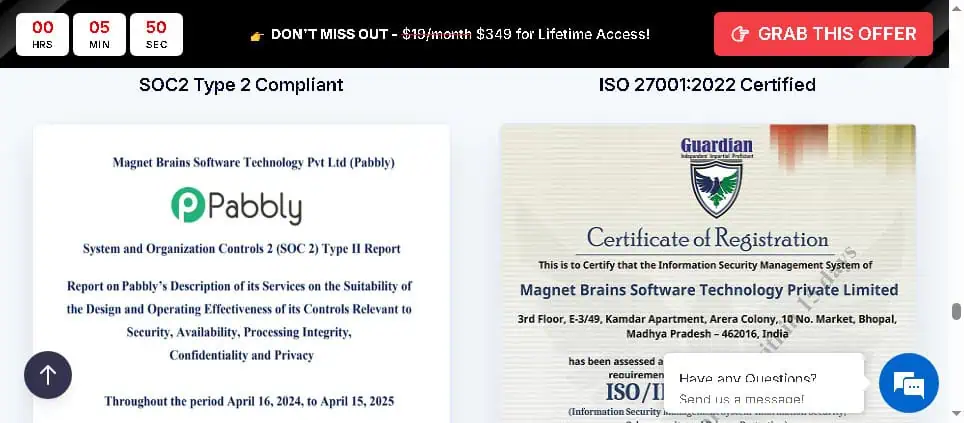
Pabbly holds SOC 2 Type 2 and ISO 27001:2022 certifications, both independently audited. At this price point that is notable; most cheaper tools do not carry both. For small business automation it is sufficient. For enterprise use with strict compliance requirements, ask Pabbly directly about data residency options, DPA terms and audit report access.
Subscription Billing is a separate purchase
Pabbly also sells Pabbly Subscription Billing, which handles recurring billing and subscription management through Stripe, PayPal, Authorize.net and Braintree, for SaaS founders avoiding Chargebee or Recurly costs, membership sites, course creators selling installments and agencies billing clients. Its events (new subscriber, payment failure, upgrade, cancellation) can trigger Connect workflows that update CRM tags, log to a Google Sheet or notify support in Slack, all on one platform. It needs its own plan or the Pabbly Plus bundle; the $349 Connect lifetime deal does not include it.
My verdict after 26 months
Buy it if you run more than 3,000 tasks a month and expect to use an automation tool for at least 18 months. For 85 to 90% of what I automate it does the job, and my $349 paid for itself somewhere in mid-2024.
What bothers me is the builder, not the reliability. Editing a long workflow is tedious, and the one time a payment-sync step failed silently I found out from a customer rather than from a fallback path, because there is no such thing here. The limitations are predictable, which is why they are manageable: check the library for every app you need, test complex branching workflows on Standard first, and if you depend on Zapier-specific features (AI Copilot, advanced Paths, enterprise SSO), the savings do not justify a forced migration.
Start with the free plan to confirm your integrations work, then buy the lifetime deal. To compare it with other automation tools on one-time pricing, see our list of AI lifetime deals.
Disclosure: This review is based on 26 months of active use on a personally purchased lifetime license. No affiliate commission is received from Pabbly. All data points and workflow examples reflect real account usage.
Pricing and company details: see the Pabbly Connect profile.
Related Posts

I tested AgainstData on 355 pages of Gmail data. Bulk unsubscribe, personal data deletion requests, pricing, and whether...

AI-Text-Humanizer.com took a 132-word ChatGPT paragraph from 100% AI to 0% on ZeroGPT but flattens your voice. Buy the $...

AIscan24 is a free, no-signup AI detector: it caught pure ChatGPT text at 100% but scored my handwritten paragraph 80%. ...

Honest Aithenticate review after hands-on testing. Does this AI disclosure badge tool meet EU AI Act requirements? Prici...

My hands-on Answer Socrates review covering all features, free plan limits, pricing, and how it compares to AlsoAsked. I...

I’ve spent $4,200 on 118 AppSumo lifetime deals over 5 years. Here’s my honest review: what works, what fails, and wheth...