

Verdict: Buy
Start Infinity: monthly plan or lifetime deal?
| Field | Detail |
|---|---|
| Tool | Start Infinity |
| Category | Customizable project management and database tool with 6 view types (table, Kanban, calendar, Gantt, list, form) built from a single dataset |
| Best for | Solopreneurs and small teams who want Airtable-level flexibility without the enterprise price |
| Price | Free tier: yes, with limited features and usage caps. Paid plan about $9/month. A lifetime deal has been offered periodically through platforms like AppSumo, at a price that varies. |
| Weak spots | Sluggish on tables with several hundred rows and images; no native automations |
| Verdict | Buy, with conditions: run the $9 monthly plan for a full month first, then consider the lifetime deal |
I spent 30 days testing Start Infinity on four real workflows, and deliberately pushed it with heavy data to see where it slows down:
- A content publishing calendar
- A daily to-do list
- A SaaS monitoring list
- A bookmark database
What Start Infinity is
Start Infinity is a work management platform built around one idea: a single database should be able to power any workflow. You define the fields, choose how to view the data, and build the system that fits your work, whether that is task management, a CRM, a content calendar, feedback collection or a roadmap. It calls itself “one tool to organize all your work, your way.”
Think of a spreadsheet that can turn into a Kanban board, a calendar, a Gantt chart or a form, depending on what you need at that moment. The underlying data stays the same; you change the lens. That puts it between Airtable (powerful but expensive for teams) and Trello (simple but rigid), and Start Infinity reports over 21,000 customers.
It is a toolset rather than a dedicated CRM, project management suite or note-taking app, and what you build with it is up to you. That flexibility is its strongest selling point and, for some users, its most frustrating quality. If you want something ready to use out of the box, it will feel like more work than it is worth. If you like building systems, it is the flexible foundation you have been looking for.
Workspaces, projects and folders
Start Infinity is organized in three layers, and the other features only make sense once you have them straight. If project-management setups are new to you, my step-by-step guides walk through the basics.
- Workspaces sit at the top, as separate containers for brands, companies or business units that have nothing to do with each other. A freelancer with three clients, different team members and zero overlap gives each client a workspace. Permissions are set at this level, so members of one workspace cannot see another unless you share access.
- Projects live inside workspaces and group related work. Inside my “Content” workspace I have a project for ZPlatform content and another for YouTube video ideas. Each project has its own color, name and member access.
- Folders sit inside projects and hold the data. Each folder is a dataset with its own attributes and views, and it is the layer you touch every day.
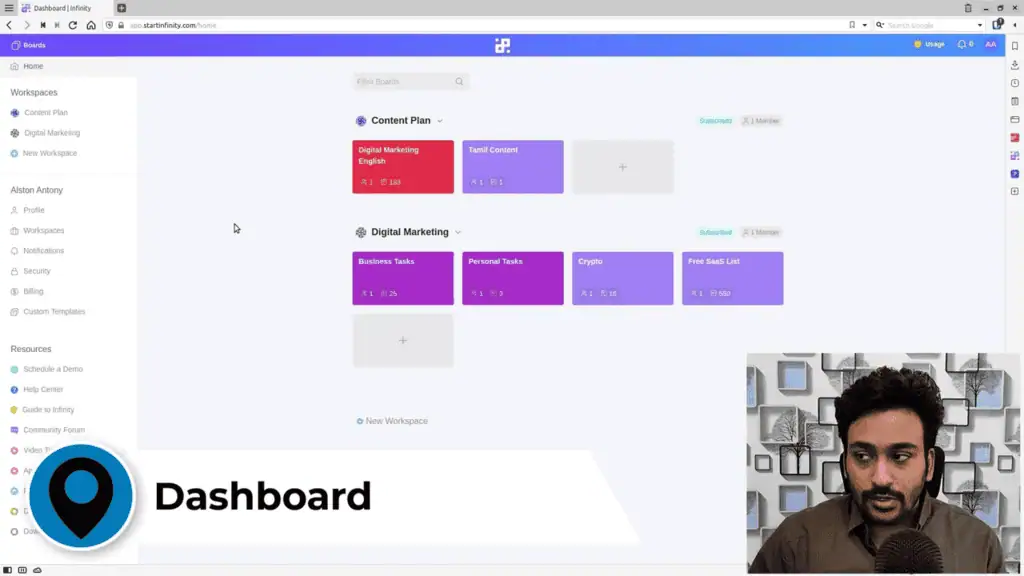
Creating a project takes a name, a color and optional invites. I created one project per major workflow (content planning, SaaS list, bookmarks) and built the folder structure to match. Starting from a blank canvas took about 20 minutes per setup.
Attributes decide what each folder can hold
When you create a folder, you can add any combination of 16+ attribute types:
- Date
- Labels (selectable options)
- Checkboxes
- Single-line text
- Long text
- Checklists (mini-lists within a row)
- Links (with automatic URL thumbnail previews)
- Attachments
- Numbers
- Member assignment
- Voting
- Progress bars
- Ratings
- Phone
- Formulas (similar to spreadsheet calculations)
- Reference fields for relationships between folders
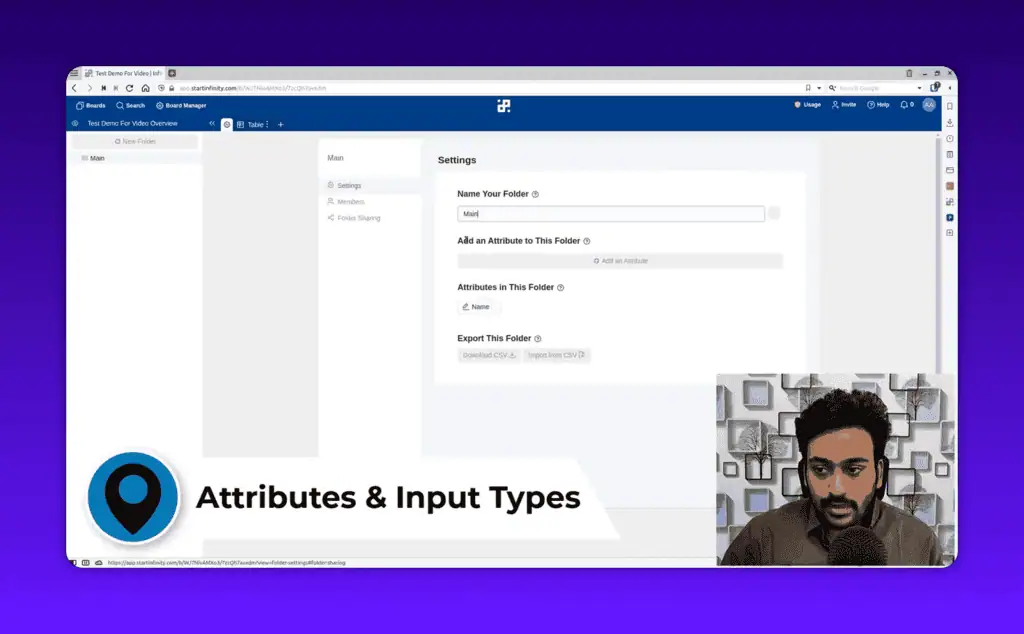
The links attribute deserves a mention. Paste a URL and Start Infinity pulls a thumbnail preview of the page, so my bookmark database shows a visual card per link instead of a column of raw URLs. That makes a 50-item bookmark list far easier to scan than any plain URL list I have kept elsewhere.
Formula fields work like Excel or Google Sheets for basic calculations across numeric fields, such as budget estimates across tasks or completion percentages, without exporting to a spreadsheet. I have not pushed them to their limits. I did not use the reference field, which links folders the way a relational database connects tables, so I cannot vouch for how reliable it is.
One dataset, six views
This is what separates Start Infinity from most task managers. Every folder has one underlying dataset, viewable six ways:
- Table is the default spreadsheet layout: rows are items, columns are attributes. Best for data entry and bulk editing.
- Board (Kanban) groups items into columns by a label attribute. My content calendar groups articles by status (idea, draft, review, published), and I drag them between columns as they progress.
- List is a simplified linear view for a clean to-do layout.
- Calendar maps items to a date field on a month or week view, for scheduling and deadlines.
- Gantt shows a timeline with bars across dates, for dependencies and project planning. I have not used it because my workflows do not need it.
- Form generates a shareable form whose entries land directly in your folder, useful for lead capture or client feedback without giving outsiders workspace access, though a dedicated builder like the one in my FormFlux review gives you more control.
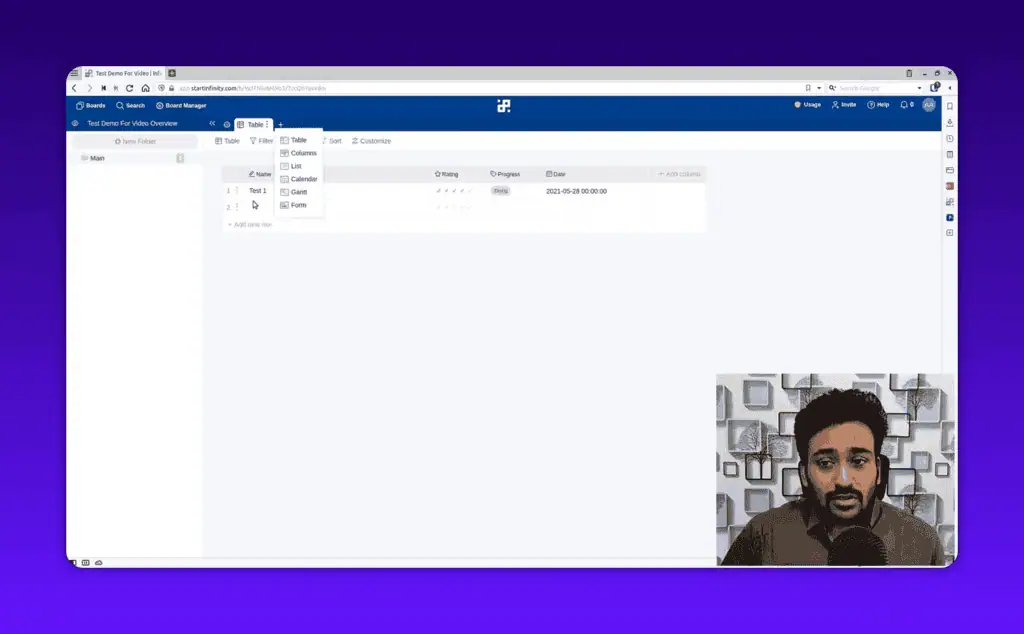
Switching views never duplicates data. You create a view once, assign the organizing column (for Kanban) or date field (for calendar), and it populates. Edit a row in table view and the change shows in board view instantly. Day to day I use table view when writing and scheduling and board view for a visual status check, and I pair it with the text expander from my Lightning Assist review to cut repetitive typing.
Filters, grouping and sorting
Filters chain multiple conditions with “and” or “or” logic on almost any attribute, and they work across all view types: show only tasks marked “done”, or a date range for what needs attention this week. Grouping clusters data by an attribute, so a table grouped by status label sorts into labeled sections and grouping by member shows who owns what. Sorting works on any field, ascending or descending. Combined, they give you fairly specific views without exporting anything. Search scans item names and field content, but only within the current project (more on that below).
Sharing, public boards and the Linux app
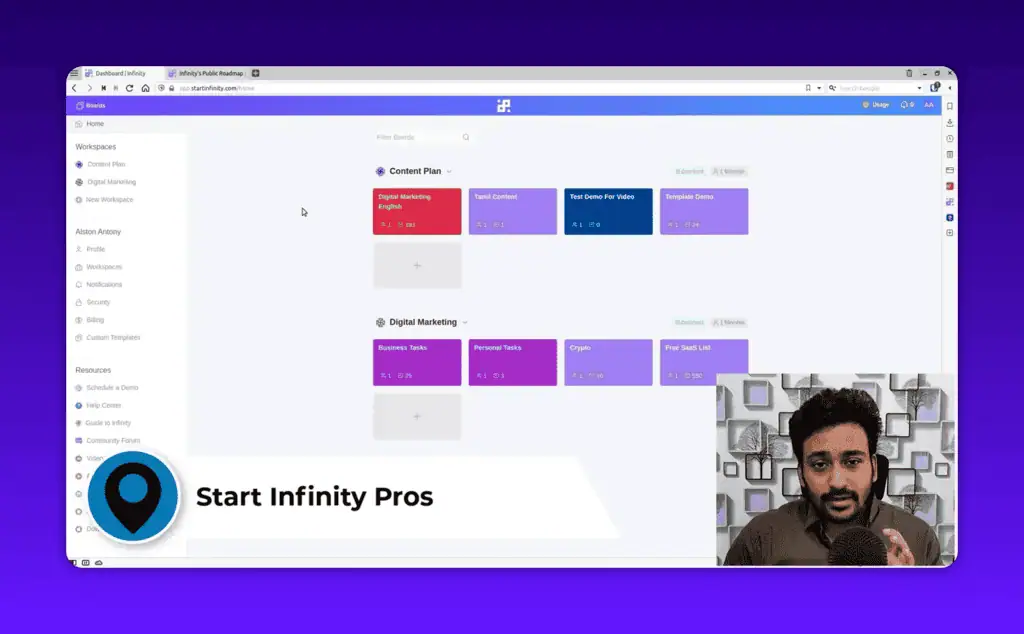
Members can be invited at workspace or project level with view-only or full edit access. Any board can be made public without a login, and Start Infinity runs its own public roadmap this way. Voting on public boards lets visitors upvote feature requests or ideas alongside your data, a lightweight way to let a community prioritize without edit access.
There is an active Facebook community and an in-app help center whose step-by-step guides cover most common use cases, so the learning curve is real but documented. Desktop apps cover Windows, macOS and Linux. I am on Linux, which not every SaaS tool bothers to support, and the desktop app runs smoothly with the same experience as the web version.
Templates with demo data
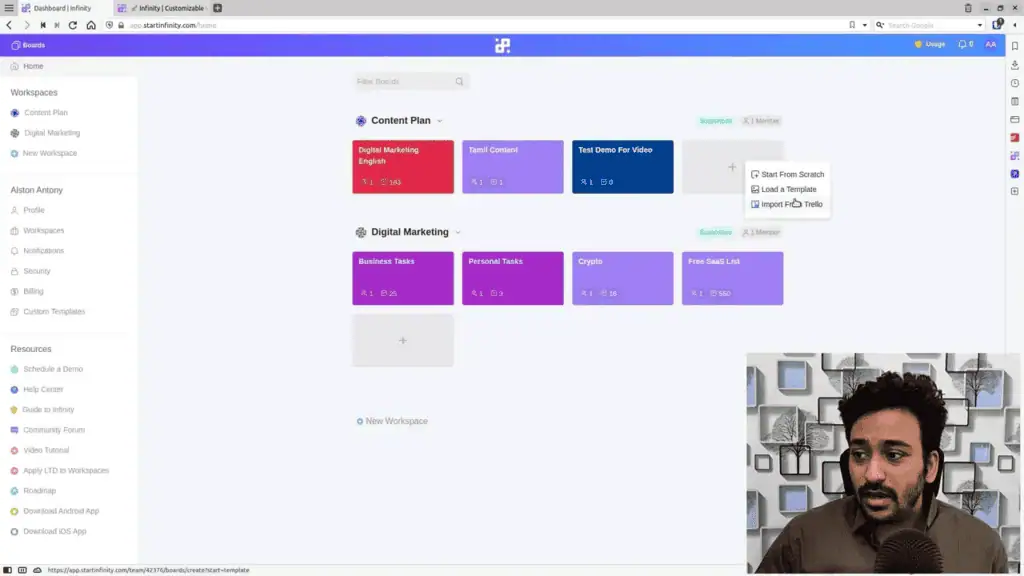
A new project can start from scratch, load from a template, or import from Trello. The template library covers roadmaps, content calendars, CRMs, event management, HR pipelines and more, and each template arrives with demo data so you can preview every folder, attribute and view before importing. After import you keep the demo rows while learning the structure or wipe them.
I imported a content calendar template for my publishing workflow and it saved me a good hour of setup: the label attributes, status columns and views were already configured, and after deleting the demo rows I was working within minutes.
Start Infinity pricing: monthly first, lifetime later
There is a free tier with limited features and usage caps. It is enough to get a feel for the interface, but you will hit the plan limits quickly once you build real workflows, so treat it as evaluation, not production.
The monthly subscription sits at around $9 per month. Against Airtable ($20/month for the same level of customization) or ClickUp’s paid tiers, that is solid value for a flexible database and project manager.
The lifetime deal has been offered periodically through platforms like AppSumo, and its price varies with each run. At $9/month, a lifetime deal priced at $108 breaks even after one year. The tool takes time to evaluate properly, and $9 is low enough that you are not over-investing before you know it fits, so run the monthly plan first. Check current AI lifetime deals to see whether it is available and at what price.
Where Start Infinity slows down or runs out
- Large tables with images lag. The most significant issue I hit. A table with several hundred rows that included image thumbnails scrolled and loaded noticeably slower, where Airtable handles the same volume without hesitation. Standard workflows are fine; a large database with rich media will frustrate you.
- No native automations. Airtable and ClickUp both have them; Start Infinity has no internal automation engine. Triggering an action when a status changes, or a notification when a task is created, needs Zapier or another external connector, though I found Pabbly Connect a cheaper way to wire those triggers. That adds cost and complexity to work that should happen inside the tool.
- Form responses cannot be charted. Survey or form data shows only as raw rows. Any visual report means exporting and analyzing elsewhere, an odd gap for a tool with a form feature.
- Search stops at the project boundary. There is no global search across the workspace, so with 10 projects you search project by project. I felt this when hunting for a specific link buried across multiple folders, and it gets worse as data accumulates.
- Projects are isolated from each other. A workflow that references both a content planning project and a client CRM project is not easy to build. It behaves more like a collection of mini-workspaces than one integrated system.
Start Infinity vs Airtable, Trello, and ClickUp
Start Infinity vs Airtable
Airtable is the more mature and faster platform, with a larger integration ecosystem. For large relational databases, complex automations or instant performance on tables with thousands of rows, it does better. Start Infinity wins on price: Airtable’s free tier is quite limited and its paid plans start at $20/user/month, while Start Infinity at $9/month delivers comparable view flexibility and attribute richness at less than half the cost, plus a lifetime deal option Airtable does not offer. I still use Airtable for one workflow that needs fast scrolling through 1,000+ records with rich media. Everything else runs on Start Infinity.
Start Infinity vs Trello
Trello is excellent for pure Kanban: simpler, faster and free at the basic tier. Start Infinity includes a solid Kanban board and adds five more view types, a richer attribute system and form collection, with a direct Trello import when you set up a project. If you keep hitting the wall of needing to see your data differently, it is the natural upgrade. If a basic board covers 90% of your workflow, stay on Trello.
Start Infinity vs ClickUp
ClickUp is the most polished tool in this category: a more refined interface, powerful built-in automations and noticeably smoother drag-and-drop. It feels like a premium product where Start Infinity feels capable but still maturing, and its paid plans cost significantly more than $9/month. For a freelancer or small team, Start Infinity is a reasonable trade: less UI polish and no native automations for a much lower cost.
| Feature | Start Infinity | Airtable | Trello | ClickUp |
|---|---|---|---|---|
| Multiple views | 6 views | 5+ views | Kanban only | 15+ views |
| Native automations | No (Zapier only) | Yes | Basic | Yes |
| Starting price | $9/month | $20/month | Free / $5 | Free / $7 |
| Performance on large data | Moderate | Excellent | Good | Excellent |
| Linux desktop app | Yes | No | No | No |
| Form collection | Yes | Yes | No | Yes |
| Lifetime deal | Available | No | No | No |
Who Start Infinity suits
- Solopreneurs and freelancers who want a flexible database-meets-project-manager without Airtable or ClickUp prices, for content calendars, client projects, task lists and resource databases in one place. It earns a spot among my best AI productivity tools.
- Small teams of 2 to 10 people who need shared workspaces, basic permissions and table, board and calendar views without a separate tool for each.
- Long-term buyers. If you use a tool for 3 or more years, a well-priced lifetime deal almost always beats a subscription, and that option is increasingly rare.
- Trello users who have outgrown a basic board and want a low-friction upgrade path.
- Linux users who need a native desktop app.
It is the wrong fit if you manage large datasets with hundreds of rows and rich media, need native automations without Zapier, or want the most polished UI available at any price.
Buy it, after one month on the monthly plan
Verdict: Buy (with conditions). After 30 days across four workflows, Start Infinity delivers what it promises for the right user. The multi-view system and attribute flexibility let you model real work without a rigid structure, the price is competitive, and Linux support is a rare bonus. The heavy-table lag and the missing automations are not reasons to avoid it, but they are reasons to confirm your main use case depends on neither before committing.
Start on the $9 monthly plan and run your actual workflows through it for a full month. If you are still using it at the end, the lifetime deal math almost always works in your favor over 2 to 3 years. The bigger question with any project management tool is whether the system you build in it gets used, and Start Infinity is flexible enough to build systems that match real work. You can compare it with every tool in my full review library.
Related Posts

I tested AgainstData on 355 pages of Gmail data. Bulk unsubscribe, personal data deletion requests, pricing, and whether...

AI-Text-Humanizer.com took a 132-word ChatGPT paragraph from 100% AI to 0% on ZeroGPT but flattens your voice. Buy the $...

AIscan24 is a free, no-signup AI detector: it caught pure ChatGPT text at 100% but scored my handwritten paragraph 80%. ...

Honest Aithenticate review after hands-on testing. Does this AI disclosure badge tool meet EU AI Act requirements? Prici...

My hands-on Answer Socrates review covering all features, free plan limits, pricing, and how it compares to AlsoAsked. I...

I’ve spent $4,200 on 118 AppSumo lifetime deals over 5 years. Here’s my honest review: what works, what fails, and wheth...