

Verdict: Buy
Is Ubersuggest enough, or do you need Ahrefs?
| Field | Detail |
|---|---|
| Tool | Ubersuggest, owned by Neil Patel |
| Category | All-in-one budget SEO platform: keyword research, rank tracking, site audit, backlinks, content ideas |
| Best use case | Beginners, freelancers and small businesses running one to three sites who need affordable keyword and rank data |
| Price | Free plan: yes, but capped at roughly 3 to 5 searches per day. Individual $29 per month or $290 one-time lifetime, Business $49 or $490, Enterprise/Agency $99 or $990. 7-day free trial on paid plans. |
| Data you can trust | Search volume, CPC and rank tracking. Keyword difficulty underestimates real competition and backlink counts run well below Ahrefs, Semrush and Moz. |
| Verdict | Buy the lifetime tier if you run one small site for years, skip it entirely for agency or link-building work |
I bought Ubersuggest and tested it against Ahrefs and Semrush on the same keywords and the same domains, including broad terms like “cloud computing” that are obviously competitive. I also tracked a set of keywords for one of my sites across Ubersuggest, Google Search Console and Ahrefs at the same time, and compared its organic traffic estimates against what I knew from actual analytics. My full Ubersuggest video is further down.
What Ubersuggest costs: monthly, lifetime and the free plan
Ubersuggest costs $29/month for Individual, $49/month for Business, and $99/month for Enterprise/Agency, with one-time lifetime deals at $290, $490, and $990 for the same three tiers. There is a 7-day free trial on the paid plans and a permanent but heavily limited free plan. I verified these figures against the Ubersuggest pricing page.
| Plan | Monthly | Lifetime (one-time) | Websites | Tracked keywords |
|---|---|---|---|---|
| Individual | $29/mo | $290 | 1 | 125 |
| Business | $49/mo | $490 | 2 to 7 | 150 |
| Enterprise / Agency | $99/mo | $990 | 8 to 15 | 300 |
The free plan is where people get confused. Without an account you get roughly three searches per day; create a free account and you get around five before the tool blocks you and asks you to upgrade or wait until tomorrow. That is a sample, not a working free tool. It started life as a free keyword tool, which is why so much old content still calls it “free”. If your plan is to do real SEO entirely for free, I would point you toward free AI and SEO tools that actually let you work instead.
When the $290 lifetime licence pays off
Almost no serious SEO platform sells a one-time license anymore. Ahrefs and Semrush are subscription-only, and they start far higher. Take the Individual lifetime deal at $290 against $29/month and you break even in about 10 months, then use the tool for years at no extra cost.
Run the numbers on the user this is built for: one local site, two blog posts a month, around 40 tracked keywords. At $290 once, 14 months later the total spend is still $290, while the same 14 months on Semrush would have cost over $1,800. At that scale the data accuracy problems below barely bite, because low-competition local terms are exactly where being roughly right is good enough.
It is a trap if you are still tool-shopping, or if you buy it expecting Ahrefs-level depth and then need to switch tools anyway. I keep a running list of the best tested SEO and AI tool deals for comparing one-time licences.
What is Ubersuggest?
Ubersuggest is an all-in-one SEO tool owned by Neil Patel that bundles keyword research, rank tracking, a site audit, backlink analysis, and content ideas into one dashboard aimed at beginners and small businesses, and it appears in my roundup of the best AI SEO tools. Neil Patel acquired it as a free keyword research tool and rebuilt it into a freemium budget alternative to the enterprise platforms.
The pitch is simple: most people do not need a $129/month platform with millions of data points they will never open. They need search volume, a difficulty estimate, some content ideas, and a way to track whether their rankings are going up. On that promise, Ubersuggest mostly delivers, much like the gamified platform I put through the same test in my Morningscore review. You can research a keyword, check what is ranking, audit your pages and watch your positions without leaving the dashboard.
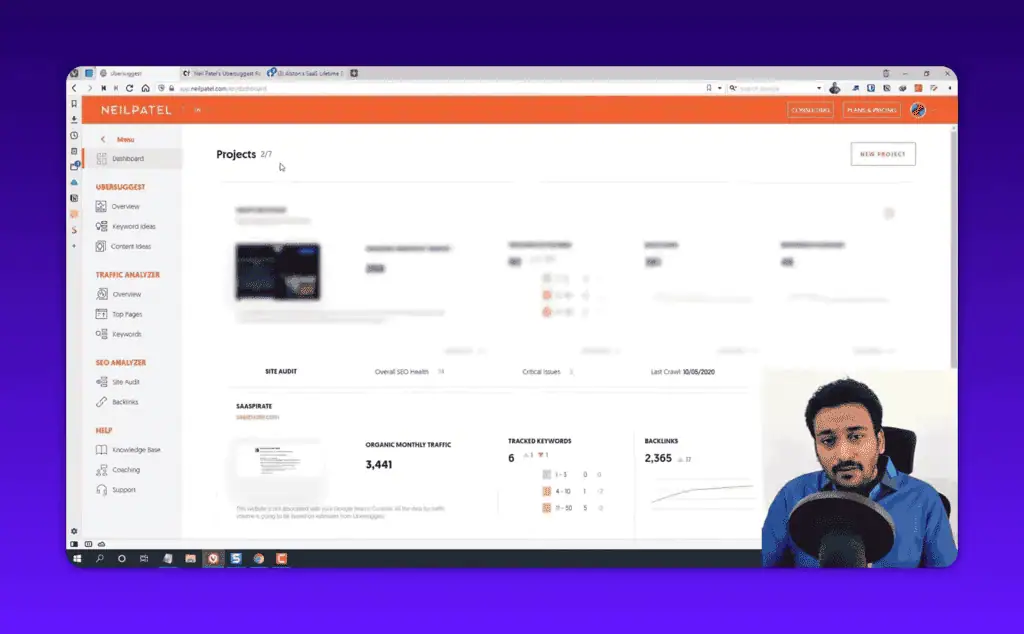
It works from its own crawl index and clickstream estimates rather than live queries, which is why some of its numbers hold up and others do not. Neil Patel’s name cuts both ways: it brings a large free training library that helps beginners, and it brings skeptics who assume anything with a marketing guru attached is hype. Here is the projects dashboard you land on, with traffic, tracked keywords, and backlinks summarized up top.
Keyword data: volume and CPC hold up, difficulty does not
When I research a keyword, I look at four things: search volume, keyword difficulty, CPC, and how many suggestions the tool generates from one seed term. I ran a mix through Ubersuggest, Ahrefs and Semrush side by side: broad two-word terms like “cloud computing”, plus longer phrases. Here is the keyword overview screen, which is clean and beginner-readable.
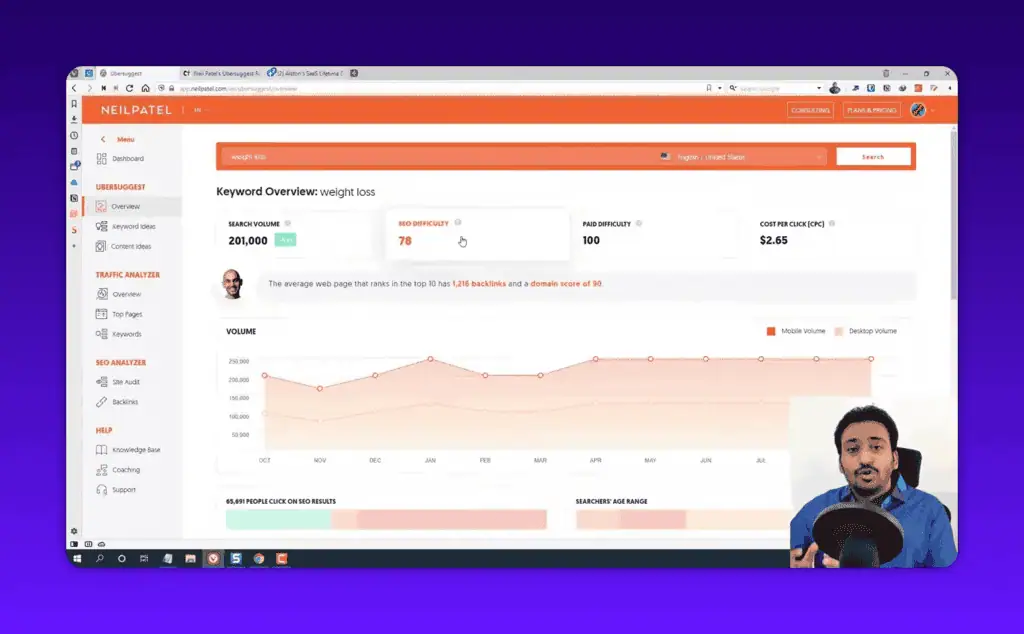
Search volume came back in the same ballpark as the other tools. Not identical, because every tool estimates volume differently, but close enough that I would trust it to decide whether a keyword is worth pursuing. The CPC data was also reliable, which matters if you do any paid search alongside SEO.
Why a “37, very doable” can really be a 65
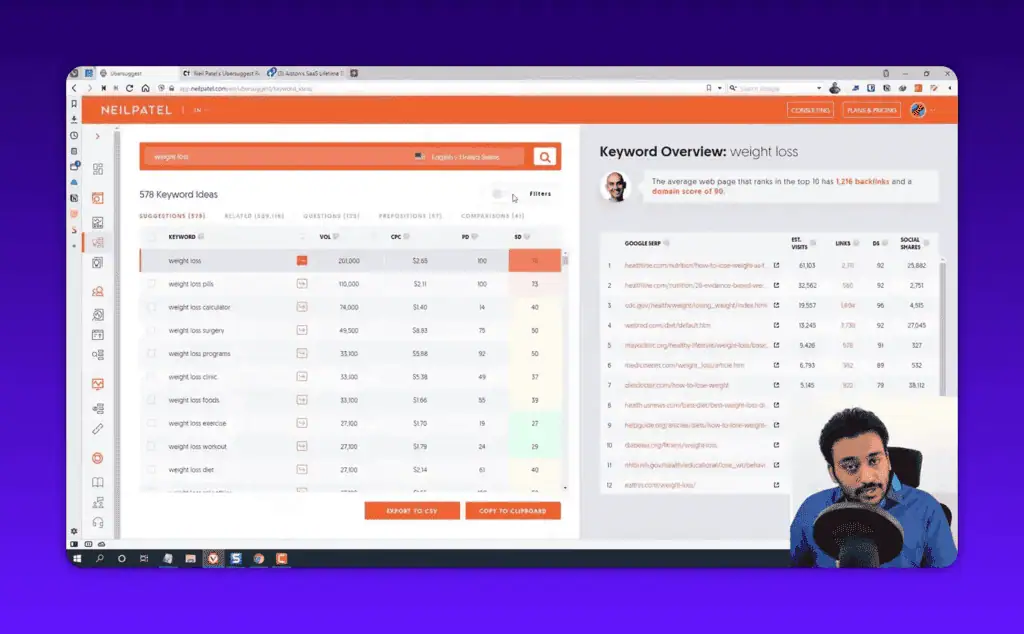
The 0 to 100 SEO Difficulty score is calculated from Ubersuggest’s own link index, and because that index is smaller than the enterprise tools’, the scores skew low. On every competitive term I checked, “cloud computing” included, the difficulty it returned was lower than what Ahrefs and Semrush reported for the same keyword. The tool was quietly telling me that competitive keywords were easier than they are.
That is a dangerous error for a beginner, because the whole point of checking difficulty is to avoid pouring months of work into a keyword you cannot win, which is exactly what my SEO how-to guides help you sidestep. My fix applies to any budget tool: never trust a single difficulty score. Pull up the actual Google results and look at who is ranking. If the first page is wall-to-wall big brands with thousands of backlinks, the keyword is hard no matter what number the tool shows. Google’s own guidance on how Search ranks results is a better reality check than any third-party difficulty number.
Keyword suggestions and Content Ideas
The volume of suggestions from a single seed term is good, easily enough to plan a content cluster, and it is the feature I would use day to day. You type one topic and get related terms, questions, and prepositions, each with its own volume and difficulty. For a free question-focused alternative, see my Answer Socrates review.
The Content Ideas tool is a quiet standout. Instead of estimating difficulty, it shows the articles already ranking for your topic with estimated traffic, backlinks, and social shares, which is a more reliable way to judge competition inside the tool.
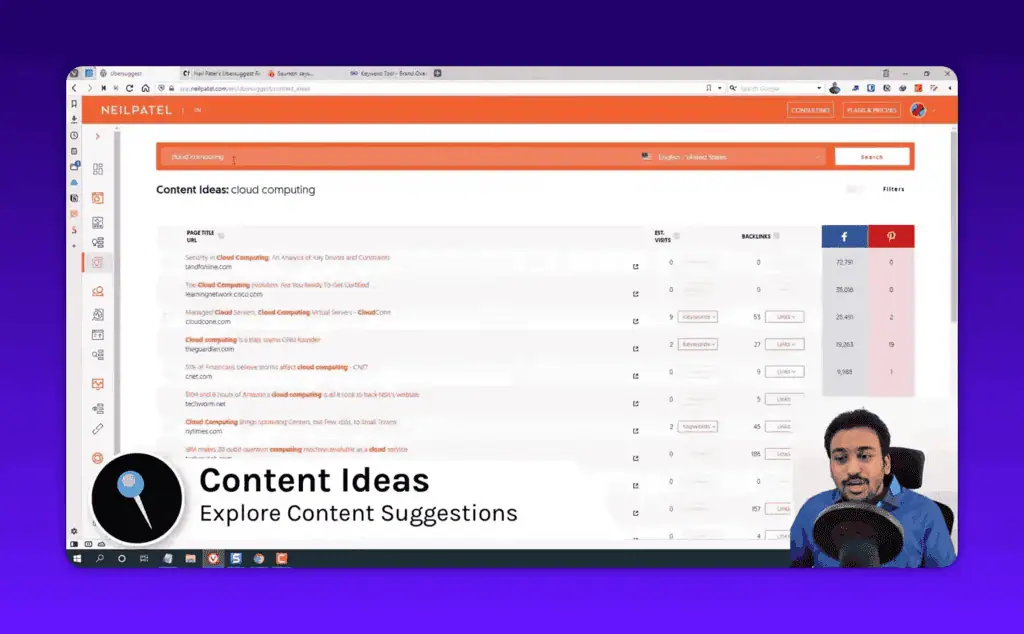
The traffic estimates there are directional rather than exact, but as a starting point for “what should I write about,” it does the job.
Rank tracking matched Search Console; the keyword cap is the wall
Position tracking is easy to verify, because you can check it against what Search Console reports. The positions Ubersuggest reported for my tracked keywords lined up with GSC and Ahrefs, with the usual small variance you get between any two rank trackers (they check from different locations and at different moments) and nothing that would lead me to a wrong decision. You connect a domain, and optionally Search Console, and positions are checked on a schedule.
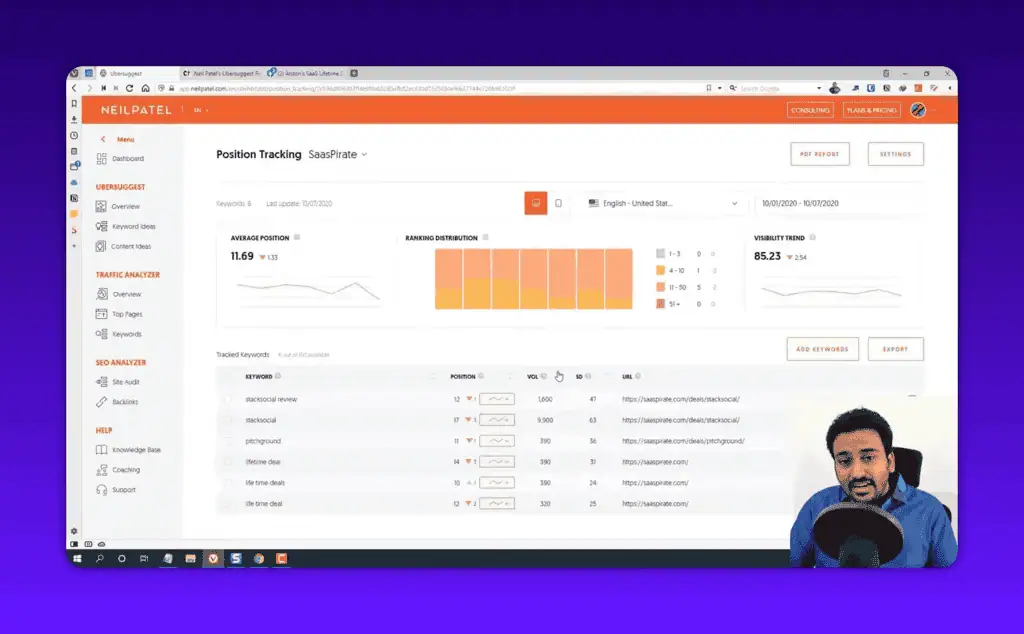
The constraint is the keyword limit: 125 on Individual. For a small site or a local business tracking its money keywords, that is plenty. A content site with a few hundred published pages, each with its own primary and secondary terms, runs out of slots fast.
Competitor research: good maps, inflated traffic
Punch in a competitor’s domain and the traffic analyzer shows estimated traffic, top pages, top keywords, and backlinks.
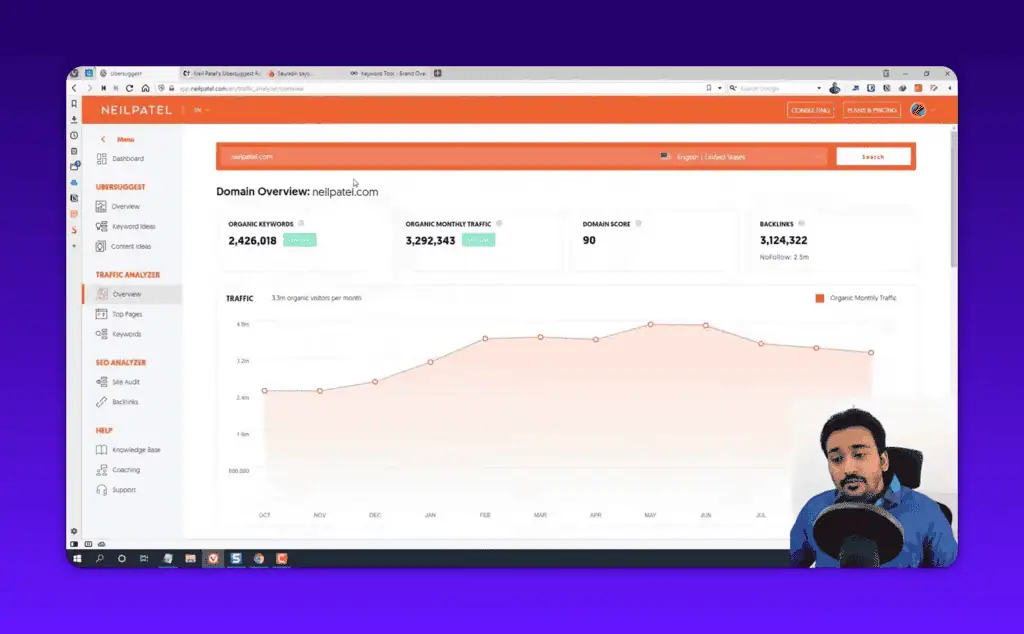
Against analytics I could check, Ubersuggest’s organic traffic estimates ran high. That is the opposite problem from the difficulty scores and less dangerous, but it makes the numbers a relative signal only. The Top Pages and Top Keywords reports are the useful part: seeing which of a competitor’s pages pull the most traffic, and which keywords they rank for, gives you a clear map of where their SEO strength lives.
Site audit: right-sized for small sites
You run the audit on your domain and it returns a health score plus a prioritized list of problems in plain language: missing meta descriptions, slow pages, broken links, duplicate titles, and so on. For a small business site that is the right level, because it ranks the issues by how much they matter and a beginner can work down the list without understanding every flag. A typical first audit on a small services site turns up a batch of missing meta descriptions and a handful of broken internal links nobody knew existed.
On a large site with thousands of URLs it is shallower than a dedicated crawler like Screaming Frog. If you have a large complex site, you are not the person buying a $29/month tool anyway.
Backlink counts: where the small index shows
Backlink data quality comes down to the size and freshness of a tool’s link index, and this is exactly where the enterprise tools spend their money. When I checked the same domains in Ubersuggest, Ahrefs, Semrush and Moz, Ubersuggest reported noticeably lower backlink and referring domain counts every time. If you take one warning from this review, take this one.
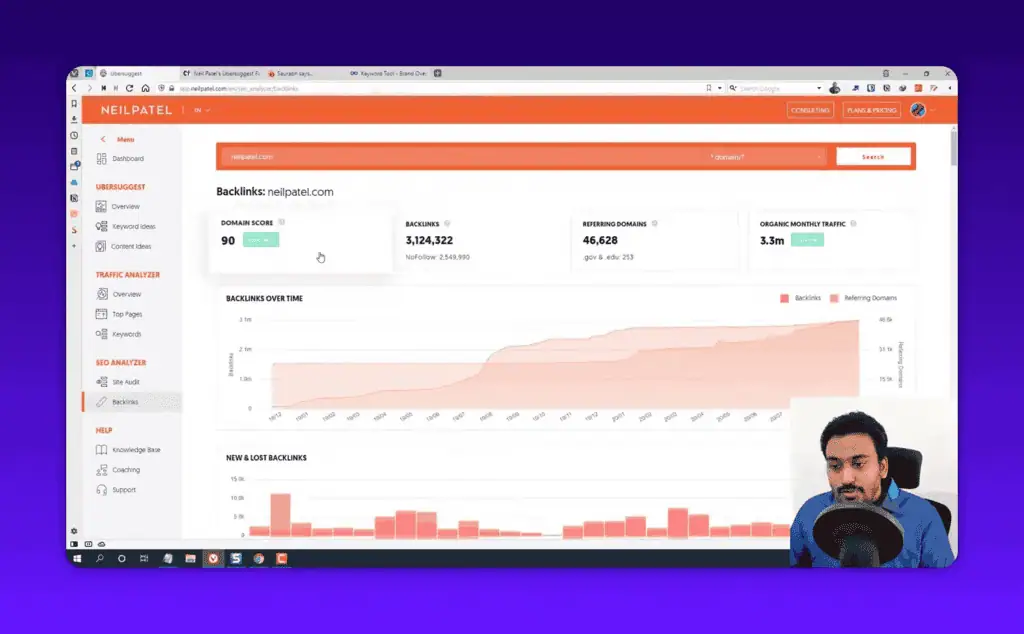
For light, directional use, knowing roughly which competitors have more authority than others, the backlink data is passable. For link building or competitive backlink research, use a dedicated tool for that part of the workflow. This is the clearest example of the budget tradeoff: you save a lot of money, and you pay for it in backlink depth.
Chrome extension, mobile and connecting your site
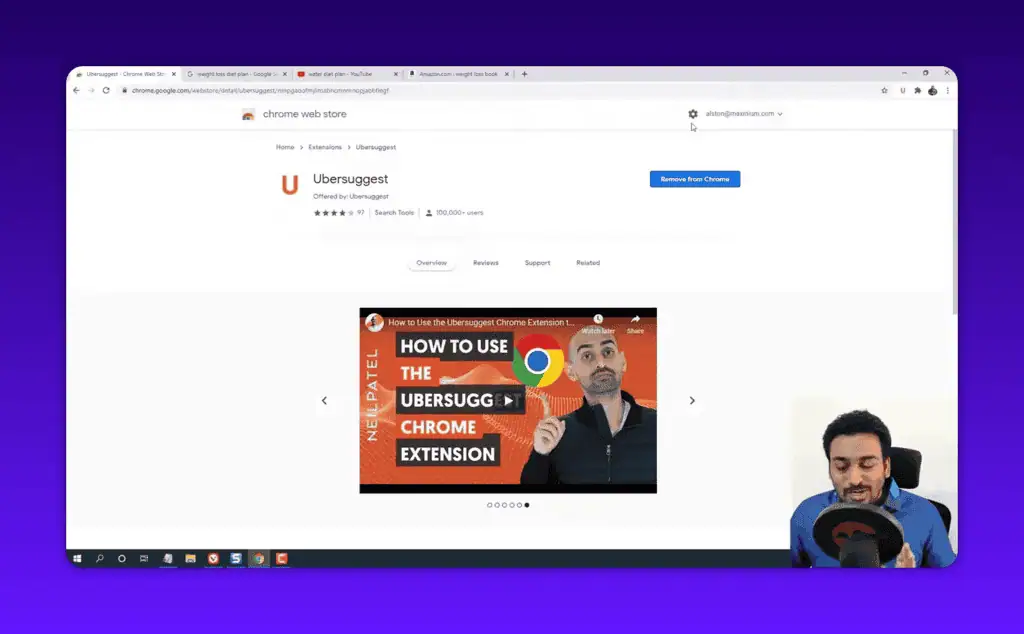
The free Chrome extension surfaces volume and CPC right under Google results, and pulls up any website’s traffic and top keywords without opening the main dashboard. The data carries the same accuracy caveats as the main tool, but as a free convenience layer for quick research while browsing it is one of the better pieces of the Ubersuggest ecosystem.
In a mobile browser view the web app stayed clean and usable, which most SEO tools do not manage. Ubersuggest works with any website, WordPress included: you connect your domain and Search Console, and the analysis runs on Ubersuggest’s servers, so it does not slow your WordPress install. Connecting Search Console makes your own site’s data materially more accurate, at the cost of granting a third party access to your verified property. Make that call before you connect it, not after.
Ubersuggest vs Ahrefs, Semrush and Search Console
Ubersuggest wins on price and ease of use; Ahrefs and Semrush win decisively on data accuracy, depth, and scale. Ubersuggest is the tool you learn on and run a small site with. The premium tools are what you graduate to when SEO becomes core to your business and wrong data starts costing real money: paying five times more for Ahrefs is worth it when accurate backlink and difficulty data drives decisions worth thousands, and wasted when you have one site, ten blog posts, and a budget that matters.
| Factor | Ubersuggest | Ahrefs | Semrush |
|---|---|---|---|
| Starting price | $29/mo | $129/mo | $139.95/mo |
| Lifetime deal | Yes ($290+) | No | No |
| Ease of use | Excellent for beginners | Moderate | Steep learning curve |
| Search volume accuracy | Good | Excellent | Excellent |
| Keyword difficulty accuracy | Weak | Excellent | Strong |
| Backlink index depth | Shallow | Best in class | Very deep |
| Keyword gap analysis | No | Yes | Yes |
| Best for | Beginners, small sites | SEO pros, agencies | Marketers, agencies |
When to switch, and what it costs:
| Alternative | Price | Pick it instead when |
|---|---|---|
| Ahrefs | From $129 per month, no lifetime option | Backlink depth and difficulty accuracy drive decisions worth more than the price difference |
| Semrush | From $139.95 per month, no lifetime option | You need keyword gap analysis, competitive research at depth, and a full marketing toolkit beyond SEO |
| Google Search Console | Free | You only need accurate position, impression and click data for sites you own, and can live without keyword research |
For other budget challengers tested the same way, see the Morningscore review and the Semdash review, which targets the same gap between Ubersuggest and the premium tools.
Who should buy Ubersuggest, and who will outgrow it
Buy it if you are:
- A complete SEO beginner. It is the most beginner-readable interface of any SEO tool I have reviewed, with tooltips and plain-language explanations on nearly every metric.
- A small business owner with one site you will keep for years, where the $290 lifetime licence breaks even in about 10 months.
- A blogger or freelancer tracking under 125 keywords. That is where the plan limits stop mattering.
- A local business targeting low-competition terms, where the difficulty inaccuracy does not bite because the real competition is thin.
- Running paid search alongside SEO, since the CPC data is reliable enough to plan with.
You will outgrow it if you are:
- An agency doing client work. Wrong numbers in a client deck cost credibility, and the data ceiling arrives fast.
- A serious link builder, because the backlink index is too shallow to base a link strategy on.
- Running a content site with hundreds of pages. 125 tracked keywords on Individual runs out quickly and you end up choosing which rankings you are allowed to care about.
- Expecting a working free tool. Three to five searches a day is a sample, not a plan.
Where Ubersuggest’s numbers will mislead you
- Difficulty scores that read easy. A keyword shown as “37, very doable” can in reality sit closer to 65, which means you write the article, wait, and never crack page two, having done exactly what the tool told you.
- Backlink counts that read small. You can conclude a competitor has 40 referring domains when they have 300, and build an entire link plan on a number that is wildly wrong.
- Traffic estimates that read high. Usable for “is competitor A bigger than competitor B”, unusable for “how much traffic does this page get”.
- Missing features, not bad ones: there is no keyword gap analysis and no lost-backlink tracking, two of the features experienced SEOs rely on most.
- The site audit gets shallow above a few hundred URLs. On a large site a dedicated crawler catches issues this misses entirely.
- Occasional loading hiccups, clearable with a refresh but noticeable.
Which Ubersuggest jobs are worth paying for
Volume and CPC came back in the same ballpark as both premium tools, and rank tracking lined up with Search Console and Ahrefs. Those two results surprised me for a $29 tool. Difficulty, backlinks and traffic estimates are where it broke, and those are the exact numbers you use to decide what to target and how to compete.
So use Ubersuggest for volume research, content ideas, rank tracking and basic audits. Validate difficulty by opening the actual Google results and looking at who ranks, and validate links with a second tool before betting work on them. For a beginner or a small business, especially on the lifetime deal, it is one of the smartest SEO purchases you can make, because it removes the cost and complexity barriers that stop people doing SEO at all.
The five-minute test I would run today: start the 7-day trial, put your three most important keywords through it, then check each one against the live SERP. That will tell you more than any review, including this one. You can browse the rest of my tested verdicts in the review library, and subscribe for weekly deal alerts so you catch the lifetime offers before they expire.
Pricing and company details: see the Ubersuggest profile.
Related Posts

I tested AgainstData on 355 pages of Gmail data. Bulk unsubscribe, personal data deletion requests, pricing, and whether...

AI-Text-Humanizer.com took a 132-word ChatGPT paragraph from 100% AI to 0% on ZeroGPT but flattens your voice. Buy the $...

AIscan24 is a free, no-signup AI detector: it caught pure ChatGPT text at 100% but scored my handwritten paragraph 80%. ...

Honest Aithenticate review after hands-on testing. Does this AI disclosure badge tool meet EU AI Act requirements? Prici...

My hands-on Answer Socrates review covering all features, free plan limits, pricing, and how it compares to AlsoAsked. I...

I’ve spent $4,200 on 118 AppSumo lifetime deals over 5 years. Here’s my honest review: what works, what fails, and wheth...