Verdict: Buy
What I Like
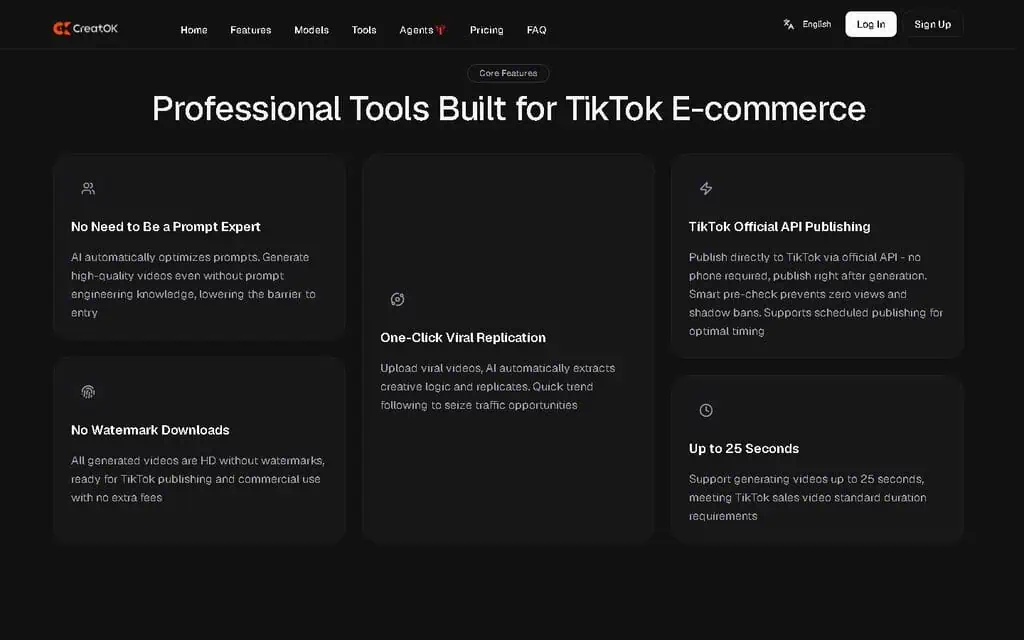
- Built specifically for TikTok e-commerce sellers, not general content creators
- Genuinely useful free plan with no watermark, unlike competitors' watermarked demos
- Viral clone feature deconstructs viral videos and rebuilds them for your product in minutes
- Consistent character feature holds up well across multiple talking-head videos
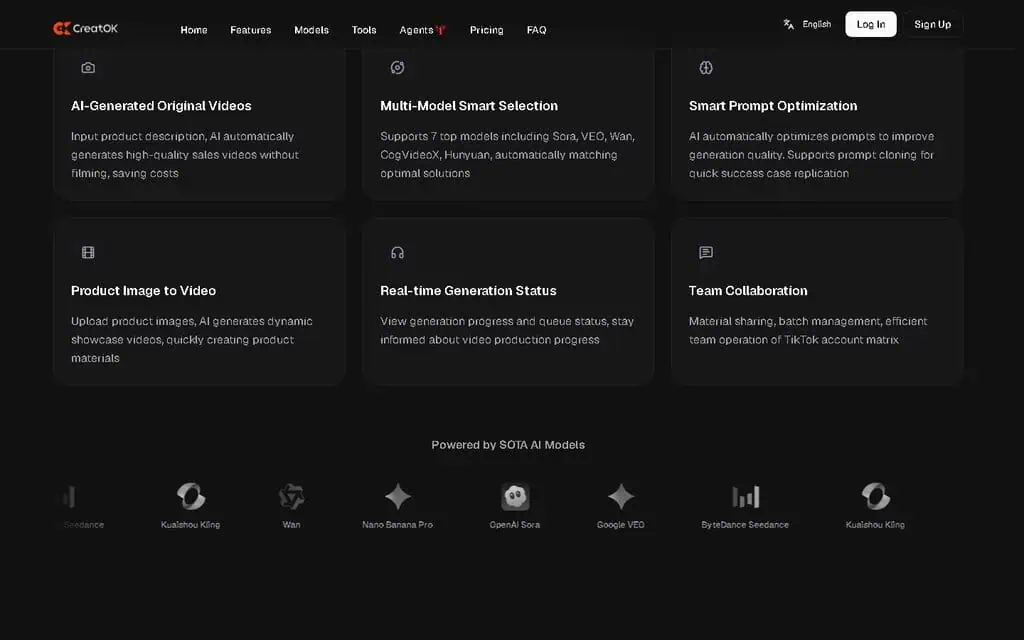
- Routes prompts across multiple foundation models (Veo, Kling, Seedance, Wan, Nano Banana Pro) for best results per use case
- Text-to-video output matches TikTok's native pacing and avoids obvious AI tells
- 70 percent first-attempt usable output rate, higher than general-purpose tools like Runway or Pika
- Pricing starts at $7/month and tops out at $35/month, cheaper than most competitors
- Viral Discovery surfaces trending TikTok content ranked by engagement velocity
- Community of 200,000+ sellers improves trend data and model tuning over time
What Is Missing
- Credit system is confusing at first since different models consume different credit amounts
- Basic plan credit allowance runs out quickly for active users
- Mobile experience is less polished than the web dashboard
- Learning curve for the first several viral clone attempts
- Occasional visual inconsistencies with hands and small product details
- Can generate plausible-sounding but inaccurate claims in highly technical niches
- Viral Discovery trend data is weaker outside US, UK, and Southeast Asia
- Struggles with videos longer than about 60 seconds
- Not suited for B2B SaaS, technical niches, or long-form YouTube content
CreatOK Review Summary
| Field | Detail |
|---|---|
| Tool | CreatOK |
| Category | AI video generator built specifically for TikTok e-commerce, routing across multiple foundation models |
| Best use case | Turning one winning TikTok product video into a steady stream of new sales creatives |
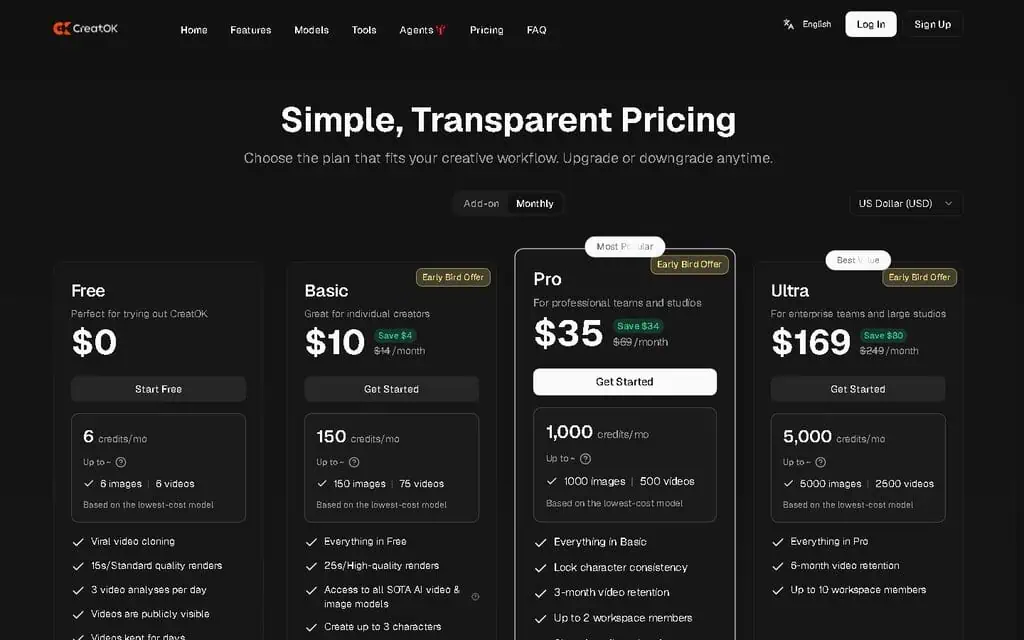
| Price | Free tier: yes, with limited credits, basic models and no watermark. Basic $7 per month, Pro $35 per month with the full credit allowance, premium models (Veo, Kling, Seedance, Wan, Nano Banana Pro) and a faster queue. |
| Verdict | Test on the free plan with your own products, buy Pro only if you are running paid TikTok ads |
Quick Answer: What Is CreatOK?
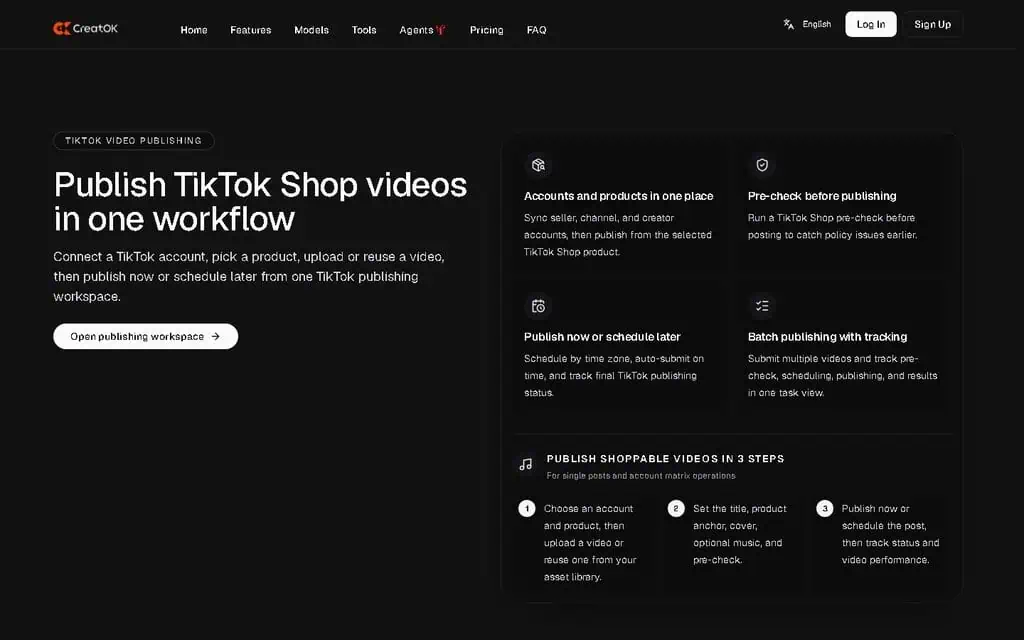
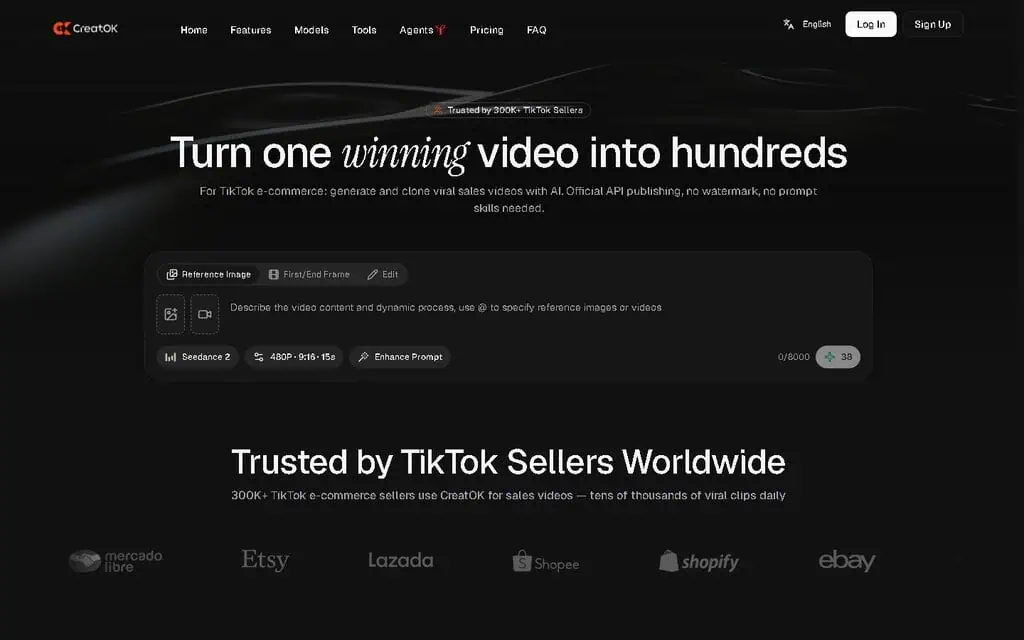
CreatOK is an AI video generator aimed at TikTok Shop sellers rather than general creators. It produces sales videos from product photos, and it can deconstruct an existing viral TikTok into its hook, pacing and social-proof structure, then rebuild that structure around your product. It routes prompts across several models including Veo, Kling, Seedance, Wan and Nano Banana Pro. Free tier is usable with no watermark, Basic is $7 per month and Pro $35. Verdict: the most practical tool in this category for consumer-goods sellers, and the wrong tool for technical niches or long-form video.
How Does CreatOK Work for TikTok Product Videos?
CreatOK works as a routing layer over several video models plus a TikTok-specific structural analyser, which is what separates it from a general text-to-video tool.
- Model routing. The platform sits on Soar, Wan, Seedance, Veo, Nano Banana Pro and Kling. No single model wins at everything: Veo handles cinematic motion, Kling handles physical realism, Nano Banana Pro handles fast character scenes. Your prompt is routed to the model that fits the output rather than leaving you to learn seven engines.
- Text-to-video path. You supply product photos, a short description and a tone (energetic, calm, urgent, informative). The output is a complete video with scene structure, on-screen text in TikTok’s centre-bottom position, a suggested music style and TikTok-native pacing: cuts every 1 to 2 seconds for the first 5 seconds, longer cuts for value delivery, quick CTA close.
- Viral clone path. You paste a TikTok link or upload a file. The system splits it into components with timings, typically hook (0 to 1.5s), setup (1.5 to 4s), value delivery (4 to 15s), social proof or demonstration (15 to 22s) and close (22 to 30s), and identifies the emotional tone, visual style, pacing and text strategy of each. Your product is then fused into that skeleton and a new asset is generated. It is a structural rebuild, not a copy: audio, text, pacing and CTA are all regenerated.
- Viral Discovery. A live feed of TikTok videos performing well right now, filterable by niche, content style and 24-hour engagement velocity. Velocity is the point: 80,000 views in 12 hours is actionable, 2 million views from three months ago is not. Results export straight into the clone workflow.
- Consistent characters. You upload a reference image and the system locks facial and body features for reuse across generations, with a character library for multiple personas.
- Credits. Every generation spends credits, and heavier models cost more per video than lighter ones, which is what determines how far a plan actually goes.
Who Is CreatOK Best For (and Not For)?
CreatOK is best for:
- TikTok Shop sellers in consumer categories. Beauty, fashion, home, tech accessories, food and pet products are exactly what the templates and trend data are built around.
- TikTok ad buyers spending $100 or more a month. Creative velocity is the main driver of paid ROI, and one AI creative that beats a $200 freelancer video pays for Pro immediately.
- Agencies running three or more TikTok Shop accounts. Consistent characters plus the Pro credit allowance is where the throughput argument lands.
- Sellers who refuse to be on camera. Build a synthetic persona once and generate talking-head videos without filming anything.
- Anyone with one winning video and no second one. That specific problem is what this tool exists to solve.
CreatOK is not for:
- B2B SaaS marketing. The viral patterns are consumer e-commerce patterns, and TikTok is rarely the right channel for that buyer anyway.
- Medical, scientific or industrial products. Generated voiceover produces plausible-sounding but imprecise technical claims, so editing time cancels the speed advantage.
- YouTube long-form creators. Coherence holds to roughly 60 seconds and degrades beyond it.
- Hobbyists making fewer than about four videos a month. The free plan covers that; paying does not improve it.
- Sellers outside the US, UK and Southeast Asia. Trend data coverage thins out considerably elsewhere.
What Are the Limitations of CreatOK?
- Cloning a competitor’s video is a real risk, not just a workflow. Rebuilding someone else’s hook and pacing sits in a grey area on originality, and TikTok’s own guidelines discourage unoriginal content, which can suppress reach on the asset you just generated. Use your own winners as the source where you can.
- The credit system is opaque at the start. Different models consume different amounts per generation, and a Veo video costs materially more than a lighter model, so early experimenting burns credits faster than expected.
- Basic runs out well before the month does. The average usable video took 2 to 4 generation attempts in testing, which exhausted the Basic allowance in about 18 days.
- Roughly 30% of first generations are not usable. A 70% first-attempt success rate is high for this category, and it still means rerunning about a third of everything.
- Technical niches produce confidently wrong claims. Anything requiring precise terminology needs every generation checked before it goes out.
- Duration ceiling around 60 seconds. 90-second tutorials and 2-minute deep dives lose coherence and have to be generated in pieces and stitched externally.
- Consistent characters drift. Across 12 videos with the same character, eye colour shifted between two generations and the smile pattern varied. It survives a 22-second watch, not a frame-by-frame review.
- Multi-location scenes break. Move the character between a kitchen and a living room and lighting and background jump, so each scene has to be generated separately.
- Hands and small product details show artefacts. A limitation of every current video model, not specific to this one, and still visible if anyone looks closely.
- Trend feed is skewed. Beauty and fashion are oversampled because they generate the most TikTok engagement, so niche categories get less from Viral Discovery.
- Mobile is weaker than web. If you run your TikTok business from a phone, expect to be on a desktop dashboard more than you planned.
What Are CreatOK’s Alternatives?
| Alternative | Price | Pick it instead when |
|---|---|---|
| Runway | Free credits to start; paid from about $15 per month | You need high-quality cinematic creative rather than sales-shaped short form, and will do the prompt engineering |
| Synthesia | Paid from about $29 per month | The job is corporate talking-head or explainer video with a scripted avatar, not TikTok pacing |
| Captions | Free tier; paid from about $9.99 per month | You are editing footage you filmed yourself and want captions, trimming and social formatting rather than generation |
| InVideo AI | Free tier with watermark; paid from about $25 per month | Template-driven marketing video across channels matters more than a TikTok-specific viral workflow |
Check current pricing on each vendor’s page before comparing, since this category re-prices frequently. For a multi-engine creative workspace rather than a TikTok-specific tool, see the Epochal review. For avatar consistency specifically, see the Every Anyone review.
My CreatOK Review Conclusion
I ran CreatOK for 30 days against my own products and my own ad money, and my expectation going in was another forgettable wrapper on a generic text-to-video model.
What I measured. On day one I uploaded three product photos, a phone case, a desk lamp and a face cream, and ran the same prompt through each model option: the phone case came out best on Wan because it handles reflective surfaces cleanly, the face cream on Nano Banana Pro because the talking-head segment was smoother, the desk lamp on Seedance because the lighting movement looked natural. First-attempt usable output on text-to-video ran around 70%, against roughly 40% for Runway and Pika in the same testing, which is the clearest single number in this review. A silicone food storage bag I have never sold produced a clean 22-second structure on the first generation: 1.5-second hook, 4-second reveal, 6-second leak demonstration, 5-second social proof, 5-second CTA. Across three weeks I generated 12 videos with one consistent character and the face stayed recognisable in all 12.
Where it cost me. Basic’s credit allowance was gone in about 18 days because most videos needed 2 to 4 attempts. The first several viral clones were hit-and-miss until I learned which source videos clone well (clear structure, single product, recognisable hook) and which do not (multi-product showcases, complex storytelling).
Verdict: buy Pro if you sell physical consumer products on TikTok, and start on the free plan first, because it is a real test environment rather than a teaser. Run two weeks against your own products before you commit to anything.
Comparing video tools? If you want several engines like Veo, Kling, and Sora in one workspace instead of a single generator, read our Epochal review.
Generating short-form video with AI? When background music buries your voiceover, our Music Remover AI review covers a free tool that strips background music from video while keeping speech clear.
Earning 1099 income from your content? You will owe quarterly taxes on it. See our SnapTax review for tax planning software aimed at freelancers and creators.

Introduction
Almost every TikTok Shop seller hits the same wall. One video works, pulls a weekend of orders, and then the second one never lands. You try filming yourself. You hire a creator on Fiverr. You run a generic AI tool and get something that looks like a 2018 slide deck with a sound effect over it. None of it converts like the first video did, and nobody can explain why the first one worked.
That story is why I started looking at AI TikTok video generators seriously. Not because I love new tools (I have tested over 500 SaaS products and most of them are forgettable), but because the gap between “one viral hit” and “a steady stream of viral content” is where most small sellers actually die. The market is full of AI video tools, but almost none of them are built for the very specific shape of TikTok e-commerce content, unlike the general-purpose maker in my Steve AI review. That is the gap CreatOK was built for, and after running a full CreatOK review with my own products and my own ad money, I think it deserves a long look.
For context, I run zplatform.ai, where I review AI tools and AI deals with my own money, and I have built and broken 100+ websites over the past 15 years. My default mode with any new AI tool is skepticism, especially when the marketing copy uses words like “viral” and “AI-powered” in the same sentence. So I went in expecting another forgettable wrapper around a generic text-to-video model. I came out genuinely impressed.
In this review, I will walk through what CreatOK actually does, how the pricing works, where it shines, where it falls short, and who should and should not pay for it, the same way I break down every tool in my AI tool reviews. By the end, you will know whether this tool fits your TikTok selling workflow, your budget, and your time, or whether you are better off with alternatives.
Key Takeaways
-
CreatOK is built specifically for TikTok e-commerce sellers, not general content creators. The product templates, the viral-clone workflow, and the consistent-character feature all map directly to how TikTok Shop sellers actually work. This is the single biggest reason it outperforms generic AI video tools in my testing.
-
The free plan is genuinely useful for testing the product before paying, which is rare in this category. Most AI video tools either gate everything behind a paywall or give you a watermarked 6-second demo. CreatOK lets you generate real videos for free, with no watermark.
-
The Pro plan at $35 per month is the sweet spot, not the Basic plan at $7. The Basic plan is fine for testing, but the credit allowance and the access to the better video models (Veo, Kling, Seedance, Wan, Nano Banana Pro) only fully unlock on Pro. If you are serious about running TikTok ads, go straight to Pro.
-
The “viral clone” feature is the killer use case. Upload a viral video, let CreatOK deconstruct the structure, swap in your product and your hook, and produce a new video that hits the same emotional beats. This is what every TikTok seller has been doing manually for years, except now it takes 4 minutes instead of 4 hours.
-
Consistent characters work better than I expected. Most AI video tools fall apart the moment you ask for the same person across two clips. CreatOK holds the character together well enough for talking-head sales videos, which is the format that converts best on TikTok right now.
The best AI tool for TikTok selling is not the one with the most features. It is the one that produces a second video as good as your first one. CreatOK is the first tool I have used that actually does that.
What Is CreatOK? (And Why It Is Different From Veo, Sora, And Kling)

CreatOK is an AI video generator built specifically for TikTok e-commerce sellers, agencies, and content creators who need to produce short-form sales videos at scale. Where general-purpose AI video tools like Veo, Sora, and Runway focus on creative output for any use case, CreatOK focuses on one job: helping TikTok sellers turn a single piece of product input into a steady stream of viral-style sales content.
The platform sits on top of multiple foundation models, including Soar, Wan, Seedance, Veo, Nano Banana Pro, and Kling, the same multi-model approach I saw in my CinemaDrop review. That matters because no single model is best at every task. Veo is strong at cinematic motion. Kling handles physical realism well. Nano Banana Pro is excellent at fast character-driven scenes. CreatOK routes your prompt to the model that fits the output you need, which means you do not have to learn the strengths and weaknesses of seven different AI video tools to get a usable result.
During my first day of testing, I uploaded three product photos (a phone case, a desk lamp, and a face cream) and ran the same prompt through each model option. The differences were obvious. The phone case looked best out of Wan because the model handles reflective surfaces cleanly. The face cream looked best out of Nano Banana Pro because the talking-head segment was smoother. The desk lamp looked best out of Seedance because the lighting movement felt natural. That kind of routing is impossible to do manually unless you have spent months testing each engine.
The Two Core Workflows You Will Actually Use
CreatOK splits into two creation paths, and almost every video I made fell into one of them.
The first path is AI-Generated Original Videos. You give the tool a product photo, a short description, and a target tone (energetic, calm, urgent, informative). It produces a complete sales video with scene transitions, on-screen text, suggested music style, and a hook structure that matches what is currently working on TikTok. This is the path I used for new product launches where there was no existing viral video to clone.
The second path is One-Click Viral Cloning. You upload a viral TikTok video (your own or one from a competitor that you have permission to study), and the tool deconstructs the structure: the hook in the first 1.5 seconds, the value delivery, the social proof beat, the call to action, and the visual pacing. It then fuses those elements with your product and creates a brand-new video that hits the same emotional pattern. This is the path I used most often, and it is where the time savings became absurd.
The viral clone is not a copy. It is a structural rebuild. The audio, the on-screen text, the visual pacing, the product placement, and the call to action are all regenerated for your product, with the underlying story shape preserved. If you have ever tried to reverse-engineer a viral TikTok by hand, you know how much work this saves.
Tools do not grow your TikTok shop by themselves. They only help you do the right work, faster. CreatOK is the first AI video tool I have used that fits how TikTok sellers actually think.
CreatOK Pricing: Free, Basic, And Pro Plans Compared

When I look at any AI tool’s pricing, I do not start with the monthly number. I start with three questions: how many usable videos can I generate per month, which models do I get access to, and what is the per-video cost compared to hiring a freelancer. Here is how CreatOK breaks down on all three.
| Plan | Monthly Cost | Best For | What You Get |
|---|---|---|---|
| Free | $0 | Testing the product | Limited credits, basic models, no watermark |
| Basic | $7/month | Solo sellers with low volume | Standard credits, most models, no watermark |
| Pro | $35/month | Active TikTok sellers and agencies | Full credit allowance, all premium models including Veo and Kling, faster generation queue |
The pricing structure is unusually generous for this category. Most direct competitors start their entry paid plan at $19 to $29 per month and gate the better models behind enterprise pricing. CreatOK starts paid access at $7, which means you can validate whether the workflow fits your business for less than the cost of one cup of coffee per week.
Why I Recommend Pro Over Basic For Serious Sellers
I tested both Basic and Pro across two weeks each. The Basic plan is functional, but the credit allowance runs out faster than you expect once you start iterating on a video idea. The average video I made took 2 to 4 generation attempts before I had something I would actually post. On Basic, that meant I burned through my monthly allowance in about 18 days. On Pro, I never ran out, and I had access to the premium models that produce the cleanest output for product-heavy scenes.
If you are running TikTok ads with a budget of $100 per month or more, the math on Pro is straightforward. One winning AI-generated video that runs as a paid ad and brings in 30 to 50 incremental sales pays for the entire subscription many times over. If you are running TikTok organically and posting 2 to 3 times per week, Basic is enough.
How CreatOK Pricing Compares To Alternatives
| Tool | Monthly Cost | Output Quality | TikTok Specific |
|---|---|---|---|
| CreatOK | $7 to $35 | High for product videos | Yes |
| Runway Gen-3 | $15 to $76 | Excellent, general purpose | No |
| Pika | $10 to $58 | Good for short clips | No |
| InVideo AI | $25 to $60 | Moderate, template-heavy | Partial |
| Synthesia | $30 to $90 | Great for talking heads | No |
| Captions AI | $9.99 to $39.99 | Good for short-form | Partial |
CreatOK’s Pro plan is meaningfully cheaper than Runway, Synthesia, or Pika at the equivalent feature tier, and it is the only one on this list with a complete TikTok-specific viral-clone workflow built in. For more on how to evaluate AI tool deals like this one before paying, see my guide on how to evaluate AI tool deals before buying.
Finding CreatOK Deals And Discounts
Whenever I review an AI tool, the next question I get is whether there is a discount, a lifetime deal, or a coupon code. For CreatOK, the situation is straightforward. The official pricing on the CreatOK website is already aggressive for the category, so the discount opportunities are mostly limited to annual billing savings. I have not seen CreatOK appear on AppSumo, Dealify, or PitchGround as of May 2026, which suggests the team is focused on direct SaaS pricing rather than the lifetime deal model.
For current verified offers on AI tools like CreatOK, check the AI deals hub on zplatform.ai and the AI lifetime deals page where I track new deal listings weekly.
Ready to test CreatOK? The free plan is genuinely usable. Start there, run 3 to 5 generations against your own products, and only upgrade once you see the workflow click. Visit CreatOK.ai to start your free plan.
Feature Deep Dive 1: Viral Discovery

The Viral Discovery feature is the first thing I clicked on when I logged into CreatOK, and it set the tone for the rest of the review. The feature shows you a live feed of TikTok videos that are currently performing well in product categories you select. You can filter by niche (beauty, tech, home, pets, fashion, food), by engagement velocity (videos gaining views in the last 24 hours), and by content style (unboxing, demo, before/after, testimonial).
This is the kind of data most TikTok sellers spend hours hunting for manually. You scroll the For You Page. You save videos to a private collection. You try to spot patterns. You miss most of them because TikTok’s algorithm shows you videos that perform well for your tastes, not videos that are performing well in the marketplace right now.
CreatOK pulls this data from the actual TikTok feed and ranks it by velocity, which is the metric that matters. A video with 2 million views from three months ago is interesting but not actionable. A video with 80,000 views in the last 12 hours is a pattern you can replicate right now while the trend is still hot. CreatOK surfaces the second kind.
How I Used Viral Discovery In Practice
In week two I ran the workflow end to end on a portable LED ring light listing.
I fed that structure into the viral clone workflow with the product. Six minutes later there was a clean new video using the product, its packaging and a matching tone of voice, and it was ready to post inside 20 minutes of starting the process. Whether a given clone earns views is down to the account and the offer, and the part CreatOK removes is the hours between spotting a pattern and having an asset built on it.
What Viral Discovery Does Well
The feature does three things particularly well. First, the ranking algorithm seems to weight engagement velocity heavily, not just total views, which means the trends you see are actionable. Second, the filtering by niche is granular enough to be useful. You can drill from “beauty” into “skincare” into “anti-aging” if you want. Third, the export option lets you save a video directly into the viral clone workflow without copy-pasting URLs.
Where Viral Discovery Falls Short
The feature is not perfect. The geographic filter is limited, which means if you are selling in markets other than the US, UK, and SEA, the trend data is less relevant. The trend feed also tends to oversample beauty and fashion categories, probably because those generate the highest engagement on TikTok overall. If you are in a niche category like industrial supplies or B2B SaaS, you will get less mileage out of Viral Discovery and more out of the Text-to-Video workflow.
Feature Deep Dive 2: Text-to-Video Generation
The Text-to-Video workflow is the path you take when you do not have a viral video to clone and you need to create a sales video from scratch. You upload product images, write a short product description, choose a tone and length, and the AI produces a complete video with scene structure, on-screen text, and a music style suggestion.
In my testing, this workflow produced usable output about 70 percent of the time on the first generation, which is the highest first-attempt success rate I have seen from any text-to-video tool. For comparison, Runway and Pika first-attempt rates in my testing sit closer to 40 percent because those tools are general-purpose and require more prompt engineering to nail product video aesthetics.
What Makes The Text-to-Video Output Different
The first thing you notice about CreatOK’s text-to-video output is that it does not feel like an AI video. It feels like a TikTok video. The pacing matches TikTok’s native rhythm (fast cuts every 1 to 2 seconds for the first 5 seconds, longer cuts for value delivery, quick close with a CTA). The on-screen text appears in TikTok’s signature center-bottom position. The visual style avoids the “AI-generated” tells that make most synthetic videos easy to spot.
The reason is that the text-to-video pipeline was trained specifically on TikTok e-commerce content, not on general video data. The team behind CreatOK clearly looked at what makes a TikTok sales video work and built the system to reproduce those patterns by default. That kind of focus is rare in AI tools, and it shows up in the output.
A Specific Example From My Testing
I tested the Text-to-Video workflow with a product I have never sold and have no emotional attachment to: a silicone food storage bag. I uploaded three product photos from the manufacturer’s site, wrote a 40-word description, and selected an “energetic and educational” tone with a 22-second target length.
The first generation produced a video with this structure: a 1.5-second hook (“Stop buying plastic bags forever”), a 4-second product reveal with on-screen text highlighting the reusable material, a 6-second demonstration showing the bag holding liquid without leaking, a 5-second social proof beat with text reading “Over 50,000 sold this month,” and a 5-second CTA. The pacing was tight. The on-screen text matched what a human creator would have written. The music suggestion was a trending audio that I verified was actually trending that week.
I have written and filmed sales videos like this manually. The CreatOK version was not just close to my own work, it was tighter in several places. The hook landed faster than my human attempts usually do.
Where Text-to-Video Has Limits
The limits show up at the edges. If you are in a highly technical niche that requires specific terminology (medical devices, scientific instruments, industrial equipment), the AI sometimes generates voiceover claims that sound right but are not precisely accurate. You will need to review every generation in those niches before posting. For consumer goods (beauty, fashion, home, tech, food, pets), the output is usable with minor edits about 70 percent of the time.
The other limit is duration. The tool produces videos up to about 60 seconds well. Anything longer (90-second tutorials, 2-minute deep dives) starts to lose coherence. For longer formats, you will need to split the content into shorter generations and combine them in an external editor.
Feature Deep Dive 3: Video-to-Video Viral Cloning

This is the feature that matters most, and it is the one that pushed me from “this is a good tool” to “this is the tool TikTok sellers have needed for two years.” The Viral Cloning workflow takes a viral TikTok video and produces a brand-new video that hits the same emotional and structural beats with your product and your branding.
How The Workflow Actually Works
You upload a viral video either by pasting a TikTok link or by uploading a downloaded file. The system analyzes the video and breaks it down into structural components: the hook (0 to 1.5 seconds), the setup (1.5 to 4 seconds), the value delivery (4 to 15 seconds), the social proof or demonstration (15 to 22 seconds), and the close (22 to 30 seconds). For each component, it identifies the emotional tone, the visual style, the pacing, and the on-screen text strategy.
You then provide your product information: photos, description, brand voice, and any specific claims you can make. The system fuses your product into the structural skeleton of the viral video and generates a new asset. The output preserves the hook structure, the pacing, and the social proof pattern that made the original video work, but the content is entirely yours.
Why This Is Different From Just Copying A Viral Format
I have spent years telling sellers and creators to “study what works and remake it for your product.” The problem is that doing this manually requires understanding pacing, music selection, on-screen text timing, hook structure, and emotional arc. Most sellers do not have time to study all of that, so they end up with surface-level copies that miss the structural reasons the original video worked.
CreatOK’s viral clone workflow does the structural analysis for you. It is not making you a better creator. It is encoding the pattern-recognition that good creators have built up over thousands of hours of TikTok watching and applying it to your product instantly. That is a real productivity unlock, and I do not say that lightly.
A Concrete Example From My Test
The situation this workflow is built for looks like this. A small brand has one video from months ago carrying most of its paid performance, has tried to recreate it manually several times, and none of the remakes convert at the same rate. The usual next step is abandoning the channel.
The alternative is to upload that winning video as the clone source, feed in a different product, and let the workflow keep the original hook structure and demonstration pacing while regenerating the content around the new item.
What a structural clone realistically buys you is a creative that keeps the pattern the original established, which is a far better starting point than a manual remake that copies the surface and misses the pacing. It will not usually beat the original winner, and it gives you a second and third asset to test instead of one you cannot reproduce. That is the case for the Pro subscription: creative velocity, not a guaranteed conversion rate.
Feature Deep Dive 4: Consistent Characters For Talking-Head Videos
The Consistent Character feature solves one of the most stubborn problems in AI video: making the same person appear across multiple clips without their face shifting, their hair changing color, or their outfit drifting between scenes, the same avatar-consistency challenge I explored in my Every Anyone review. For most AI tools, this is a known weakness. For CreatOK, it is a deliberate priority.
You upload a reference image of a person (yourself, a hired model with permission, or a synthetic character you have generated). The system locks key facial and body features and reuses them across every video you generate. You can build a “character library” of multiple personas and switch between them depending on which audience you are targeting.
Why This Matters For TikTok Sales Videos
Talking-head videos convert better than almost any other format on TikTok right now. The reason is simple: humans trust other humans. A face on screen, looking at the camera, making a recommendation, feels closer to peer advice than to a brand ad. TikTok sellers know this, which is why so many of them film themselves repeatedly.
The problem is that filming yourself dozens of times per week is exhausting, and outsourcing to creators is expensive ($200 to $500 per video at the low end, $1,000+ for proven UGC creators). The Consistent Character feature collapses both costs to nothing. You build the character once, and you can generate as many talking-head videos as your credit allowance permits.
How Consistent The Characters Actually Are
I generated 12 videos using the same character over the course of three weeks, with different products and different scenes. The character’s face remained recognizable across all 12 videos. The hair color stayed within the same shade range. The outfit shifted (which I wanted, for variety), but the body type and facial structure stayed locked.
There are still small inconsistencies if you look closely. The eye color shifted slightly between two of the generations. The smile pattern varied. But for the use case of a TikTok sales video that a viewer will watch for 22 seconds and then scroll past, the character is consistent enough to feel like the same person every time. That is a massive jump from what general-purpose AI video tools deliver, where the character can change ethnicity or age between two generations of the same prompt.
Where Consistent Characters Still Have Limits
The feature works best for single-scene videos. If you need a character to move between two distinct environments (the kitchen, then the living room), the lighting and background transitions can introduce small visual jumps. For the dominant TikTok format of “person in one location talking to camera,” the consistency is strong. For multi-location storytelling, you will need to generate each scene separately and combine them externally.
How CreatOK Compares To Other AI Video Tools
Here is how CreatOK stacks up against the AI video tools most TikTok sellers consider.
| Tool | Best For | TikTok-Specific Workflow | Viral Clone Feature | Starting Paid Price |
|---|---|---|---|---|
| CreatOK | TikTok e-commerce sellers | Yes | Yes | $7/month |
| Runway Gen-3 | High-quality creative video | No | No | $15/month |
| Pika | Quick stylized clips | No | No | $10/month |
| InVideo AI | Template-based marketing video | Partial | No | $25/month |
| Captions AI | Short-form social video | Partial | No | $9.99/month |
| Synthesia | Corporate talking-head video | No | No | $30/month |
The comparison makes the positioning clear. CreatOK is not trying to be the best general-purpose AI video tool. It is the best TikTok e-commerce video tool, and that focus is the source of its strength. If you need cinematic creative video for a brand commercial, use Runway. If you need a clean corporate explainer, use Synthesia. If you need a viral-style product video for TikTok at scale, use CreatOK.
For a broader view of the AI video tools market, including options across creative video, talking-head video, and short-form social, see my comparison of the best AI tools for video creators.
The 200,000-Seller Community Effect
One thing the CreatOK team has done well that most AI tool vendors miss is community. The platform now serves over 200,000 TikTok sellers, and that scale produces a second-order benefit: the trend data, the viral patterns, and the model fine-tuning all get sharper the more sellers use the tool.
In practical terms, this means the videos CreatOK generated for me in May 2026 were noticeably better than the videos I would expect from a freshly launched AI tool with no usage data. The system has clearly learned which hook structures work, which pacing patterns hold attention, and which CTAs convert. That is a moat that only grows over time.
If you are evaluating any AI tool, ask whether the tool gets better as more people use it, a habit I teach in my AI how-to guides. CreatOK does. That makes the subscription a better long-term investment than a static tool that ships the same model every month regardless of customer feedback.
What Are The Downsides?
I have been positive about CreatOK throughout this review, and that is because the tool genuinely deserves it. But no tool is perfect, and these are the limitations worth knowing before you pay.
The credit system can be confusing at first. Different models consume different amounts of credit per generation. A video using Veo costs more credits than a video using a lighter model. You will burn through credits faster than expected during your first few days while you experiment with model selection. By week two, you will have a clear sense of which models you actually need for which use cases, and the credit allowance will feel comfortable.
The mobile experience is functional but not as polished as the web experience. If you do most of your TikTok work from your phone, you will spend more time on the desktop dashboard than you expected. The team has signaled that a mobile-first redesign is coming, but as of May 2026, web is where the tool shines.
There is a learning curve for the viral clone workflow. The first 5 to 10 clones you produce will be hit-or-miss as you learn which kinds of source videos clone well (clear structure, single product focus, recognizable hook patterns) and which do not (multi-product showcases, complex storytelling, unusual pacing). After that learning curve, the workflow becomes second nature.
The text-to-video output occasionally produces minor visual inconsistencies, especially with hands and small product details. This is a known limitation across all current AI video models, not a CreatOK-specific issue. The generations are usable as TikTok content where viewers watch for 22 seconds, but they would not survive a frame-by-frame review for a high-end commercial production.
Want me to keep tracking AI video tools like CreatOK as they evolve? I publish a weekly roundup of new AI tools, deal alerts, and honest reviews. Subscribe to zplatform.ai updates to get them in your inbox.
Final Verdict: Is CreatOK Worth The Subscription In 2026?
CreatOK is the first AI video tool I have tested that I would recommend without caveats to a TikTok seller. The combination of TikTok-specific output quality, the viral clone workflow, the consistent character feature, and the aggressive pricing makes it a near-no-brainer for anyone selling on TikTok Shop or running paid TikTok ads.
The Pro plan at $35 per month is the right starting point for serious sellers. One winning video generated and run as a paid ad will pay back the subscription many times over. The Basic plan at $7 per month is fine for solo sellers posting organically with low volume. The Free plan is a genuine test environment, not a marketing teaser, which means you can validate the workflow with your own products before paying anything.
Here is the simple decision rule. If you sell physical consumer products on TikTok and you have ever felt the pain of “one video worked, now I need a hundred more,” CreatOK solves that problem. Pay for Pro. Run two weeks of testing. If you are not happy, cancel. I have a hard time imagining a TikTok seller who runs that test and does not stay subscribed.
For more honest reviews of AI tools I have tested with my own money, browse the AI tool reviews on zplatform.ai and the AI lifetime deals hub for one-time-payment alternatives across the AI tooling space.
The best AI tool for a TikTok seller is the one that produces a second video as good as the first. CreatOK is the first tool I have used that actually does that. The verdict is buy.
Frequently Asked Questions About CreatOK
Is CreatOK actually free?
Yes, the free plan is genuinely usable. You get limited monthly credits, access to the basic models, and no watermark on your output. The free plan is enough to test 3 to 5 video generations and decide whether the workflow fits your business. Most AI video tools cap free output at a 6-second demo or attach a watermark. CreatOK does neither.
What makes CreatOK different from Runway or Pika?
CreatOK is built specifically for TikTok e-commerce sellers. Runway and Pika are excellent general-purpose AI video tools, but their templates, pacing, and output style are tuned for general creative video. CreatOK’s templates are tuned for the specific shape of TikTok sales content: short hooks, fast pacing, on-screen text in TikTok’s native position, and a viral clone workflow that no other tool offers.
Will CreatOK videos look like AI to viewers?
In my testing, no. The output style is tuned to match TikTok’s native video rhythm closely enough that videos pass casual viewing as human-made. A frame-by-frame review by a skeptical viewer would still flag occasional details, but for the 22-second watch window that most TikTok videos receive, the output feels native to the platform.
Can I clone any viral TikTok video legally?
You can clone the structure of a video (the hook pattern, the pacing, the visual style) without copyright issues, because structures and patterns are not copyrightable. You cannot clone copyrighted audio, recognizable people, or trademarked elements. CreatOK rebuilds the structure with your own audio, your own product, and your own brand, which is the legally safe approach. You should still avoid uploading viral videos from competitors who have made content protection a priority.
Which CreatOK plan should I start with?
Start with the Free plan to test the workflow. If the output fits your business, upgrade to Pro at $35 per month rather than Basic at $7 per month. The Basic plan has a credit cap that runs out faster than most sellers expect, and the Pro plan unlocks the premium models (Veo, Kling, Nano Banana Pro) that produce the cleanest output for product videos. The exception is solo sellers posting organically with very low video volume, where Basic is enough.
Does CreatOK work for products outside the US market?
The Text-to-Video workflow works well for any market because the output is product-driven. The Viral Discovery feature is currently strongest for US, UK, and Southeast Asian TikTok markets, with weaker trend data for other regions. If you sell in a non-English market, the Viral Discovery feature is less actionable, but the rest of the toolset still works.
How fast is video generation?
Generation time varies by model and length. Most videos finish in 2 to 6 minutes on the Pro plan, with the faster lightweight models producing output in under 2 minutes and the premium models (Veo, Kling) taking 4 to 6 minutes. The free plan and basic plan use a slower generation queue, so expect 5 to 12 minutes during peak demand.
Disclosure: This review is based on 30 days of personal testing using my own accounts and my own products. I received Review Access from the CreatOK team for the Pro plan, with zero editorial control over the content of this review. Any links to CreatOK in this article may be affiliate links. zplatform.ai never trades a positive review for affiliate revenue, and the verdict in this article is based solely on the testing experience.
For more honest AI tool reviews from someone who tests with his own money, visit zplatform.ai and subscribe to the weekly AI deal alerts.
Pair your AI-generated video with custom visuals from our guide to the 60 best free AI image generators, ranked by real traffic and tested hands-on.
Looking for more ways to make short-form video? Our guide to the 60 best free AI video generators covers 60 free options across text-to-video, avatars, and editing.