

Verdict: Wait
Epochal before you subscribe
| Field | Detail |
|---|---|
| Tool | Epochal (epochal.app) |
| Category | Multi-model AI video and image workspace: Veo 3.1, Kling 3.0, Wan 2.7, Hailuo 2.3, Sora 2 Pro, Grok Imagine and Runway behind one credit wallet |
| Price | Free tier: yes, 20 one-time credits, watermarked and public. Lite $8.33/month yearly ($9.99 monthly), Pro $25/month yearly ($29.99 monthly), one-time packs at $19.99 and $59.99. Verified on the Epochal site in June 2026. |
| Real output | A Veo 3.1 clip cost 60 credits and a Wan 2.7 clip 150, so Pro’s 3,000 monthly credits buy roughly 20 to 50 premium clips. Each clip is 4 to 8 seconds. |
| Best for | Creators, marketers and small teams who genuinely compare models for hooks, ad concepts and product motion |
| Verdict | Try Lite before Pro, and skip it entirely if you only ever use one model |
My test for every AI video tool is the same: show me the clip, then show me the bill. For this review I went through Epochal‘s workspace, opened the generation panels to read the per-model credit costs, and checked the pricing page. The gap between the “up to 996 videos” headline and what those credits buy on a premium model is the main thing this review is about.
What Epochal is: a comparison layer over other companies’ models
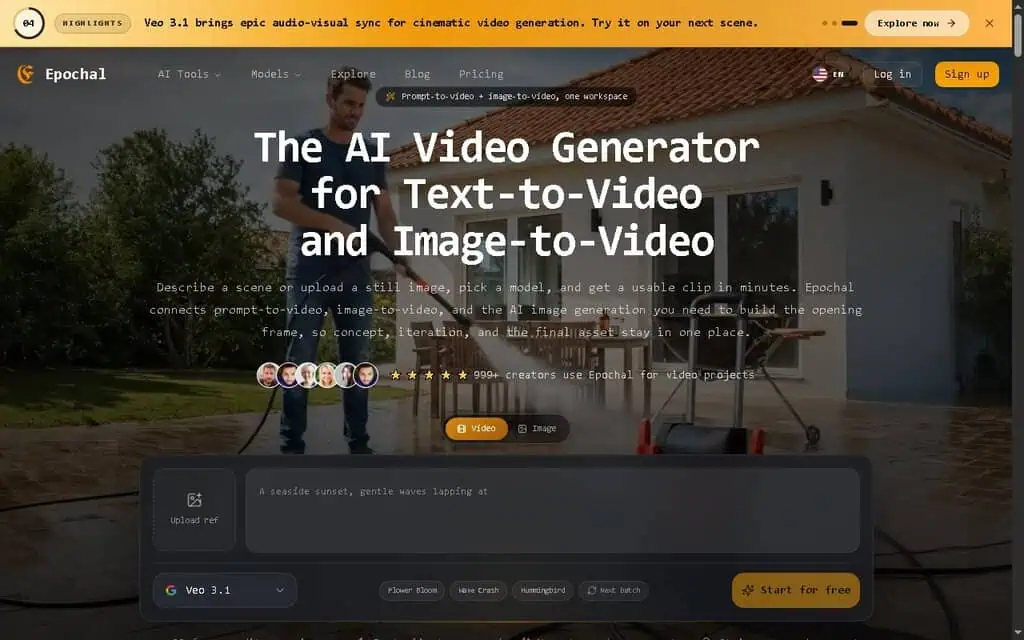
Epochal is an AI video generator that unifies text-to-video, image-to-video, and AI image generation in a single workspace, then lets you run the same idea across multiple leading video models and compare the results. Instead of buying separate access to Google Veo, Kling, Sora, and Runway, you work from one prompt box, pick a model, generate, and save the strongest outputs as references for the next round. Its own framing: “Made for real output, not novelty demos.”
Most AI video tools lock you into one engine, the same friction I flagged in my CinemaDrop review, and many are a watermarked demo wrapped around someone else’s model, a pattern I also unpacked in my Steve AI review. Epochal’s bet is that no single model wins every job, so the useful product is the comparison layer that sits on top of all of them. For someone who switches models depending on the shot, that is a real workflow, and a comparison layer ages better than a single-engine bet because model quality moves fast.
The workflow is four steps:
- Start with an input. A written prompt, an existing image you upload, or an image you generate inside Epochal to use as the opening frame.
- Pick a model. Choose Veo 3.1, Kling 3.0, Wan 2.7, Hailuo, Sora 2 Pro, Grok Imagine, or Runway based on the look and motion you need.
- Generate, compare, and save. Run it, judge the output, and keep the strong results in your library.
- Reuse what works. Feed your best frames and clips back in as references so the next round stays consistent instead of starting from scratch.
There’s no timeline to learn and no node graph to wire up. Whether the output is good enough to publish depends entirely on the underlying model and your prompt.
The seven video models on the roster
Here’s what each video model is positioned for, based on the product’s own descriptions and what those engines are known for.
| Model | Positioned for | Notable strengths |
|---|---|---|
| Google Veo 3.1 | Polished cinematic short-form | Cinematic motion, native audio, multi-image references, sharper frames |
| Kling 3.0 | Balanced text and image input | Multi-shot storytelling, camera-motion controls, audio output |
| Wan 2.7 | Affordable 1080P at volume | Character consistency, believable motion, audio-video sync |
| Hailuo 2.3 | Hard motion and characters | Complex motion, expressive performance, lighting changes |
| Sora 2 Pro | Longer narrative concepts | Multi-scene sequencing, visual continuity across cuts |
| Grok Imagine | Quick shareable clips | Fluid motion with synced audio, fast turnaround |
| Runway | Repeatable team production | Text generation, scene editing, image-to-video workflows |
On top of those, Epochal runs image models like Flux 2 Pro, Nano Banana 2, and GPT Image 2 for the text-to-image and image-to-image steps, which is how you build an opening frame before any motion happens.
Epochal didn’t build any of these. Google Veo is Google’s. Runway is Runway’s. Sora is OpenAI’s. Epochal’s job is to expose them through a shared prompt box and a credit wallet so you can A/B them without seven accounts.
Text, images and 4 to 8 second clips: what you can make
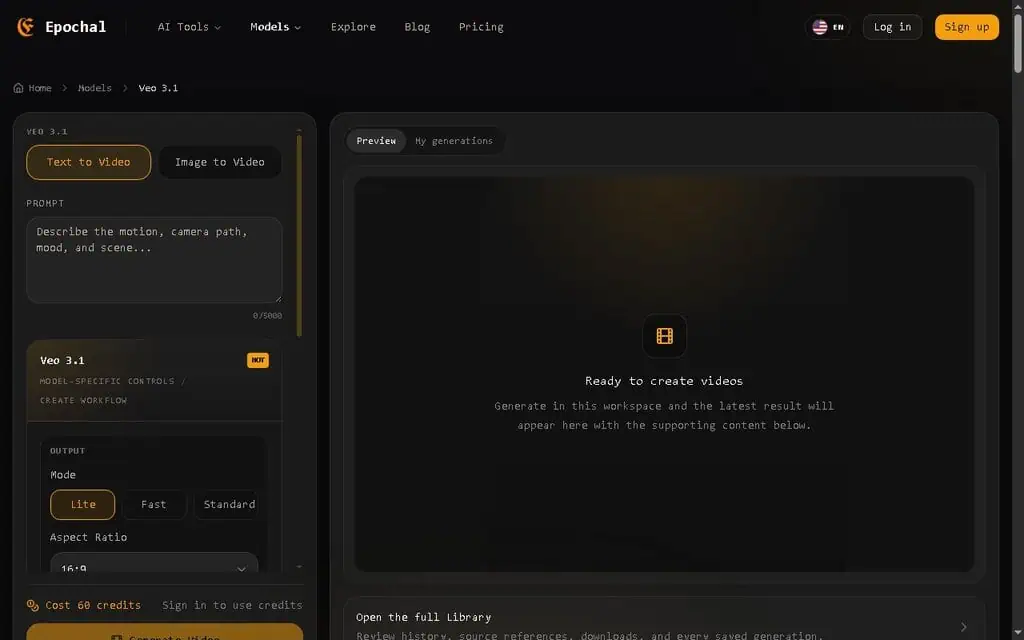
Epochal supports three core jobs: text-to-video (generate a clip from a written scene), image-to-video (animate a still image you upload, or a generated frame, into motion), and AI image generation (text-to-image and image-to-image to build or refine that opening frame). On the text-to-video workspace, the model-specific panel sits right next to the prompt, so you can change one variable at a time instead of guessing what moved the output.
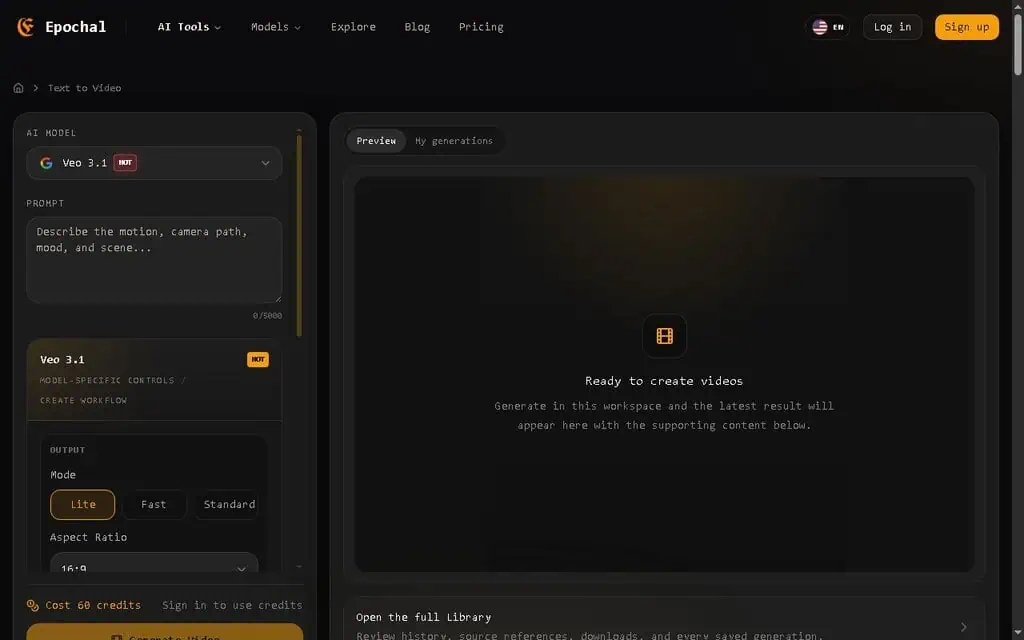
When I ran through the Veo 3.1 text-to-video panel, these were the visible controls:
- Mode: Lite, Fast, or Standard, which trades speed against quality.
- Aspect ratio is 16:9 or 9:16, so you can target landscape or vertical/social.
- Duration: 4, 6, or 8 seconds. That’s the ceiling per generation, and it’s the single biggest limitation to internalize.
- Resolution is 720p or 1080p.
- Generate Audio: a toggle for native sound on models that support it (Veo’s audio sync is the headline feature here).
- Advanced settings hold a negative prompt, seed, and a “Public Visible” switch.
That ceiling decides what Epochal is for: hooks, ad concepts, product motion, moodboards, and storyboard beats, not a two-minute explainer. For TikTok-specific selling I’d pair it with the tool in my CreatOK review, and for long-form you need a real editor alongside it. Inside that lane the loop is fast: describe a scene, generate a 6-second clip, switch the model, compare, and keep the winner, because no model nails the shot on the first try.
Epochal pricing and the real cost per clip
Everything, every image and every video, draws down a credit balance, and different models cost different amounts. Here’s the pricing, verified directly from the Epochal site in June 2026.
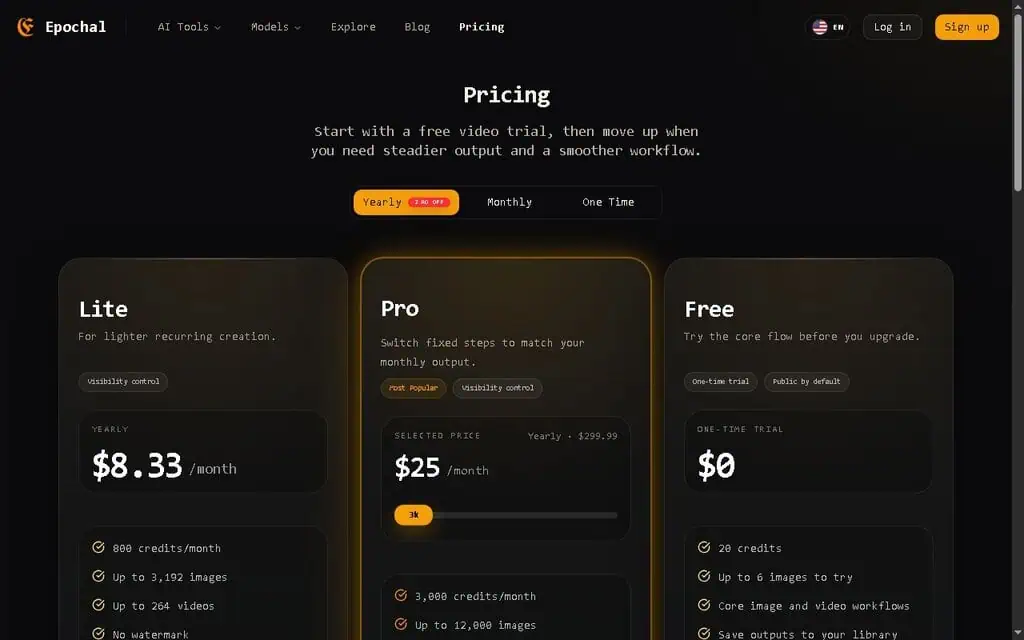
| Plan | Yearly | Monthly | One-time pack | Credits | Watermark |
|---|---|---|---|---|---|
| Free | $0 | $0 | n/a | 20 credits (one-time) | Yes, public by default |
| Lite | $8.33/mo ($99.96/yr) | $9.99/mo | $19.99 = 900 credits (90 days) | 800/month | No, private |
| Pro | $25/mo ($299.99/yr) | $29.99/mo | $59.99 = 3,000 credits (180 days) | 3,000/month | No, private, faster |
Yearly billing is advertised as two months off versus monthly. Payment runs through Stripe, with Visa, Mastercard, Amex, UnionPay, Apple Pay, Google Pay, and JCB accepted.
What 3,000 credits buy on the model you want
Epochal advertises “up to 996 videos” on Pro and “up to 264 videos” on Lite. Those are best-case numbers built on the cheapest model. Here’s what I saw when I opened the generation panels:
- A Google Veo 3.1 clip cost 60 credits.
- A Wan 2.7 clip cost 150 credits.
- An image costs roughly 3 credits (3,000 credits maps to about 1,000 images).
On the Pro plan’s 3,000 monthly credits, that is about 50 Veo 3.1 clips or about 20 Wan 2.7 clips, against a headline of “up to 83 videos a month” that only holds on the cheapest engine. So the question isn’t “how many videos,” it’s “how many videos on the model I want to use.” For premium models, halve or third the headline and you’re closer to reality. Someone who upgrades to Pro expecting 83 videos and picks Wan 2.7 for its 1080P consistency will run out at about 20 finished clips. Checking per-model costs before you subscribe takes two minutes.
Which plan to start on
The free plan is a peek, not a trial. Twenty one-time credits, watermarked output, public by default, and a standard queue. That’s enough for around six images, and likely not enough for a single premium video clip at 60-plus credits, so you can see the interface but can’t judge Veo or Wan output for free. That is a weakness next to tools that give you a real watermarked video to evaluate.
Lite is the sensible entry point for light users. At $8.33 a month on annual billing with 800 credits, no watermark, and private generation, it’s a low-risk way to test premium models on your own prompts. If you publish a few clips a week, it may be all you need.
Pro is about volume and queue priority. The jump to $25 a month (yearly) buys 3,000 credits, faster processing, and higher capacity. It’s the right plan only if you’re producing steadily or comparing models constantly, and only once Lite has shown you the credit burn fits your output.
The one-time packs suit a single campaign. $19.99 gets you 900 credits valid for 90 days and $59.99 gets 3,000 credits valid for 180 days, which avoids a recurring charge you’ll forget to cancel. They are not lifetime deals, and the credits do expire.
Epochal’s FAQ confirms you can cancel anytime and keep your remaining credits until the end of the billing period. Whether monthly subscription credits roll over month to month isn’t clearly stated, so plan to use credits within the cycle rather than stockpiling them. I’m flagging rollover as unverified rather than guessing.
Where Epochal falls short
- You’re paying for access and convenience, not a better model. The output quality is whatever Veo, Kling, or Runway produces. If you only use one model, going direct usually gives you more control, full feature access, and sometimes a better rate.
- The credit headline oversells. “Up to 996 videos” is cheapest-model math, and premium models empty the wallet two to three times faster than that number implies. Budget by per-model credit cost.
- Clips stop at 8 seconds. There’s no real timeline editor, so anything longer than a concept or a short-form beat needs another tool.
- You pay before you can judge video. Twenty free credits will not cover one premium clip, so you’ll probably need to spend at least a few dollars to see real output.
- Privacy is paid, and the public feed is loosely moderated. Free generations are public by default, and the Explore gallery is open user content that surfaces some adult-leaning prompts. Private generation requires a paid plan, so don’t use the free tier for anything confidential.
- It’s young and anonymous. The team is unnamed, the product is early-stage, and it leans on directory listings rather than a track record. Young tools pivot, reprice, or disappear, so keep your source files and don’t build a mission-critical pipeline on it yet.
Going direct, a single-model tool, or another aggregator
Epochal sits in one lane, the multi-model aggregator, and you can line it up against rivals in my AI tool alternatives hub.
Against going direct to the models. This is the real comparison. Google’s Veo, Runway, Kling, and OpenAI’s Sora all sell direct access, often with deeper controls and the model’s full feature set. Going direct wins on depth and sometimes price for a single engine. Epochal wins when you want to compare several models from one prompt and one wallet, and if you can’t decide which model suits your work, it is a cheap way to find out.
Against single-model platforms like Runway or Pika. Tools built around one engine go deeper: more editing, more fine control, more model-specific features. Epochal trades that depth for breadth. If you’ve already settled on Runway, check Runway’s pricing and go direct.
Against other multi-model aggregators. Epochal isn’t the only workspace bundling several video models, and competitors trade on model selection, credit rates, and interface. The differentiator is per-credit cost on the specific models you use and how current the roster stays. Since Epochal also carries quick-clip engines like Grok Imagine, it works for fast, shareable ideation too.
Try Lite first, and who should not bother
It’s a clear “try Lite, then decide,” with a lean toward Buy for one kind of user: the creator, marketer, or small team that genuinely compares video models, Veo for the cinematic shot, Wan for cheap 1080P volume, Grok for a quick social clip. For them one workspace with one credit wallet saves real time, and at $8.33 to $25 a month the downside risk is small.
Skip Epochal if you are loyal to a single model (go direct to that vendor), need long-form or precise frame-level editing, need collaboration seats and an API, or are chasing the lowest possible cost per clip, which usually means going straight to the cheapest source.
The reason the verdict is “wait” and not “buy”: in AI video right now, the model you pick matters more than the wrapper you pick it from. Epochal does not make better videos. It lets you find out which model makes the best video for your shot before you commit a budget to it, a workflow I break down further in my AI how-to guides. That optionality is worth something, just not infinite money.
The cheapest way to decide: grab the free credits to see the interface, then spend the smallest amount that lets you generate (Lite or a one-time pack) and run three of your real prompts through the two models you’d use. If the cost per usable clip works, upgrade. If it doesn’t, you’ve spent less than a lunch finding out.
Is Epochal legit?
Epochal appears to be a legitimate early-stage AI platform that resells access to established video models like Google Veo, Kling, and Runway through Stripe-secured billing. The caveats are that the team is anonymous, the product is young, and free generations are public by default. Use a paid plan for anything private, and treat it as a young tool rather than proven infrastructure.
Once your AI video is generated, messy audio can still sink it. See our Music Remover AI review for a free AI music remover that lifts background music from video while keeping the voice clean.
Before you animate a still into video, you need the still. Our guide to the 60 best free AI image generators covers free tools to create one in seconds.
AI video is one category among many. Our guide to the 108 best free AI tools covers free tools for every job, from images to coding.
Comparing AI video generators? Our guide to the 60 best free AI video generators ranks 60 free tools by real traffic, with each free plan, watermark policy, and clip limit.
Pricing and company details: see the Epochal profile.
Related Posts

I tested AgainstData on 355 pages of Gmail data. Bulk unsubscribe, personal data deletion requests, pricing, and whether...

AI-Text-Humanizer.com took a 132-word ChatGPT paragraph from 100% AI to 0% on ZeroGPT but flattens your voice. Buy the $...

AIscan24 is a free, no-signup AI detector: it caught pure ChatGPT text at 100% but scored my handwritten paragraph 80%. ...

Honest Aithenticate review after hands-on testing. Does this AI disclosure badge tool meet EU AI Act requirements? Prici...

My hands-on Answer Socrates review covering all features, free plan limits, pricing, and how it compares to AlsoAsked. I...

I’ve spent $4,200 on 118 AppSumo lifetime deals over 5 years. Here’s my honest review: what works, what fails, and wheth...